


BFKK
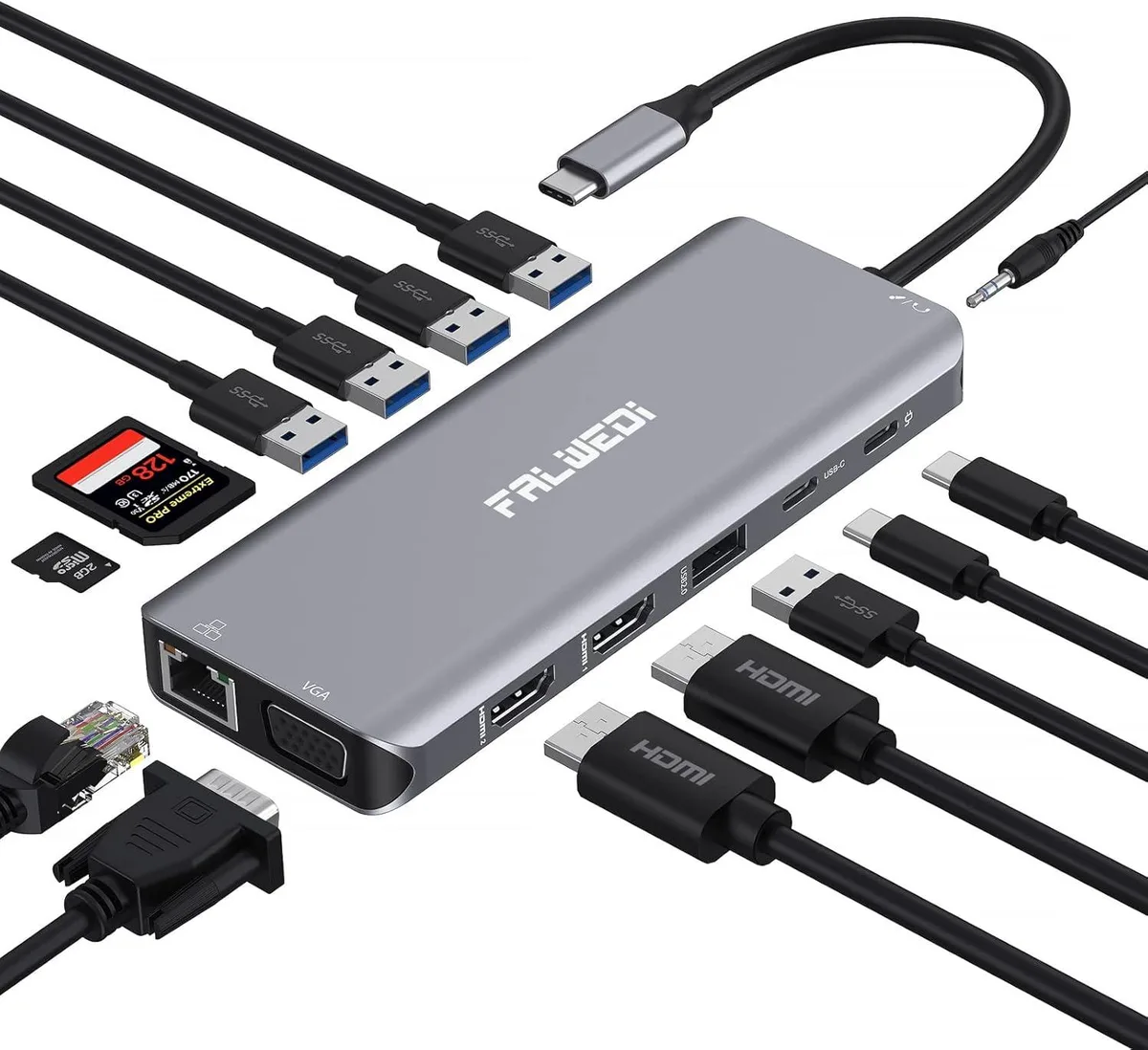
BFKK 14-in-1 USB-C Docking Station Dual HDMI VGA PD 100W Ethernet SD/TF Audio
Connects three monitors via dual HDMI and VGA with 100 W power delivery, Gigabit Ethernet, 5 Gbps USB 3.0, 480 Mbps USB 2.0, SD/TF slots and 3.5 mm audio
- Dual HDMI up to 3840x2160@30Hz for crisp 4K visuals
- VGA output up to 1920x1080@60Hz adds a third display on Windows
- 100W PD 3.0 pass-through charging keeps laptop powered while docked
- Gigabit Ethernet delivers stable wired connectivity when Wi-Fi drops
- 14 ports including USB 3.0 at 5Gbps and SD/TF slots for versatile expansion
14-in-1 USB-C Docking Station
This 14-in-1 USB-C docking station expands a single full-function Type-C port into dual HDMI, VGA, Gigabit Ethernet, Power Delivery, SD and TF card slots, audio and multiple USB ports. It targets professionals who need simultaneous multi-monitor output, wired networking and peripheral connectivity from one compact hub. Compatible with Windows laptops, MacBooks, Chromebooks and devices from major brands supporting Thunderbolt 3 or full-function USB-C.
Triple Display 4K@30Hz and Gigabit Ethernet
Dual HDMI ports deliver up to 3840x2160 at 30 Hz each, while VGA reaches 1920x1080 at 60 Hz; Windows supports three extended screens, macOS mirrors across two external displays. The PD 3.0 input accepts up to 100 W pass-through charging for the host laptop, and the RJ45 port provides a stable Gigabit wired connection when Wi-Fi is unreliable.
Driver-Free Hub with 5 Gbps Data and SD/TF Access
Three USB 3.0 ports and the USB-C data port run at 5 Gbps for fast file transfers, while two USB 2.0 ports handle keyboards and mice at 480 Mbps. SD and TF slots operate at 5 Gbps for simultaneous media access. No drivers or software are required — just plug into a full-function Type-C or Thunderbolt 3 port. Not suited for laptops lacking video-capable USB-C or for users needing more than three external displays.
Highlights
- Dual HDMI up to 3840x2160@30Hz for crisp 4K visuals
- VGA output up to 1920x1080@60Hz adds a third display on Windows
- 100W PD 3.0 pass-through charging keeps laptop powered while docked
- Gigabit Ethernet delivers stable wired connectivity when Wi-Fi drops
- 14 ports including USB 3.0 at 5Gbps and SD/TF slots for versatile expansion
Specifications
No published specifications for this item yet.
Questions about this item
How do I install the BFKK 14-in-1 USB-C Docking Station on my laptop?
Connect the dock to a full-function USB-C port on your laptop. No drivers or software are required; it works immediately. Ensure your laptop’s USB-C port supports video output and PD charging for all features to function.
What maintenance or replacement will the BFKK 14-in-1 USB-C Docking Station need later?
The dock has no user-serviceable parts or consumables. Keep the USB-C connector and ports free of dust. If the supplied USB-C cable becomes damaged, replace it with another cable that supports USB 3.0 data and 100 W PD.
What is the first limit I will hit when running three monitors at high resolution on the BFKK 14-in-1 USB-C Docking Station?
With two HDMI monitors connected, the maximum resolution is 3840x2160 at 30 Hz. Adding a third display via VGA is limited to 1920x1080 at 60 Hz. macOS does not support MST, so extended triple display is Windows-only.
Also in this aisle
People compared these
Same shelf, same checkout — eight coins and a 30-minute rate lock.


Case Logic
Case Logic 3203990 briefcase for 15.6 in laptop with 10.1 in tablet pocket
$30.99
0.00036922BTC
In stock