


BFKK
BFKK 11-in-1 USB-C Docking Station Grey
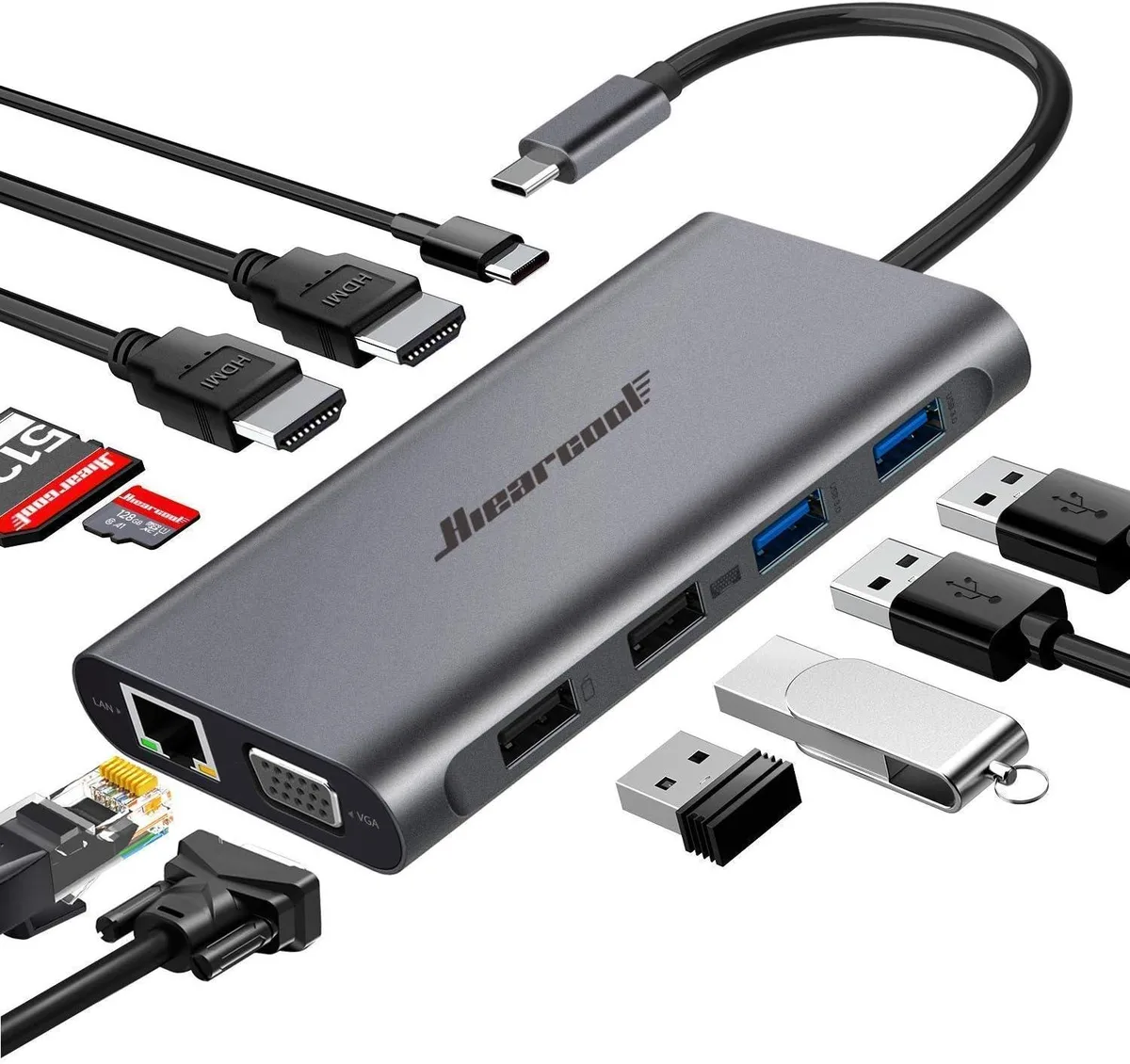
Connects a laptop to three external displays plus wired network, card readers and four USB ports while delivering up to 100 W charging
- ColorGrey
- Triple display support with mirror, extend and video-wall modes
- Two HDMI ports deliver 4K at 3840 x 2160 30Hz
- VGA output reaches 1920 x 1080 at 60Hz
- PD 3.0 charging up to 100W with overload and temperature protection
- Gigabit Ethernet at 1000Mbps plus USB 3.0 at 5Gbps and SD/TF card slots
Triple-display USB-C dock for mobile professionals
The BFKK 11-in-1 docking station adds eleven ports through a single USB-C connection, including dual HDMI, VGA, Gigabit Ethernet, SD and TF card readers, and four USB ports. It is built for Windows laptop users who need to drive multiple external monitors and wired peripherals from one compact hub.
Replaces single-port dongles when three screens
If a current adapter only mirrors one display, this dock enables mirror mode, extend mode and video wall mode across two HDMI outputs and one VGA output. The upgrade is worth it when a workflow demands simultaneous 4K HDMI at 3840 x 2160 30Hz and 1080p VGA at 1920 x 1080 60Hz.
Sustained throughput with 100 W PD 3.0 power
The integrated smart chip manages up to 100 W pass-through charging while maintaining 5 Gbps on USB 3.0 ports and 1000 Mbps Ethernet during long sessions. Overload, short-circuit and temperature protection keep the hub stable when all ports are active and the host laptop draws maximum power.
Highlights
- Triple display support with mirror, extend and video-wall modes
- Two HDMI ports deliver 4K at 3840 x 2160 30Hz
- VGA output reaches 1920 x 1080 at 60Hz
- PD 3.0 charging up to 100W with overload and temperature protection
- Gigabit Ethernet at 1000Mbps plus USB 3.0 at 5Gbps and SD/TF card slots
Specifications
| Color | Grey |
|---|
Questions about this item
What laptop port does the BFKK 11-in-1 Docking Station plug into?
It connects through a single USB-C port on the laptop, carrying video, data and power simultaneously.
Which driver or setting enables the triple-display modes on Windows?
Windows detects the dock automatically; open Display Settings to choose mirror, extend or video-wall layout for the two HDMI and one VGA output.
When should the SD and TF card slots be cleaned to keep transfer speeds at 5 Gbps?
Blow out dust with compressed air whenever a card inserts roughly or read speeds drop noticeably; the slots have no moving parts to wear out.
Also in this aisle
People compared these
Same shelf, same checkout — eight coins and a 30-minute rate lock.


Kensington
Kensington Desk Mount Cable Anchor K64613WW accessory
- Black
- Provides a secure a…
$19.99
0.00023267BTC
In stock
Panasonic
Panasonic CF-VDR291U laptop cooling pad
- Optical Drive
- Buffer Size: 2 MB B…
$213.99
0.00249066BTC
In stock
eReplacements
eReplacements PB992A-ER laptop battery 14.4V
- Battery
- Lithium-Ion
$65.99
0.00076807BTC
In stock