


BESIGN
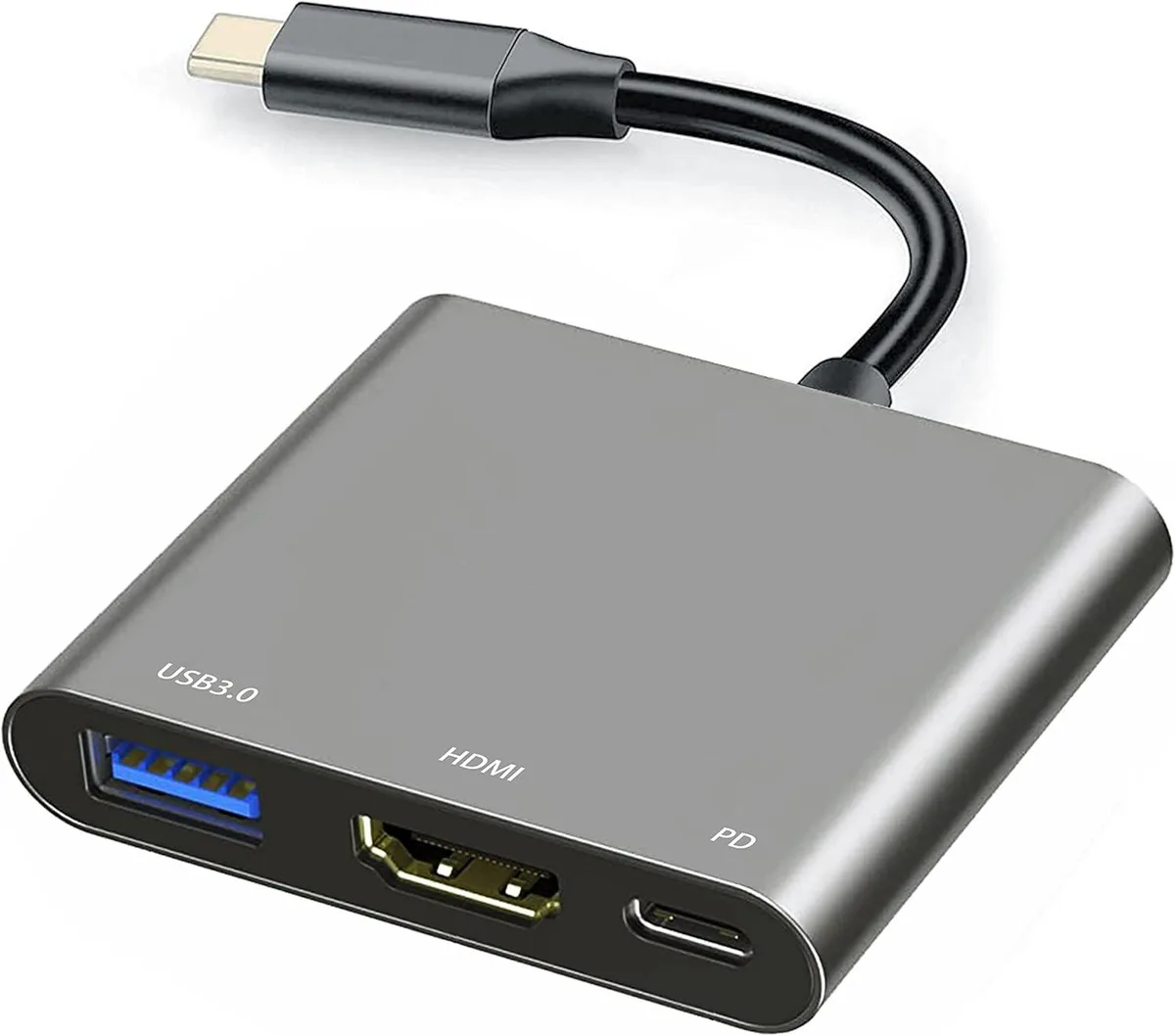
BESIGN USB-C 4K HDMI Docking Station 10Gbps 100W PD
A USB-C hub adding 4K HDMI video, 10 Gbps USB-A data and 100 W pass-through charging for Thunderbolt 3 and 4 laptops
- TypeUSB Hubs
- 4K mirroring or expansion on external displays via HDMI
- 10 Gbps data transfer through USB 3.1 Gen 1 port
- 100 W pass-through charging keeps laptop powered
- OTG support connects drives, keyboards and mice
- Works with Thunderbolt 3 and 4 hosts
10 Gbps USB-C 4K HDMI Docking Station
This 10 Gbps USB-C docking station adds a 4K HDMI video output, a USB 3.0 data port and 100 W power delivery through a single USB-C connection. It supports mirroring and extended display modes at resolutions up to 4K, 2K, 1080P and 720P. The hub works with USB-C devices that have display output, including Thunderbolt 3 and 4 hosts. A compact adapter for users who need video, data and charging from one port.
Who this suits and who should look elsewhere
Suits laptop, tablet or phone owners whose USB-C port carries video and who want a single-cable desk setup with 4K external display, USB peripherals and up to 100 W charging. Not for devices whose USB-C port lacks display output — on those hosts the HDMI port will stay dark while data and charging still function. Also not for buyers who need multiple video outputs, Ethernet, SD card slots or legacy ports beyond one USB-A connector.
Installation ease and common issues
Plug the adapter into the host USB-C port, connect an HDMI cable to the display and attach a USB-C charger to the PD port for power delivery. No drivers are required on supported operating systems. The most common issue is no video signal when the host USB-C port does not support DisplayPort Alt Mode; in that case the HDMI output cannot work. Ensure the charger supplies enough wattage for the host device to avoid throttled charging.
Highlights
- 4K mirroring or expansion on external displays via HDMI
- 10 Gbps data transfer through USB 3.1 Gen 1 port
- 100 W pass-through charging keeps laptop powered
- OTG support connects drives, keyboards and mice
- Works with Thunderbolt 3 and 4 hosts
Specifications
| Type | USB Hubs |
|---|
Questions about this item
Does my laptop need a USB-C port with video output for the HDMI on this dock to work?
Yes, the HDMI port only functions when the host USB-C port supports display output; if it lacks that capability the HDMI will stay inactive while charging and data still work.
Can I keep using my USB 3.0 flash drives and mouse with the 10 Gbps USB-A port on this dock?
The USB-A port runs at USB 3.1 Gen 1 speeds up to 10 Gbps and is backward compatible with USB 3.0 and earlier devices such as flash drives, mice and keyboards.
How can I verify the dock is delivering up to 100 W of power to my laptop?
Connect a compatible charger to the PD port; the laptop’s battery indicator will show it is charging and the power meter will report up to 100 W input.
Also in this aisle
People compared these
Same shelf, same checkout — eight coins and a 30-minute rate lock.


Kensington
Kensington Desk Mount Cable Anchor K64613WW accessory
- Black
- Provides a secure a…
$19.99
0.00023039BTC
In stock
Panasonic
Panasonic CF-VDR291U laptop cooling pad
- Optical Drive
- Buffer Size: 2 MB B…
$213.99
0.00246629BTC
In stock
eReplacements
eReplacements PB992A-ER laptop battery 14.4V
- Battery
- Lithium-Ion
$65.99
0.00076055BTC
In stock