


BenQ
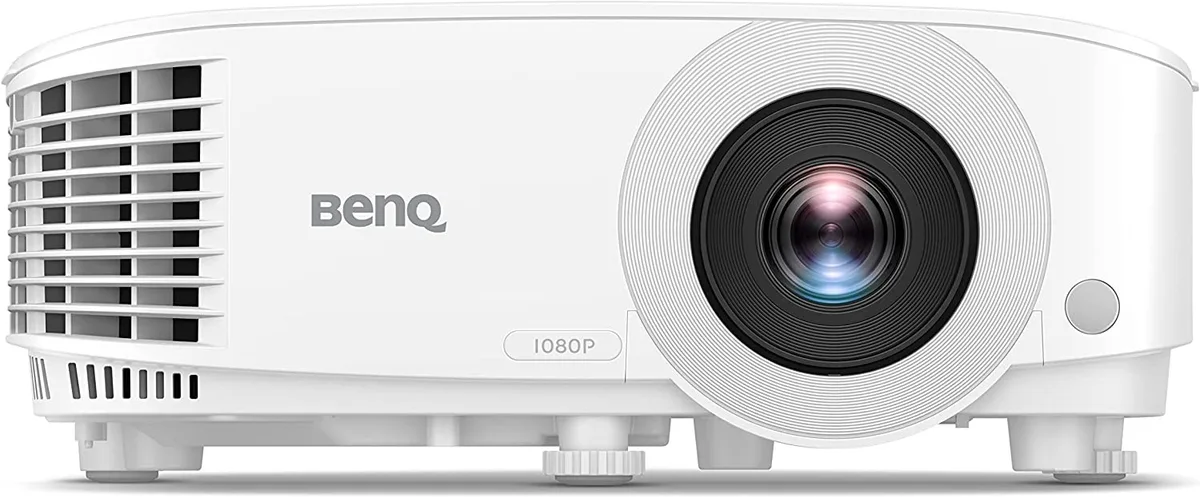
BenQ TH575-R business projector 3800lm 1920x1080
Delivers 3800 lumen Full HD 1080p images up to 300 inches with low input lag and two HDMI inputs
- Cabinet ColorWhite
- Brightness> 3500 lumens
- Native Resolution1920 x 1080
- Aspect Ratio16:9
- Bright 3800lm Full HD image stays clear in lit rooms
- Low input lag keeps fast motion responsive for gaming
- Exclusive game mode sharpens detail in dark scenes
- Flexible 30" to 300" image size fits any space
- Two HDMI and one USB-A connect multiple sources
Brightness and resolution
The BenQ TH575-R is a Full HD business projector rated at 3800 lumens. It produces a 1920 x 1080 image with a 16:9 aspect ratio. A built-in 10 W speaker handles audio without external hardware. The unit ships new in a white cabinet.
Use-case fit
Suits presenters who need a visible image in rooms with ambient light. Gamers benefit from a dedicated Game Mode and low input lag. Streaming apps such as Netflix and Prime Video are supported. Buyers who require native 4K resolution or wireless networking should look at other models.
Connectivity
Two HDMI ports and one USB-A port provide the only physical inputs. This limits the projector to two concurrent digital sources and local media playback. Installations needing VGA, DisplayPort or wired Ethernet will require additional adapters or a different projector.
Highlights
- Bright 3800lm Full HD image stays clear in lit rooms
- Low input lag keeps fast motion responsive for gaming
- Exclusive game mode sharpens detail in dark scenes
- Flexible 30" to 300" image size fits any space
- Two HDMI and one USB-A connect multiple sources
Specifications
| Brand | BenQ |
|---|---|
| Model | TH575 |
| Part Number | TH575-R |
| Cabinet Color | White |
| Brightness | > 3500 lumens |
| Native Resolution | 1920 x 1080 |
| Aspect Ratio | 16:9 |
| Shipping weight | 3.30 kg |
| Package size | 380 × 277 × 43 mm |
Questions about this item
What clearance is required around the white cabinet for the TH575-R to vent properly?
The white cabinet needs open space on the sides and rear for airflow; keep at least a hand-width gap from walls and shelves so heat can escape during long sessions.
Which HDMI port should I use first when setting up the TH575-R, and what common step is missed?
Connect the source to either HDMI input, then open the on-screen menu and select the matching HDMI channel; many users forget to switch the input after plugging in.
How often will the lamp in the TH575-R need replacement with typical daily use?
Expect several thousand hours before the lamp dims noticeably; when brightness drops, order a BenQ replacement lamp and follow the tool-free access door procedure.
Also in this aisle
People compared these
Same shelf, same checkout — eight coins and a 30-minute rate lock.



CHIEF MANUFACTURING
CHIEF MANUFACTURING CMS018 18" 457 mm Fixed Extension Column projector accessory
- Extension Column
- Projector
$22.99$22.99
0.00027332BTC
In stock