
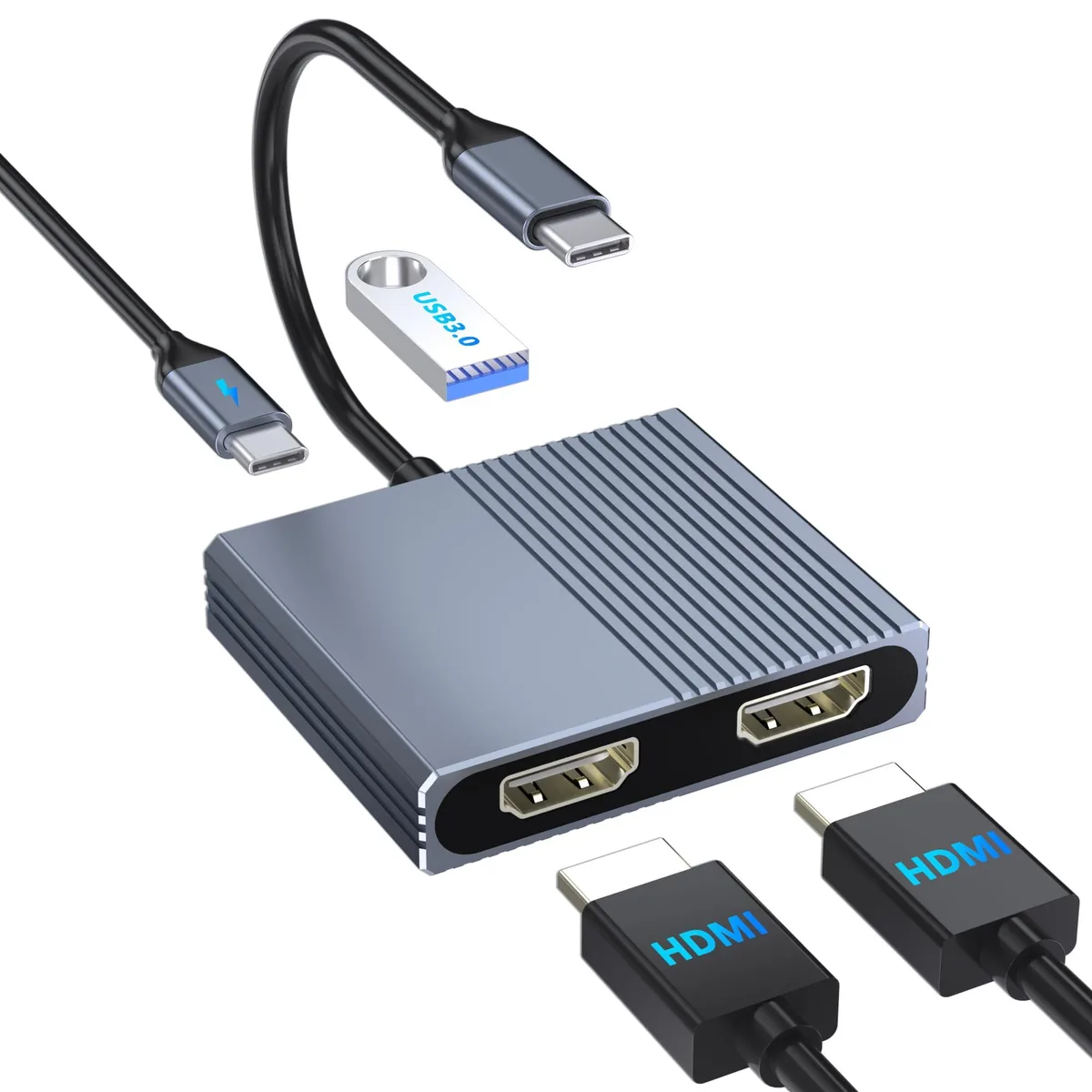


Belkin Hxwlo 4-in-1 USB-C Dual HDMI Docking Station
Expands one USB-C port into dual 4K HDMI outputs, a USB 3.0 port and 100W PD charging for Windows multi-stream or macOS mirror modes
- Ports Spec1 x USB 2.0
- Dimension14.33in W x 12.83in H x 9.06in D
- Weight1.95 ounces
- FeaturesPlug and Play, Fast Charging
- Dual 4K 30 Hz monitors from one USB-C port
- 100 W Power Delivery keeps laptop charged while working
- USB 3.0 port adds fast data for peripherals
- Plug-and-play setup requires no driver installation
- Lightweight 1.95 oz design fits in any bag
4-in-1 USB-C Dock with Dual HDMI
This Belkin Hxwlo docking station turns a single USB-C or Thunderbolt port into two HDMI outputs, one USB 3.0 port and a 100 W Power Delivery pass-through. It is built for professionals who need extra screen space and charging from one compact hub.
Dual 4K 30 Hz output with MST and SST
Both HDMI ports can drive 4K resolution at 30 Hz simultaneously. Windows systems support MST for two independent extended displays plus mirror modes, while macOS is limited to SST mirror or single extended desktop due to operating system constraints.
Plug-and-play aluminium hub with PD charging
The lightweight 1.95-ounce enclosure requires no drivers and supplies up to 100 W of pass-through power to the host laptop. A single USB 3.0 port adds peripheral connectivity, and the short tether keeps the unit close to the machine on crowded desks.
Highlights
- Dual 4K 30 Hz monitors from one USB-C port
- 100 W Power Delivery keeps laptop charged while working
- USB 3.0 port adds fast data for peripherals
- Plug-and-play setup requires no driver installation
- Lightweight 1.95 oz design fits in any bag
Specifications
| Brand | Belkin |
|---|---|
| Series | Hxwlo |
| Ports Spec | 1 x USB 2.0 |
| Dimension | 14.33in W x 12.83in H x 9.06in D |
| Weight | 1.95 ounces |
| Features | Plug and Play, Fast Charging |
Questions about this item
Will this dock drive two monitors from the single USB-C port on my older laptop?
It requires a USB-C port that supports Thunderbolt 3, Thunderbolt 4 or DisplayPort Alternate Mode; without that the HDMI outputs will not function.
How can I confirm both external displays are running at 4K 30 Hz after I connect them?
Open your operating system display settings and verify each screen reports a 4K resolution at 30 Hz.
Does the package include the HDMI cables and the laptop charger I need for a dual-monitor desk setup?
The box contains only the docking station; HDMI cables and a USB-C power adapter for the 100 W pass-through port must be purchased separately.
Also in this aisle
People compared these
Same shelf, same checkout — eight coins and a 30-minute rate lock.


Kensington
Kensington Desk Mount Cable Anchor K64613WW accessory
- Black
- Provides a secure a…
$19.99
0.00023606BTC
In stock
Panasonic
Panasonic CF-VDR291U laptop cooling pad
- Optical Drive
- Buffer Size: 2 MB B…
$213.99
0.00252701BTC
In stock
eReplacements
eReplacements PB992A-ER laptop battery 14.4V
- Battery
- Lithium-Ion
$65.99
0.00077928BTC
In stock