

Battery Technology Inc.
Battery Technology Inc. 12V 1-Cell Lead Acid UPS Battery RB1280 for CyberPower CP685AVR Series
$36.99
0.00042766BTC
In stockWe take cryptocurrency — so the coins you hold can buy real hardware.Pay in crypto, spend it on real hardware. Free insured shipping worldwide over $399. Plain, unbranded boxes, sent from Germany.Free insured shipping over $399. Your rate is locked for 30 minutes once checkout opens.Rate locked 30 minutes. Every item sealed, serial-checked and covered by a 24-month warranty.Sealed, 24-month warranty.
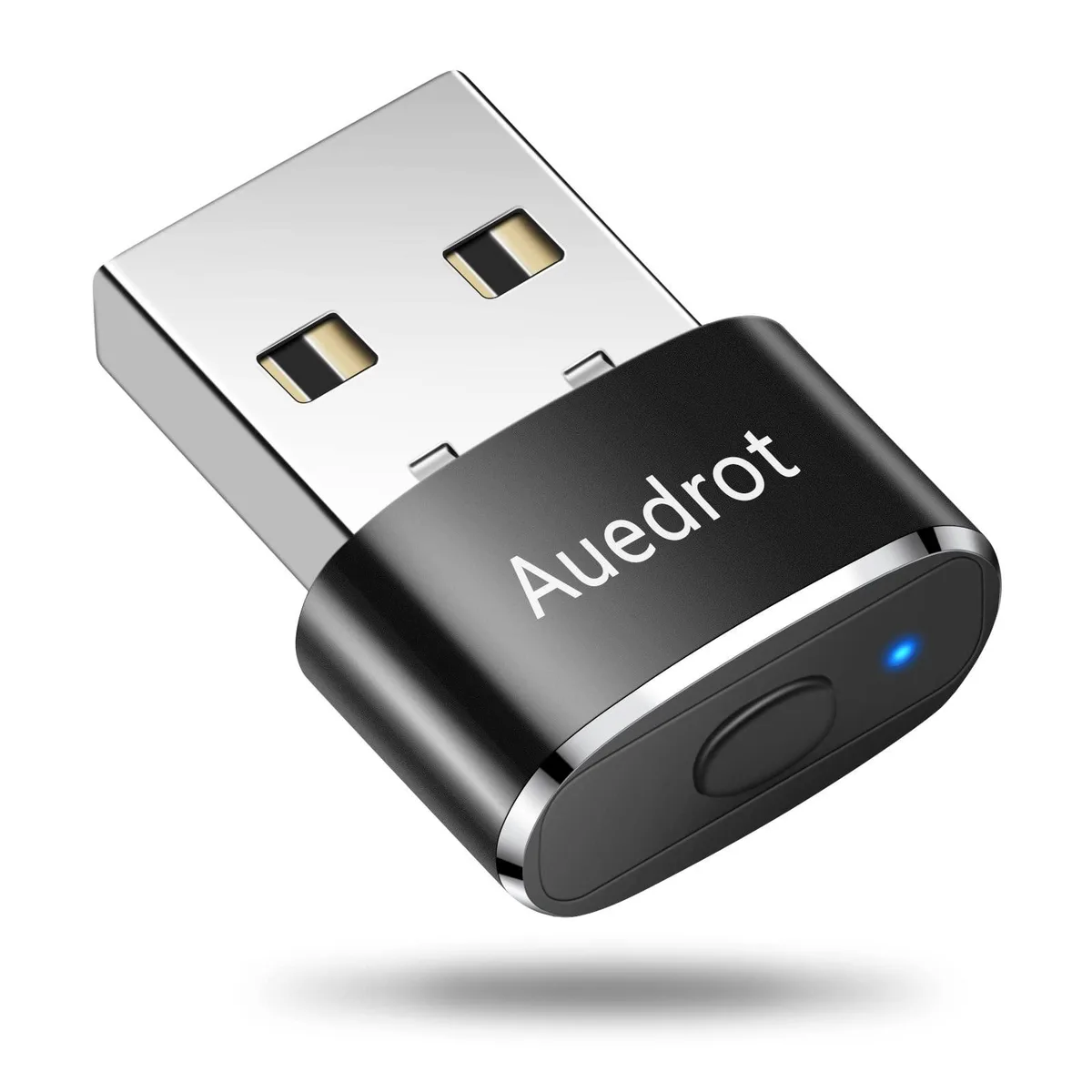


A USB mouse jiggler with two movement modes and a physical switch button to keep computers awake without software installation
The Belkin AUB09YTB1DSB is a compact USB device that keeps a computer awake by moving the pointer automatically. It offers two selectable modes: a slight 1-2 pixel shift that is barely noticeable, and a random travel mode that visibly crosses the screen. The unit is recognised as a standard USB composite device, so no driver or software installation is required. An onboard switch toggles between modes with a short press and powers the device off with a long press.
Professionals who need Microsoft Teams, Skype, Webex or similar collaboration tools to remain green during pauses in active work will find this jiggler effective. It is also useful for long-running remote sessions or unattended downloads that rely on user-activity detection. Users who require genuine cursor control for precision work, gaming or accessibility should not rely on this device, because the automated motion interferes with deliberate pointer input.
The aluminium-bodied unit weighs 0.018 kilograms and measures 2.2098 x 7.2898 x 10.4902 centimetres, making it highly portable for laptop bags or desk setups. It draws power directly from the USB port and functions immediately on Windows, Mac OS and Android without configuration. The two movement modes cover most idle-prevention scenarios, but the device cannot simulate keyboard activity, touch gestures or multi-monitor cursor transitions, so environments that monitor those inputs may still trigger sleep or away status.
| Brand | BELKIN |
|---|---|
| Model | AUB09YTB1DSB |
| Part Number | AUB09YTB1DSB |
| Color | White |
| Specifications | AUB09YTB1DSB, AUEDROT, Aluminum,Metal,Plastic, USB, Optical, 1, Ambidextrous, Corded Electric, Ergonomic Design, Lightweight, Portable, Wireless, 0.018 kilograms, 2.2098 L x 7.2898 W x 10.4902 H centimeters, 1 Year Manufacturer, Personal Computer |
| Features | Ergonomic Design, Lightweight, Portable, Wireless |
| Disclaimer | 1 Year Manufacturer, not_applicable |
Yes, the device plugs directly into a standard USB-A port and draws power from it; no extra cables or adapters are required.
In Slight Jiggler Mode the pointer shifts only 1-2 pixels, so a real mouse works normally; Random Mode moves the pointer visibly across the screen.
The computer recognises it as a "USB Composite Device" and the pointer begins moving according to the selected mode — slight or random — without any software install.
Also in this aisle
Same shelf, same checkout — eight coins and a 30-minute rate lock.
What you pay in, and what you read prices in.
Sent from your wallet at checkout
Display only — the catalogue is priced in USD
No currency matches that.
Pick the language the site speaks to you in.
No language matches that.
New here?
Already have one?
There is no automatic reset: this shop sends no mail, so there is no one-time link to ask for. Leave the address on the account and it gets picked up by hand.
Request noted
Nothing is on its way to your inbox — this shop sends no mail at all. Someone picks these up by hand.
Remembered it?


