

Beisite
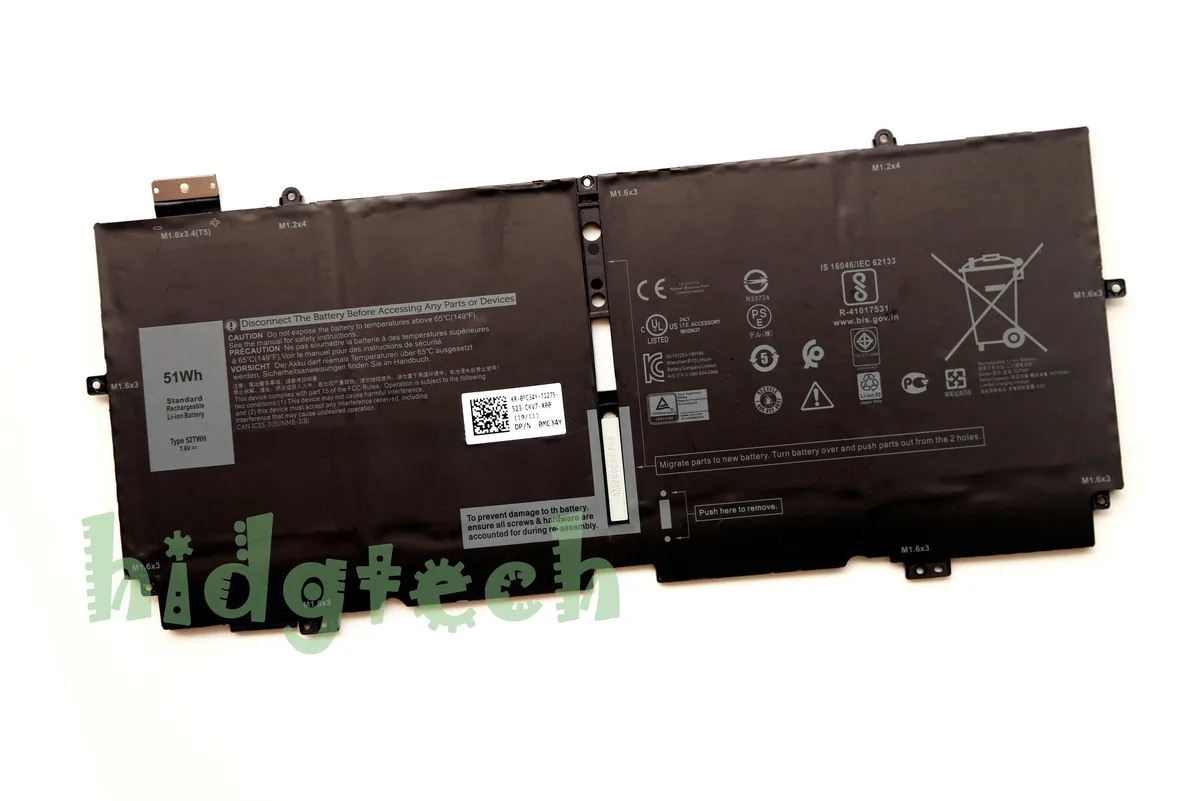
Beisite 52TWH 51Wh 7.6V laptop battery for XPS 13 7390 2-in-1
Lithium-ion 7.6 V 51 Wh replacement battery for XPS 13 7390 2-in-1 laptops
- ColorBlack
- TypeBattery
- Compatibilityfor XPS 13 7390 2-in-1 Series
- Battery TypeLithium-Ion
- Battery Voltage7.6V
- Battery Capacity51Wh
- 51Wh capacity extends runtime between charges
- 6V lithium-ion cell matches original voltage spec
- Replaces part numbers 52TWH, NN6M8, XX3T7, P103G series
- Fits XPS 13 7390 2-in-1 and 2in1 models
- Brand-new condition with 12-month warranty
Compatible replacement for XPS 13 7390 2-in-1
This 51Wh lithium-ion battery replaces part numbers 52TWH, NN6M8, XX3T7, P103G, P103G001 and P103G002. It fits the XPS 13 7390 2-in-1 series and restores original runtime for mobile professionals. Buyers needing a higher-capacity cell or a different voltage should verify specifications before purchase.
Thermals, noise and power draw
The 7.6V lithium-ion pack operates silently with no moving parts. Normal use produces minimal heat within the laptop chassis. Power delivery matches the original 51Wh rating for consistent discharge cycles.
Included hardware and warranty
The package includes one black battery unit. A 12-month warranty covers manufacturing defects. No tools, adhesives or software utilities are bundled with this replacement part.
Highlights
- 51Wh capacity extends runtime between charges
- 6V lithium-ion cell matches original voltage spec
- Replaces part numbers 52TWH, NN6M8, XX3T7, P103G series
- Fits XPS 13 7390 2-in-1 and 2in1 models
- Brand-new condition with 12-month warranty
Specifications
| Brand | 52TWH |
|---|---|
| Model | 52TWH |
| Part Number | P103G, P103G001, P103G002 |
| Color | Black |
| Type | Battery |
| Compatibility | for XPS 13 7390 2-in-1 Series |
| Battery Type | Lithium-Ion |
| Battery Voltage | 7.6V |
| Battery Capacity | 51Wh |
Questions about this item
How do I install the 52TWH battery in my XPS 13 7390 2-in-1 and which step do people often miss?
Power off the laptop, disconnect the AC adapter, remove the bottom case screws, unplug the old battery connector before unscrewing it, fit the new 51Wh pack, reconnect its cable, replace the case and screws, then charge fully before first use.
What maintenance or replacement will the 7.6V lithium-ion pack need later?
No routine maintenance is required; the pack will gradually lose capacity over hundreds of cycles and should be replaced once run-time drops below your needs, typically after a few years of daily charging.
What limit appears first on the 51Wh cell during sustained heavy workloads?
The fixed 51Wh capacity sets the maximum run-time; under continuous high drain the voltage will sag to the controller's low-voltage cutoff and the laptop will shut down to protect the cells.
Also in this aisle
People compared these
Same shelf, same checkout — eight coins and a 30-minute rate lock.


Case Logic
Case Logic 3203990 briefcase for 15.6 in laptop with 10.1 in tablet pocket
$30.99
0.00036919BTC
In stock