
Barco
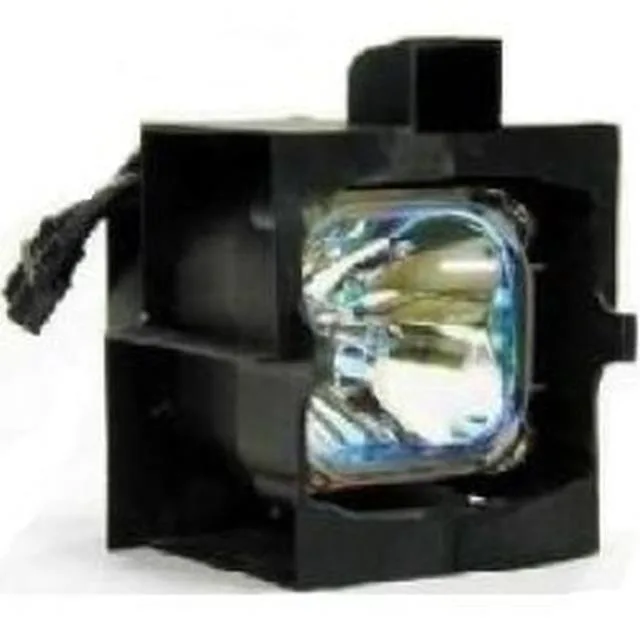
Barco iQ R300 Single OEM Replacement Projector Lamp 200W
Philips UHP 200 W replacement lamp module with a 2,000-hour rated life, supplied as a pre-assembled bulb and housing for quick installation
- TypeProjector Lamp
- Wattage200W
- Lamp Life2,000 Hrs.
- Ready-to-install module with Philips UHP 200W bulb
- 2,000-hour rated life for extended projector use
- OEM-spec assembly meets ISO 9001 quality standards
- Exact-fit replacement for Barco iQ R300 projectors
- Fully assembled housing eliminates separate bulb handling
Direct OEM Replacement
The Barco iQ R300 lamp module arrives as a complete 200W assembly with a new Philips UHP bulb inside its housing. It matches the original Barco part number R9841111 so installation requires no extra tools or alignment steps.
ISO9001 Build Standard
Every unit is tested for beam performance, ignition voltage, connections and run-time before it ships. The sealed housing protects the bulb during handling and locks into the projector with the factory mounting points.
Restores 2000-Hour Rated Life
This lamp replaces a dimmed or failed module in compatible Barco projectors, returning brightness to factory specification. It is not suited for users who need a higher-wattage option or a different connector layout.
Highlights
- Ready-to-install module with Philips UHP 200W bulb
- 2,000-hour rated life for extended projector use
- OEM-spec assembly meets ISO 9001 quality standards
- Exact-fit replacement for Barco iQ R300 projectors
- Fully assembled housing eliminates separate bulb handling
Specifications
| Brand | Barco |
|---|---|
| Type | Projector Lamp |
| Wattage | 200W |
| Lamp Life | 2,000 Hrs. |
Questions about this item
What lamp module fits the Barco iQ R300 projector model R9841111?
This replacement lamp module is built for the Barco iQ R300 and matches the OEM part number R9841111, so it seats directly in the projector’s lamp compartment without adapters.
What clearance and housing dimensions are required for the 200 W lamp assembly?
The unit ships as a complete 200 W Philips UHP bulb inside its original housing, matching the factory form factor so it slides into the existing lamp cage and locks with the projector’s standard retaining screws.
How do I install the lamp module and reset the hour counter correctly?
Power off and cool the projector, remove the lamp cover, release the retaining screws, pull the old module out, insert the new assembly until it seats firmly, re-tighten the screws, replace the cover, then use the on-screen menu to reset the lamp timer to zero.
Also in this aisle
People compared these
Same shelf, same checkout — eight coins and a 30-minute rate lock.



CHIEF MANUFACTURING
CHIEF MANUFACTURING CMS018 18" 457 mm Fixed Extension Column projector accessory
- Extension Column
- Projector
$22.99$22.99
0.00026645BTC
In stock