
v AV Access
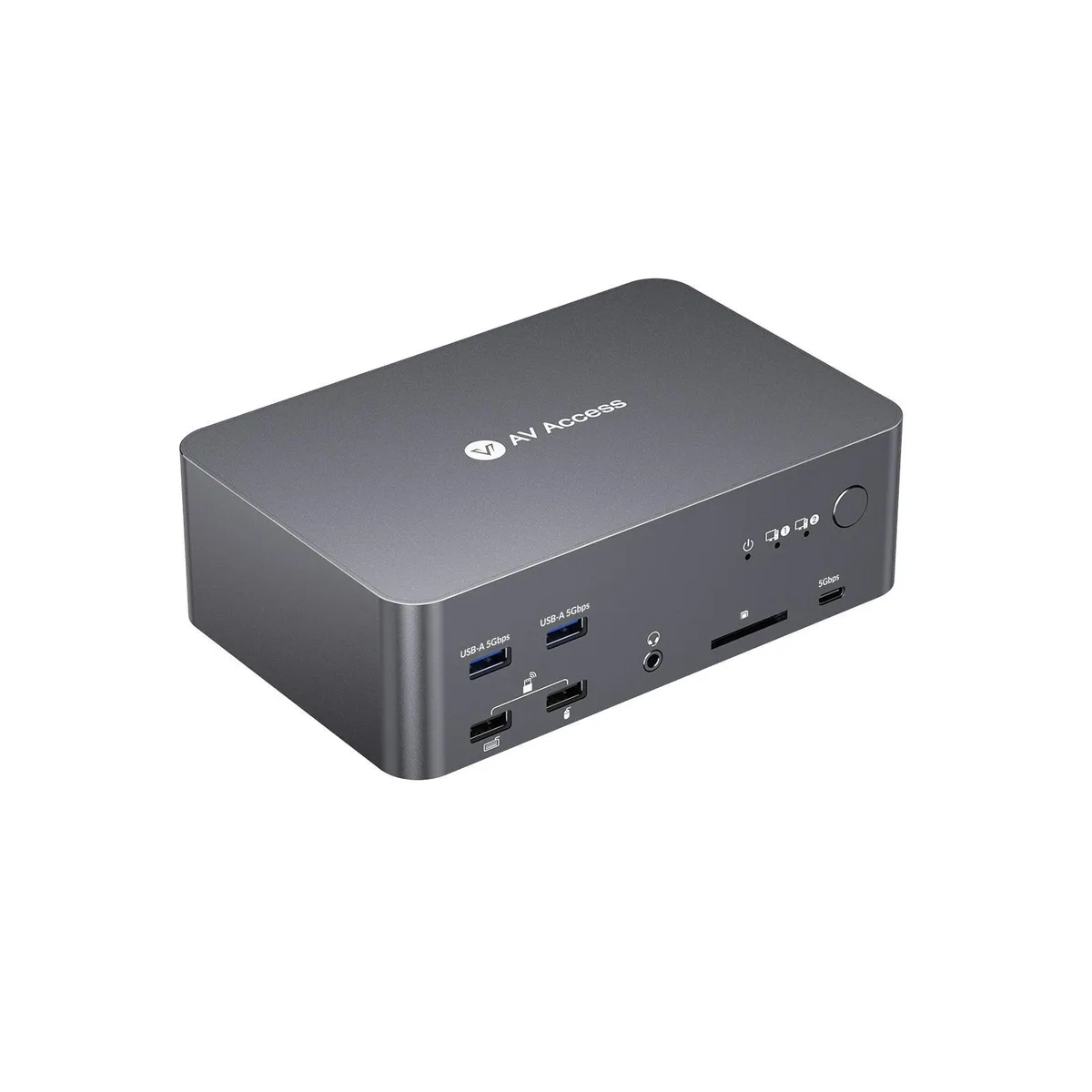
AV Access iDock D23i KVM Switch 2 PCs 3 Monitors 8K@60Hz
- DisplayPort, USB,HD…
- 21 Ports
$158.99
0.00183276BTC
In stockWe take cryptocurrency — so the coins you hold can buy real hardware.Pay in crypto, spend it on real hardware. Free insured shipping worldwide over $399. Plain, unbranded boxes, sent from Germany.Free insured shipping over $399. Your rate is locked for 30 minutes once checkout opens.Rate locked 30 minutes. Every item sealed, serial-checked and covered by a 24-month warranty.Sealed, 24-month warranty.


v AV Access
Controls two computers across three monitors at up to 8K 30 Hz or 4K 120 Hz with 100 W laptop charging and shared gigabit Ethernet
Style 1laptop+1desktop-1HDMI 2DP
The AV Access iDock B23 is a KVM switch that connects one USB-C laptop and one desktop PC to a single keyboard, mouse, and up to three external monitors. It provides a 12-in-1 docking station with shared peripherals, 100 W Power Delivery for the laptop, and a Gigabit Ethernet port that stays active on both computers during switching. A remote push-button is included for convenient PC selection.
This unit suits professionals who need triple-monitor productivity across two computers, such as designers, coders, or traders requiring 8K@30 Hz or 4K@120 Hz output. It is not for users who only have a single monitor, lack a USB-C laptop with video output, or need to switch between two desktop towers without a laptop. The desktop must provide HDMI and two DisplayPort connections simultaneously.
The dock drives three displays at up to 8K@30 Hz or 4K@120 Hz from the desktop, while the laptop supports two 4K@60 Hz screens and one 4K@30 Hz screen. USB 3.2 Gen 2 ports deliver 10 Gbps data transfer for fast peripheral access. The 100 W charging keeps most laptops powered under load, though power-hungry workstations may exceed the delivery limit.
| Brand | v AV Access |
|---|---|
| Series | iDock B23 |
| Model | iDock B23 |
| Type | KVM Switch |
| PC Connectors | 1 |
| Computer Connections | 2 Ports |
| Monitor Connections | 3 Ports |
| Video Resolution | 8K@30 Hz or 4K@120 Hz |
| PC Selection | Push Buttons |
| Monitors Supported | 1 HDMI 2DP |
| LED Indicators | 3 |
| Temperature | 0ºC to 40ºC(32ºF to 104ºF) |
| Audio Features | with Audio |
| USB Features | with USB support |
| Dimensions | 6.61’’ x 2.24’’ x 4.33’’ |
Other versions of this model
Same family, different memory, cooler or clock — compare before you commit.
The desktop side requires a USB-B cable, one HDMI cable and two DisplayPort cables — all three video links are mandatory for the switch to pass a signal to the three monitor outputs.
Yes, the Gigabit LAN remains live on both computers at all times, so the inactive PC can continue downloads, cloud syncs or updates without interruption.
Check the three front-panel LEDs — each lit LED corresponds to an active video channel; then verify in your OS display settings that the connected monitors report 8K at 30 Hz or 4K at 120 Hz.
Also in this aisle
Same shelf, same checkout — eight coins and a 30-minute rate lock.
What you pay in, and what you read prices in.
Sent from your wallet at checkout
Display only — the catalogue is priced in USD
No currency matches that.
Pick the language the site speaks to you in.
No language matches that.
New here?
Already have one?
There is no automatic reset: this shop sends no mail, so there is no one-time link to ask for. Leave the address on the account and it gets picked up by hand.
Request noted
Nothing is on its way to your inbox — this shop sends no mail at all. Someone picks these up by hand.
Remembered it?


