

AUTENS
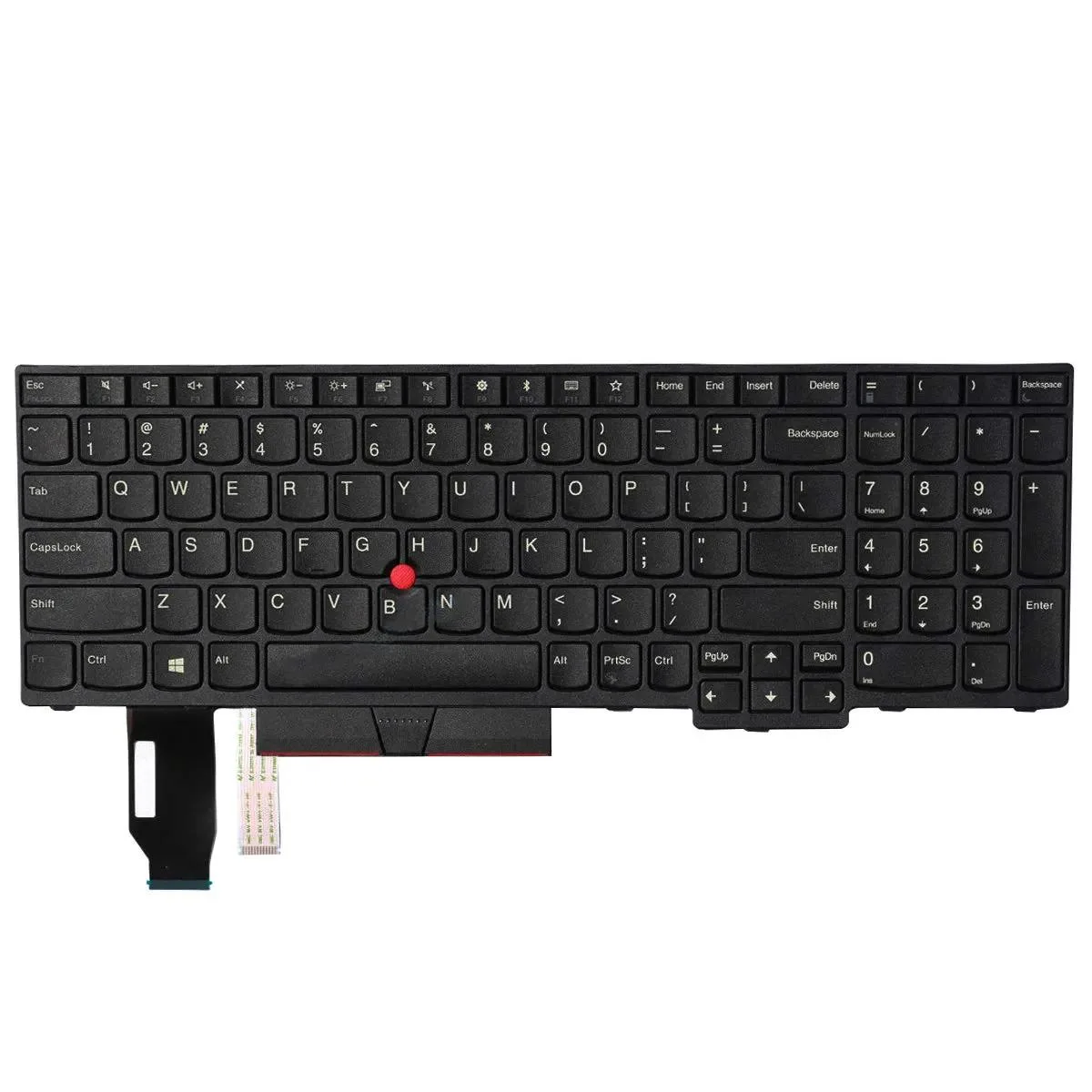
AUTENS Keyboard for ThinkPad E590 E595 L590 T590 P15s Gen 1/2 T15 Gen 1/2 US No Backlight
Replacement keyboard for ThinkPad E590, E595, L590, T590, P15s Gen 1, P15s Gen 2, T15 Gen 1 and T15 Gen 2 with US layout and no backlight
- Design StyleStandard
- Keyboard ColorBlack
- TypeKeyboard
- US-layout keyboard fits eight ThinkPad models
- Black standard-design keys match original look
- Replaces part numbers 01YP560 01YP720 01YP640 01YP680
- Includes SN20P34095 and SN20P34536 compatibles
- One-year warranty covers replacement unit
Compatible ThinkPad Models
This replacement keyboard fits Lenovo ThinkPad E590, E595, L590, T590, P15s Gen 1, P15s Gen 2, T15 Gen 1 and T15 Gen 2 laptops. It does not fit the T15p variant. Buyers who need a backlit keyboard or a different regional layout cannot use this part.
Build and Connectors
The keyboard uses a standard black design with US English lettering. It connects via the laptop's internal ribbon connector and replaces original part numbers including 01YP560, 01YP720, 01YP640, 01YP680, SN20P34095 and SN20P34536. Installation requires opening the chassis to access the keyboard mounting points.
Thermals and Power
As a passive input component the keyboard draws negligible power and generates no measurable heat. It adds no audible noise during typing. The part does not affect system thermals or battery life in any way.
Highlights
- US-layout keyboard fits eight ThinkPad models
- Black standard-design keys match original look
- Replaces part numbers 01YP560 01YP720 01YP640 01YP680
- Includes SN20P34095 and SN20P34536 compatibles
- One-year warranty covers replacement unit
Specifications
| Brand | AUTENS |
|---|---|
| Model | E590 E595 L590 T590, P15s Gen 1, P15s Gen 2, T15 Gen 1, T15 Gen 2 |
| Design Style | Standard |
| Keyboard Color | Black |
| Type | Keyboard |
Questions about this item
How does the keyboard connect to the motherboard?
It plugs in via the standard ribbon-cable connector used by the listed ThinkPad models.
What physical layout must my laptop have for this keyboard to fit?
Your chassis must match the E590, E595, L590, T590, P15s Gen 1, P15s Gen 2, T15 Gen 1 or T15 Gen 2 frame; it will not fit the T15p.
Which screw holes and retention clips do I line up during installation?
Align the screw posts marked on the metal back-plate and snap the front edge under the palm-rest clips before tightening the screws.
Also in this aisle
People compared these
Same shelf, same checkout — eight coins and a 30-minute rate lock.


Kensington
Kensington Desk Mount Cable Anchor K64613WW accessory
- Black
- Provides a secure a…
$19.99
0.00023962BTC
In stock
Panasonic
Panasonic CF-VDR291U laptop cooling pad
- Optical Drive
- Buffer Size: 2 MB B…
$213.99
0.00256506BTC
In stock
eReplacements
eReplacements PB992A-ER laptop battery 14.4V
- Battery
- Lithium-Ion
$65.99
0.00079101BTC
In stock