

Astro Gaming
Astro Gaming Wireless Keyboard Mouse Combo Silver White 2 in 1 Accessories
$43.99
0.0005296BTC
In stockWe take cryptocurrency — so the coins you hold can buy real hardware.Pay in crypto, spend it on real hardware. Free insured shipping worldwide over $399. Plain, unbranded boxes, sent from Germany.Free insured shipping over $399. Your rate is locked for 30 minutes once checkout opens.Rate locked 30 minutes. Every item sealed, serial-checked and covered by a 24-month warranty.Sealed, 24-month warranty.


ARCTIC
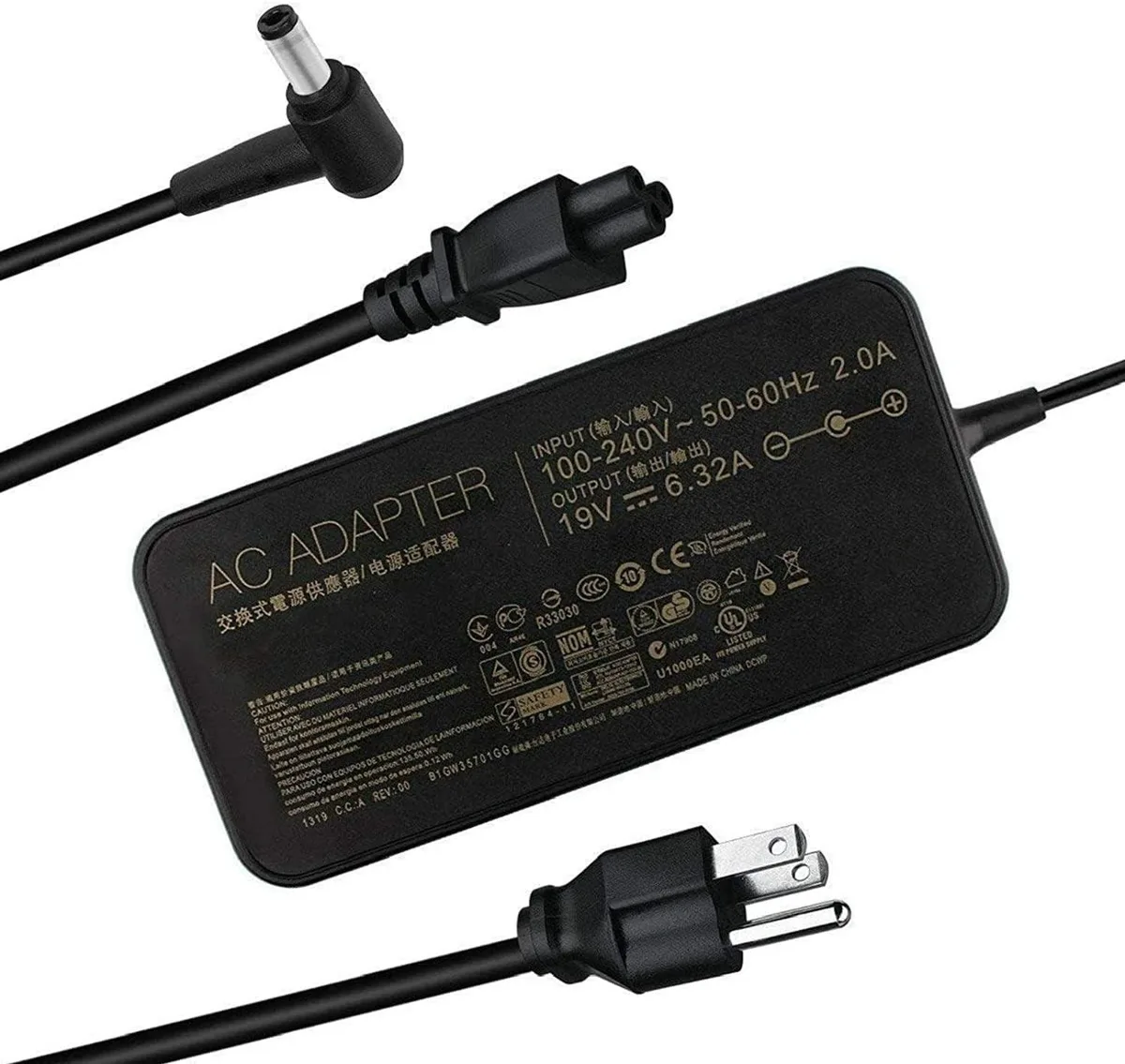
120W 19V 6.32A laptop charger with 5.5mm × 2.5mm connector fits Asus ROG, VivoBook Pro and TUF models
This 120 W power adapter delivers 19 V at 6.32 A for compatible Asus laptops. It accepts 100-240 V input so it works worldwide without a voltage converter. The unit is sold new and built with industry-grade materials and premium circuitry.
The plug measures 5.5 mm by 2.5 mm and has no centre pin, so it fits only laptops that use this exact barrel type. Over-current, overcharging and overheating protection are built in for daily safety. A compact brick and standard cable keep desk clutter low.
It directly substitutes those Asus part numbers for ROG GL551, GL552, GL553, GL752, GL753, N550, N551, N552, N56, N750, N751, N752, VivoBook Pro 15 and 17, TUF FX502, FX503, FX504 and K55 series models. The upgrade is worth it when the original adapter is lost, damaged or no longer holds a stable charge.
No published specifications for this item yet.
The connector fits Asus models that use a plain 5.5 mm outer and 2.5 mm inner barrel without a centre pin; it will not work with tips that require a centre pin.
The unit is a standard rectangular brick sized for 120 W output; its dimensions are typical for this wattage and it uses a detachable IEC C7 mains lead for flexible placement.
Plug the IEC C7 lead into the brick, then the barrel tip firmly into the laptop; the frequent error is inserting the tip upside-down or not pushing it fully home, which prevents charging.
Also in this aisle
Same shelf, same checkout — eight coins and a 30-minute rate lock.
What you pay in, and what you read prices in.
Sent from your wallet at checkout
Display only — the catalogue is priced in USD
No currency matches that.
Pick the language the site speaks to you in.
No language matches that.
New here?
Already have one?
There is no automatic reset: this shop sends no mail, so there is no one-time link to ask for. Leave the address on the account and it gets picked up by hand.
Request noted
Nothing is on its way to your inbox — this shop sends no mail at all. Someone picks these up by hand.
Remembered it?


