


Apple
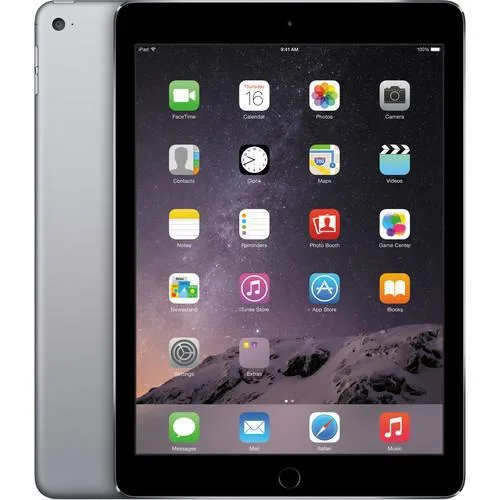
Apple iPad Air 2 A1566 32GB Space Gray tablet
A 9.7-inch iOS tablet with 32GB storage and 2GB RAM for everyday tasks
- ColorGray
- Operating SystemiOS
- Screen Size9.7"
- TouchscreenTouch Screen
- Built-in Storage32GB
- SSD32GB
- 7" touchscreen for responsive interaction
- 32GB built-in storage holds apps and media
- 2GB memory supports everyday multitasking
- iOS operating system runs Apple apps
- Space Gray finish with A1566 model number
iPad Air 2 32 GB for light daily use
The Apple iPad Air 2 A1566 delivers a 9.7 inch touchscreen, 32 GB of built-in storage and 2 GB of memory in a Space Gray finish. It runs iOS and connects via WiFi, making it suitable for web browsing, email, media streaming and basic productivity tasks.
Stepping up from a smaller or older tablet
Replacing a device with less storage or a smaller screen gives more room for apps and offline content. The jump is worth it when you need a portable iOS tablet for everyday tasks but do not require the latest processor or cellular connectivity.
Simple setup with included charger
The tablet arrives fully functional after a 30 point inspection and includes a UL approved power adapter and cable. No original packaging, headphones, SIM card or manual are supplied, so buyers should have their Apple ID ready and source any accessories separately.
Highlights
- 7" touchscreen for responsive interaction
- 32GB built-in storage holds apps and media
- 2GB memory supports everyday multitasking
- iOS operating system runs Apple apps
- Space Gray finish with A1566 model number
Specifications
| Brand | Apple |
|---|---|
| Series | iPad Air 2 |
| Model | A1566 |
| Color | Gray |
| Operating System | iOS |
| Screen Size | 9.7" |
| Touchscreen | Touch Screen |
| Built-in Storage | 32GB |
| SSD | 32GB |
| Memory | 2GB |
Questions about this item
What are the physical dimensions of the 9.7-inch iPad Air 2 A1566?
The iPad Air 2 measures 9.7 inches diagonally across the display; exact height, width and depth figures are not supplied.
What is the correct way to insert the SIM tray on the A1566, and what step is often missed?
Power off the tablet, eject the tray with the supplied tool, place the nano-SIM with contacts facing down, and push the tray fully flush; the step most often missed is powering off first.
Which components of the 32GB A1566 model typically need replacement after extended use?
The built-in 32GB SSD and 2GB memory are not user-replaceable; the battery and Lightning port are the parts most likely to require service later.
Also in this aisle
People compared these
Same shelf, same checkout — eight coins and a 30-minute rate lock.


Max Cases
Max Cases Extreme Shell-F3 tablet accessory Dell Pro 14 Windows Grey
$38.99
0.00045078BTC
In stock