

Aomoproing
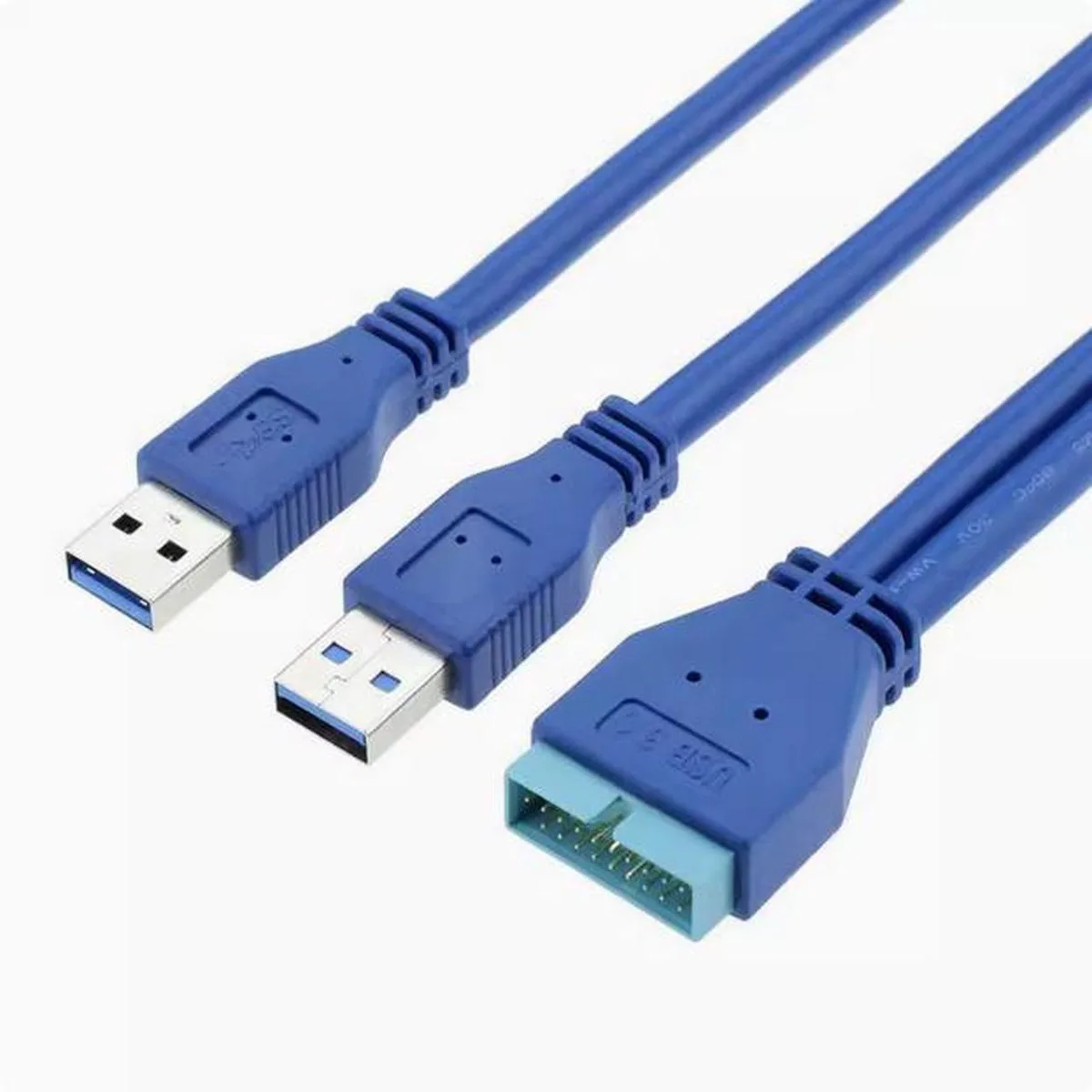
Aomoproing 20 pin to dual USB 3.0 male conversion cable
Converts a rear USB 3.0 port to a 20-pin header for front-panel expansion using 9-core shielded cable
Style Female to Male
- Female to Female
- Female to Male
- Converts rear USB 3.0 port to front 20-pin header for chassis expansion
- Dual USB 3.0 male plugs connect directly to motherboard rear I/O panel
- 9-core tinned copper conductors with foil-and-braid shielding for stable data transfer
- Optimised cable length minimises signal loss and prevents high-frequency rebound
- 100 % electrically tested with environmentally compliant materials throughout
Rear USB 3.0 to 20-pin header adapter
This cable converts a rear-panel USB 3.0 Type-A female port into a standard 20-pin header for front-panel chassis expansion. It targets builders whose motherboard lacks an internal 20-pin connector but who need to wire the case front USB 3.0 ports. The adapter uses 9-core tinned copper conductors with aluminium-foil and braid double shielding. All materials meet environmental requirements and every unit receives 100% electrical testing.
Installation and common pitfalls
Plug the dual USB 3.0 male ends into the motherboard rear I/O ports and attach the 20-pin female socket to the chassis front-panel header. The supplier states the wire length is optimised to minimise differential-signal loss and high-frequency rebound. A frequent issue is mismatched keying on the 20-pin header; verify the pin-out before forcing the connector. Ensure the rear ports are true USB 3.0, not USB 2.0, otherwise the front panel will fall back to lower speeds.
Pre-order checks
Confirm the motherboard provides two adjacent USB 3.0 Type-A ports on the rear I/O for the dual male plugs. Check that the chassis front-panel cable uses a standard 20-pin header with matching keying. Verify the rear ports are wired to a USB 3.0 controller, not a USB 2.0 header. This product does not add a controller; it only re-routes existing rear ports to the front panel.
Highlights
- Converts rear USB 3.0 port to front 20-pin header for chassis expansion
- Dual USB 3.0 male plugs connect directly to motherboard rear I/O panel
- 9-core tinned copper conductors with foil-and-braid shielding for stable data transfer
- Optimised cable length minimises signal loss and prevents high-frequency rebound
- 100 % electrically tested with environmentally compliant materials throughout
Specifications
No published specifications for this item yet.
Other versions of this model
1 more in the same range
Same family, different memory, cooler or clock — compare before you commit.

Questions about this item
How do I confirm the 20-pin to dual USB 3.0 cable is working after connecting it to the mainboard and front panel?
Plug a USB 3.0 device into the front panel ports; the system should detect it at USB 3.0 speeds and transfer data without errors, confirming the 20-pin header and both male plugs are functioning correctly.
What comes with the Aomoproing 20-pin to dual USB 3.0 conversion cable and what must I source separately?
The package includes the conversion cable with a 20-pin socket and two USB 3.0 male plugs; you must provide a motherboard with a 20-pin header and a chassis front panel that accepts the USB 3.0 connectors.
Which version of the 20-pin to dual USB 3.0 cable should I choose for a standard front-panel USB 3.0 header?
Select the 20-pin to dual USB 3.0 male configuration that matches a standard 19-pin front-panel header; this version is designed for that exact conversion.
Also in this aisle
People compared these
Same shelf, same checkout — eight coins and a 30-minute rate lock.


Tripp Lite
Tripp Lite U324-003-BK USB 3.0 cable USB-A to USB-A 3 ft
- USB
- Black
$13.99
0.0001679BTC
In stock

MADE IN USA TONER
MADE IN USA TONER TK-8367K Cyan Toner Cartridge 25000 Pages
$48.99
0.00058795BTC
In stock