


Alphacool
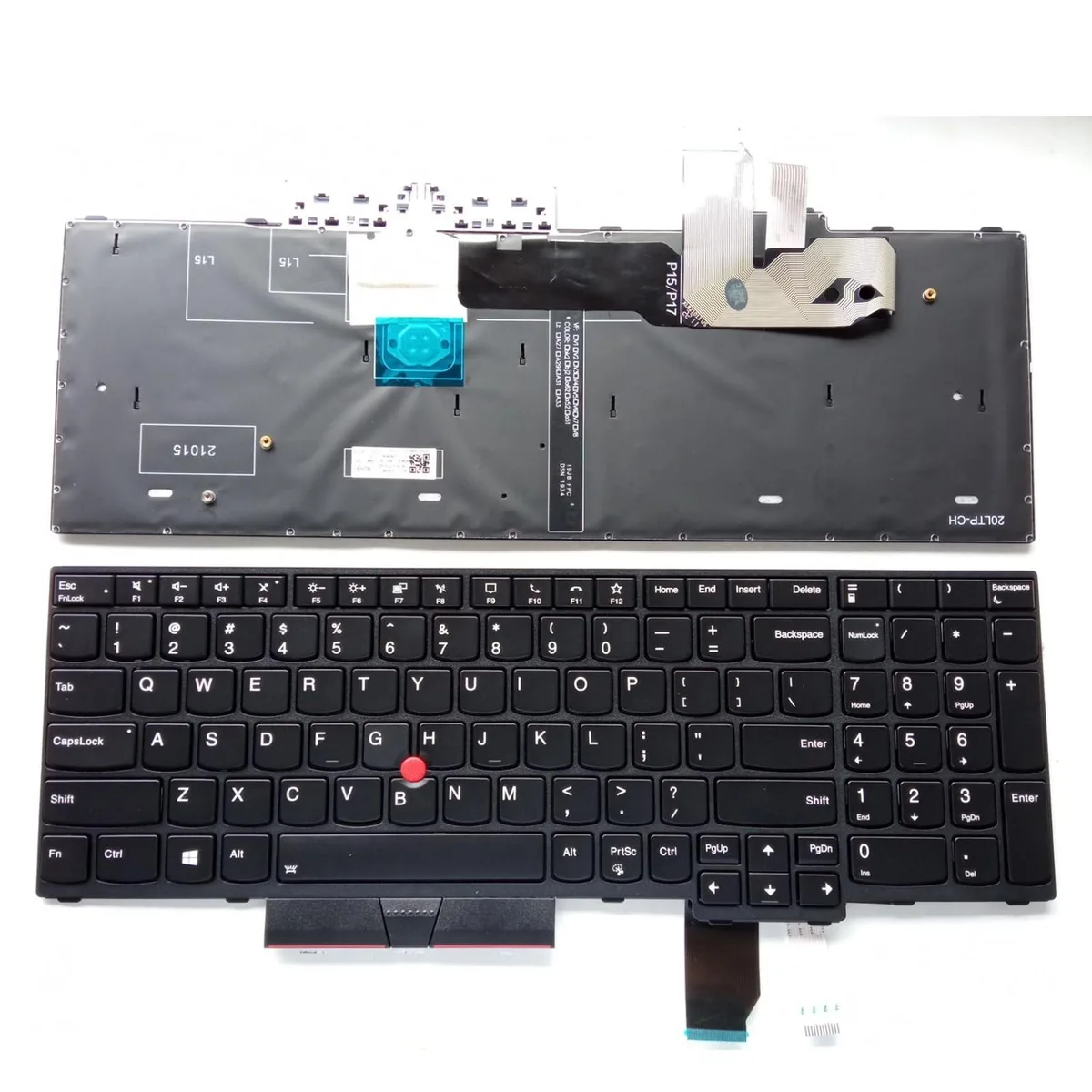
Alphacool US Backlit Keyboard for Lenovo ThinkPad P15 P17 T15g Gen 1 laptop replacement part
US-layout backlit keyboard replaces faulty units in Lenovo ThinkPad P15, P17 and T15g Gen 1 laptops
- US layout with backlight for comfortable typing in low light
- Direct replacement for ThinkPad P15, P17 and T15g Gen 1
- Matches part numbers 5N20Z74859 and 5N20Z74785
- Brand-new keyboard tested before dispatch
- Safe installation when laptop is powered off
Direct replacement keyboard for ThinkPad P15 P17
This new Alphacool keyboard matches the original US layout and backlit specification for Lenovo ThinkPad P15, P17 and T15g Gen 1 models. It carries part numbers 5N20Z74859 and 5N20Z74785 for exact identification. The unit ships as a single keyboard module ready for installation.
Upgrades a faulty, cracked
The part replaces the factory keyboard when keys fail, the backlight stops working or physical damage occurs. Installation is straightforward with the laptop powered off, though the ribbon cable must seat fully; several users report that reseating the cable resolves any keys that do not register at first.
Limited to US-layout ThinkPad P15 P17 T15g Gen 1
The keyboard fits only the listed Gen 1 models with US key arrangement and backlight support. It will not align with other layouts, later generations or non-ThinkPad laptops. Buyers needing a different language layout or a non-backlit variant should look elsewhere.
Highlights
- US layout with backlight for comfortable typing in low light
- Direct replacement for ThinkPad P15, P17 and T15g Gen 1
- Matches part numbers 5N20Z74859 and 5N20Z74785
- Brand-new keyboard tested before dispatch
- Safe installation when laptop is powered off
Specifications
No published specifications for this item yet.
Questions about this item
Does this keyboard include the ribbon cable that connects to the Lenovo ThinkPad P15, P17 or T15g Gen 1 motherboard?
The replacement keyboard ships with its own ribbon cable attached; if keys fail to register after fitting, reseat the cable firmly until every contact clicks into the socket.
Which screws or brackets must be removed before I can lift the old US backlit keyboard out of the chassis?
Power the laptop off, remove the bottom cover screws, disconnect the battery, then unscrew the keyboard retention screws and release the two ZIF connectors holding the original unit.
How often should the backlight LED sheet be cleaned to keep the US layout keys evenly lit?
Wipe the surface with a barely damp lint-free cloth every few months; the LED sheet is sealed under the keycaps and does not require internal servicing.
Also in this aisle
People compared these
Same shelf, same checkout — eight coins and a 30-minute rate lock.


Case Logic
Case Logic 3203990 briefcase for 15.6 in laptop with 10.1 in tablet pocket
$30.99
0.00036922BTC
In stock