


allentian
allentian Wireless Mouse White 1300 DPI Bluetooth 3.0 2.4 GHz
A silent wireless mouse with 1300 DPI tracking, Bluetooth 3.0 and 2.4 GHz connectivity, and a comfortable frosted grip
- ColorWhite
- Three connection modes including Bluetooth 3.0 and 2.4 GHz for flexible pairing
- Symmetrical shape fits left or right hand for comfortable all-day use
- Frosted surface resists sweat and slipping for a secure grip
- 1300 DPI optical engine gives responsive and smooth tracking
- Silent micro-motion switches reduce click noise for quiet environments
Three-mode wireless mouse
This allentian mouse connects via Bluetooth 3.0, 2.4 GHz wireless or a USB cable. The symmetrical shape fits either hand and the frosted coating resists sweat and slipping. A 1300 DPI optical engine delivers responsive tracking for everyday tasks. Silent micro-switches keep clicks quiet in shared spaces.
Office workers and quiet-environment users
The silent buttons and multi-device pairing suit hot-desking professionals, library students and home-office users who value low noise. Gamers needing higher DPI, programmable macros or RGB lighting should look elsewhere. The single AA battery requirement may also deter buyers who prefer built-in rechargeable cells.
1300 DPI optical sensor
The fixed 1300 DPI resolution determines cursor speed and precision across all three connection modes. There is no on-the-fly DPI switching, so buyers who need adjustable sensitivity for detailed design or fast-paced gaming must verify this single setting meets their workflow.
Highlights
- Three connection modes including Bluetooth 3.0 and 2.4 GHz for flexible pairing
- Symmetrical shape fits left or right hand for comfortable all-day use
- Frosted surface resists sweat and slipping for a secure grip
- 1300 DPI optical engine gives responsive and smooth tracking
- Silent micro-motion switches reduce click noise for quiet environments
Specifications
| Color | White |
|---|
Other versions of this model
3 more in the same range
Same family, different memory, cooler or clock — compare before you commit.


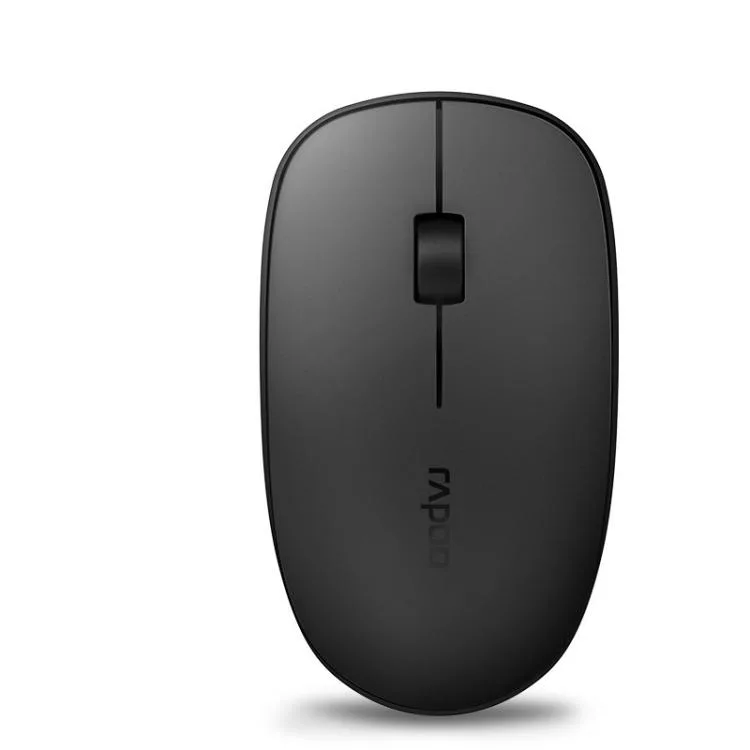

allentian
allentian Rapoo M200G 1300 DPI Silent Wireless Mouse (Blue) Black
- Black
$18.99
0.00022563BTC
In stockQuestions about this item
How do I connect the mouse using the 2.4 GHz USB receiver?
Insert the USB receiver into a free port, turn the mouse on, and it pairs automatically. The Bluetooth button switches between Bluetooth 3.0 and 2.4 GHz modes, so press it until the 2.4 GHz indicator lights.
What battery does the mouse need and how often must I change it?
It runs on one AA battery (not included). With a 50 mA working current the battery lasts months, but exact life depends on the cell you choose.
At what distance does the wireless link start to drop?
The rated operating distance is 10 m. Beyond that range the 2.4 GHz signal weakens and cursor response becomes unreliable.
Also in this aisle
People compared these
Same shelf, same checkout — eight coins and a 30-minute rate lock.


Lenovo
Lenovo 42T3273 Black Replacement Keyboard for ThinkPad T60 T61
- Thinkpad T60 T61 Ke…
- Black
$29.99
0.00035632BTC
In stock