


allentian
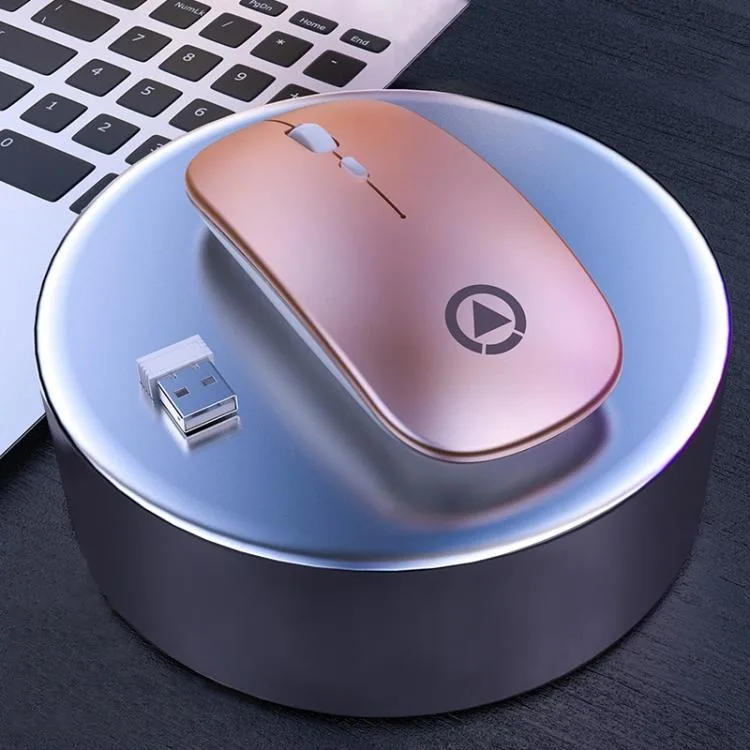
allentian Wireless Mouse 2.4GHz 1600DPI Rose Gold
A 2.4 GHz wireless mouse with three adjustable DPI levels up to 1600 and a 10 m range
- ColorGold
- Precise cursor control with three adjustable DPI settings (1000/1200/1600)
- Auto-sleep after 10 minutes of inactivity extends battery life
- Reliable 2.4 GHz wireless link works up to 10 m away
- Silent click design reduces noise in quiet environments
- Compact 110 x 60 x 2.5 mm shape weighs only 70 g
What this mouse is
The allentian wireless mouse uses a 2.4GHz USB receiver for a 10m range. It is powered by a single AA battery and weighs 70g. The rose gold finish suits home or office desks.
Build and daily use
The compact body measures 110x60x2.5mm for easy travel. Silent clicks reduce noise in shared spaces. After 10 minutes of inactivity the mouse enters sleep mode to extend battery life.
DPI that decides fit
Three fixed levels at 1000, 1200 and 1600 DPI cover general productivity and casual browsing. Users who need on-the-fly sensitivity switching beyond these steps or programmable buttons should look elsewhere.
Highlights
- Precise cursor control with three adjustable DPI settings (1000/1200/1600)
- Auto-sleep after 10 minutes of inactivity extends battery life
- Reliable 2.4 GHz wireless link works up to 10 m away
- Silent click design reduces noise in quiet environments
- Compact 110 x 60 x 2.5 mm shape weighs only 70 g
Specifications
| Color | Gold |
|---|
Other versions of this model
5 more in the same range
Same family, different memory, cooler or clock — compare before you commit.





allentian
allentian Wireless Mouse Black 1600 DPI 2.4 GHz 110 x 60 x 2.5 mm 70 g
- Black
$12.99
0.00015473BTC
In stock
allentian
allentian wireless mouse white 2.4GHz 1600DPI rechargeable silent
- White
$12.99
0.00015473BTC
In stockQuestions about this item
What does the 2.4 GHz USB interface cap the polling rate at in practice?
The 2.4 GHz USB receiver provides a wireless link up to 10 m; the mouse offers three selectable DPI steps of 1000, 1200 and 1600 for cursor speed control.
What physical space and battery does the 110 x 60 x 2.5 mm, 70 g mouse need to fit and run?
The compact body measures 110 x 60 x 2.5 mm and weighs 70 g; it requires one AA battery inserted into the underside compartment.
How do I install the mouse, and which step do users often miss?
Insert one AA battery, plug the USB receiver into a free port, then press the DPI button to choose 1000, 1200 or 1600 DPI — many forget to select their preferred sensitivity after pairing.
Also in this aisle
People compared these
Same shelf, same checkout — eight coins and a 30-minute rate lock.


Lenovo
Lenovo 42T3273 Black Replacement Keyboard for ThinkPad T60 T61
- Thinkpad T60 T61 Ke…
- Black
$29.99
0.00035723BTC
In stock