


allentian
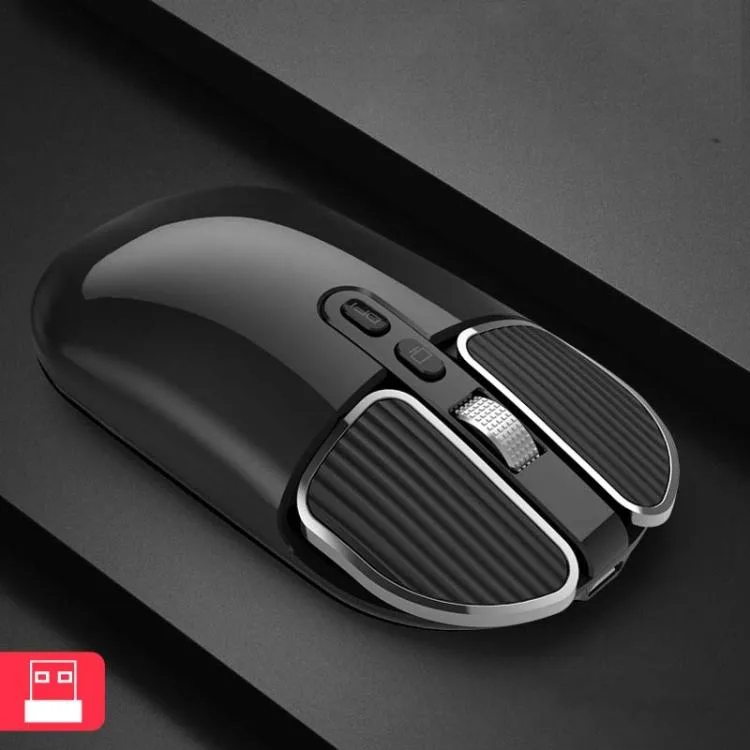
allentian M203 Wireless Mouse Black 2.4G 5 Button 1600 DPI
A compact wireless mouse with dual Bluetooth and 2.4 GHz connectivity, three adjustable DPI levels up to 1600, a privacy desktop-hide button, 10 m range and a 500 mAh battery
- ColorBlack
- Bluetooth support for Android, Windows, macOS, iOS 13+
- 4 GHz receiver stored in mouse base for universal compatibility
- One-click desktop return hides windows for privacy
- Three adjustable DPI levels at 800, 1200, 1600
- 500 mAh battery delivers up to 10 m wireless range
Versatile wireless mouse for office and home
The allentian M203 connects via 2.4 GHz receiver or Bluetooth to Android, Windows, macOS and iOS 13 or above. Windows 7 is not supported for Bluetooth pairing. The receiver stores in the base of the mouse for easy portability.
Low-power optical sensor with adjustable sensitivity
Three DPI steps of 800, 1200 and 1600 let you tune cursor speed for different tasks. The 500 mAh battery supports up to 10 metres of wireless range. Silent clicks keep noise down in shared spaces.
One-click desktop button adds privacy convenience
A dedicated button instantly minimises windows and returns you to the desktop. The compact 112 x 60 x 26 mm body weighs about 70 grams. Five buttons cover standard navigation without extra software.
Highlights
- Bluetooth support for Android, Windows, macOS, iOS 13+
- 4 GHz receiver stored in mouse base for universal compatibility
- One-click desktop return hides windows for privacy
- Three adjustable DPI levels at 800, 1200, 1600
- 500 mAh battery delivers up to 10 m wireless range
Specifications
| Color | Black |
|---|
Other versions of this model
2 more in the same range
Same family, different memory, cooler or clock — compare before you commit.


Questions about this item
How do I install the 2.4 GHz receiver stored in the bottom of the mouse?
Open the battery cover, pull out the USB dongle, plug it into any free USB-A port, then switch the mouse on; the link is automatic.
What maintenance will the 500 mAh battery need later?
Recharge it via the USB-C cable when the pointer starts to lag; a full charge typically lasts weeks of office use.
At what point does the 10 metre wireless range become the limiting factor?
Beyond roughly 10 metres the signal drops, so keep the dongle on the same desk or use the Bluetooth mode for sofa distance.
Also in this aisle
People compared these
Same shelf, same checkout — eight coins and a 30-minute rate lock.


Lenovo
Lenovo 42T3273 Black Replacement Keyboard for ThinkPad T60 T61
- Thinkpad T60 T61 Ke…
- Black
$29.99
0.00034818BTC
In stock