


allentian
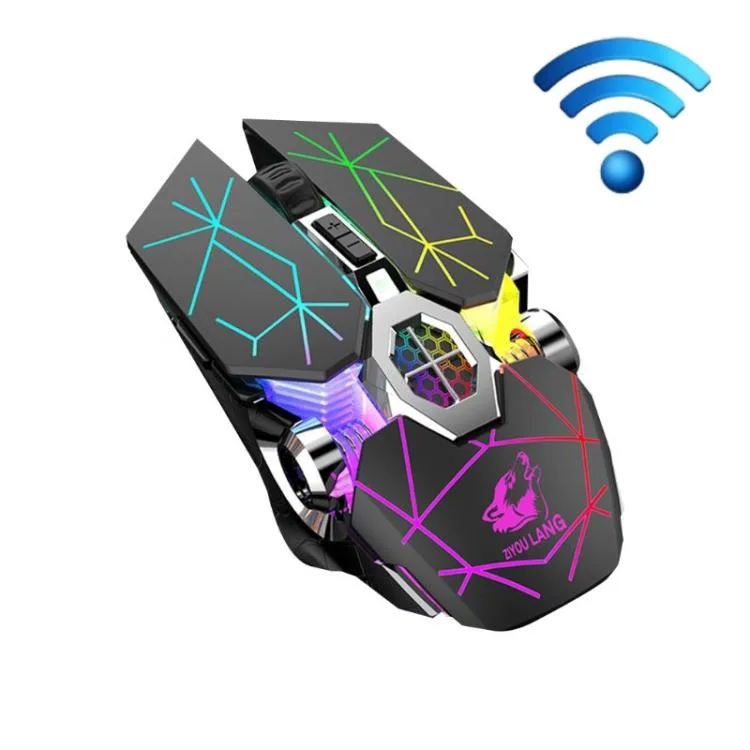
allentian FREEDOM-WOLF X13 Wireless Mouse Star Black 2400 DPI
A wireless gaming mouse with adjustable 1200-1800-2400 DPI, six programmable keys, 2.4 GHz and Bluetooth 5.0 connectivity, and three sets of UPE foot stickers
- ColorBlack
- Adjustable sensitivity up to 2400 DPI for precise control
- Dual 2.4 GHz and Bluetooth 5.0 connectivity for flexible pairing
- Silent mechanical switches reduce click noise during use
- Three sets of UPE foot stickers ensure smooth glide
- Rechargeable lithium battery powers up to 10 metres range
Freedom-Wolf X13 Wireless Gaming Mouse
The Freedom-Wolf X13 is a wireless gaming mouse built with an ABS shell measuring 13 x 6.8 x 4 cm and weighing 150 g. It uses a photoelectric sensor with adjustable DPI steps at 1200, 1800, and 2400. Connectivity options include 2.4 GHz wireless and Bluetooth 5.0, powered by a rechargeable lithium battery.
Suits gamers wanting silent clicks
This mouse suits players who want silent mechanical switches and three sets of UPE foot stickers for glide tuning. It is not for buyers who need a wired connection, a higher DPI ceiling, or more than six programmable buttons. Left-handed users should verify the shape fits their grip.
Adjustable DPI up to 2400
The photoelectric sensor tops out at 2400 DPI with three selectable levels. This single figure decides if the tracking range matches your play style; competitive shooters often prefer sensors that reach significantly higher counts.
Highlights
- Adjustable sensitivity up to 2400 DPI for precise control
- Dual 2.4 GHz and Bluetooth 5.0 connectivity for flexible pairing
- Silent mechanical switches reduce click noise during use
- Three sets of UPE foot stickers ensure smooth glide
- Rechargeable lithium battery powers up to 10 metres range
Specifications
| Color | Black |
|---|
Questions about this item
Will the 2.4 GHz wireless dongle occupy a USB-A port I need for other devices?
The mouse uses a 2.4 GHz wireless link that requires a USB dongle; plan for one free USB-A port on the host computer.
Can I keep using my existing USB-A hub while the mouse is connected via Bluetooth 5.0?
Yes, Bluetooth 5.0 connects directly to the host radio so the USB-A hub remains completely free for other peripherals.
How do I confirm the sensor is tracking at the 2400 DPI setting after setup?
Press the DPI button until the indicator shows the highest level; the cursor will then move at the 2400 DPI sensitivity.
Also in this aisle
People compared these
Same shelf, same checkout — eight coins and a 30-minute rate lock.


Lenovo
Lenovo 42T3273 Black Replacement Keyboard for ThinkPad T60 T61
- Thinkpad T60 T61 Ke…
- Black
$29.99
0.00035398BTC
In stock