AICHESON
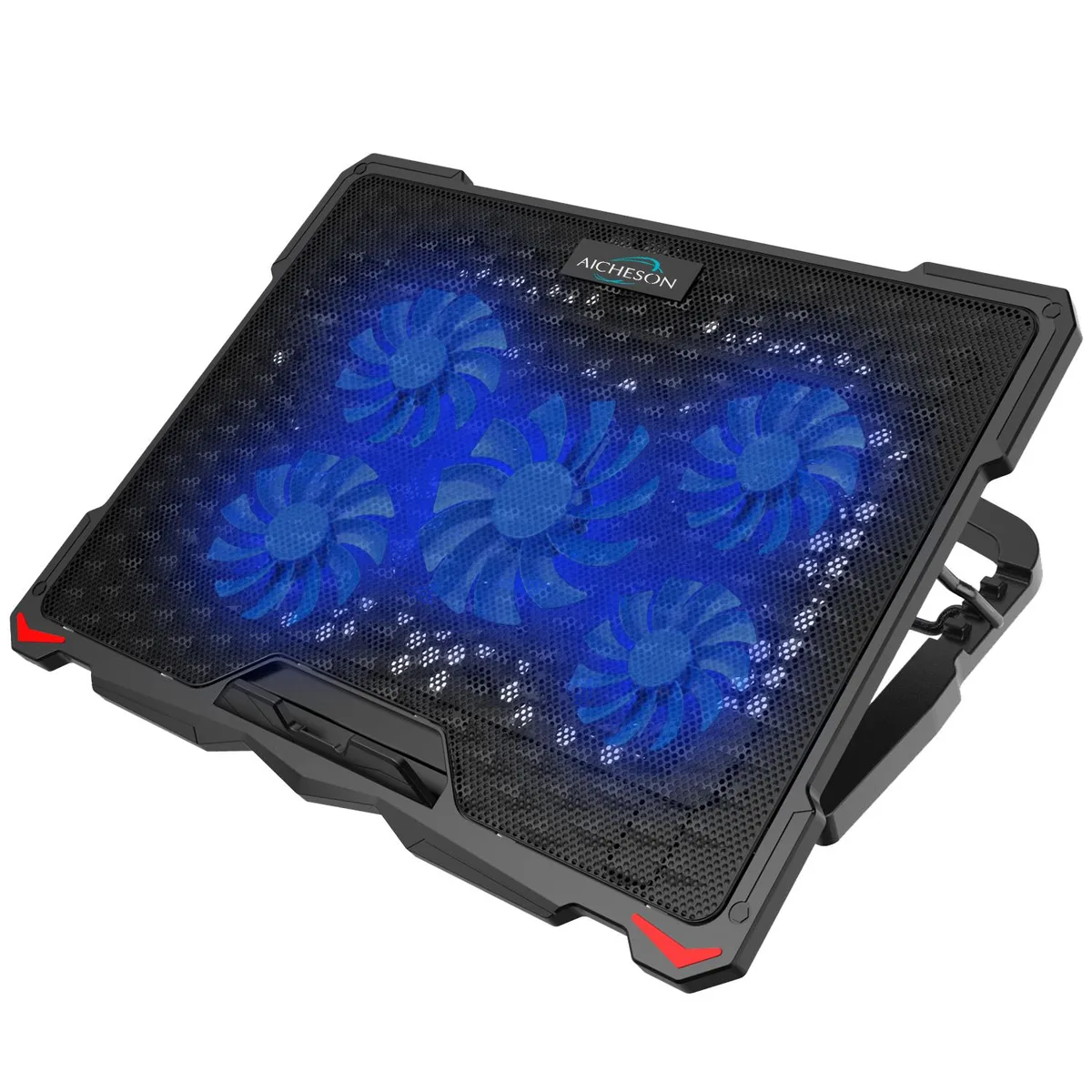
AICHESON S035 laptop cooling pad 15.6-17.3 5 fans red lights
- Cooler
- Black/Red
$18.99
0.00022623BTC
In stockWe take cryptocurrency — so the coins you hold can buy real hardware.Pay in crypto, spend it on real hardware. Free insured shipping worldwide over $399. Plain, unbranded boxes, sent from Germany.Free insured shipping over $399. Your rate is locked for 30 minutes once checkout opens.Rate locked 30 minutes. Every item sealed, serial-checked and covered by a 24-month warranty.Sealed, 24-month warranty.


AICHESON
Cools 15.6–17.3 inch laptops with five fans up to 1500 RPM, adjustable height and speed, plus purple LEDs
Color Purple
The AICHESON S035 is a laptop cooling pad designed to support devices up to 17 inches. It uses five fans, including a central 120 mm unit and four smaller 70 mm units, to move air across a wave metal mesh surface. Purple LEDs illuminate the fans and the brightness rises with fan speed. Two USB 2.0 ports and an adjustable fan speed switch are built in.
This pad suits people who work long hours on a 15.6" to 17.3" laptop and want a raised, angled typing position to reduce neck strain. The flip-up silicone grip prevents the laptop from sliding when the stand is elevated. Buyers who need a cooler for laptops smaller than 15.6 inches or larger than 17.3 inches should look elsewhere, as the pad dimensions and grip are sized for this specific range.
The specification that decides fit is the fan configuration: one 120 mm fan spinning at 1000 RPM and four 70 mm fans spinning at 1500 RPM, all controlled by a single rotary switch. If your cooling requirement demands higher airflow than these speeds provide, or if you need individually controllable fan zones, this pad will not meet that need.
| Brand | AICHESON |
|---|---|
| Model | S035 |
| Accessory Type | Cooler |
| Color | Purple |
| Maximum support size | Support up to 17-in. Laptop |
| Dimension | 15.95" x 11" x 0.98" |
| Fan Numbers | 5 |
| Fan Size | 120 mm Fan |
| Specifications | Fan size: 70 x 70 x 15mm, 120 x 120 x 15mm Fan speed: 1000RPM(120mm), 1500RPM(70mm) Voltage: 5V Noise level: < 38dBA Power consuption: 1.75W Product dimension: 16" x 11" x 0.98" Product Weight: 1.93lb / 875g LED Light Color: Purple USB Port: 2.0 x 2 Power Source: USB Powered |
| Features | Longthen your laptop life and release your neck pain for home office work. |
| Package Contents | 1x Laptop Cooler, 1 x USB A-A Cable |
Other versions of this model
Same family, different memory, cooler or clock — compare before you commit.
The pad provides two USB 2.0 ports for connecting peripherals such as a mouse or keyboard.
It measures 15.95" x 11.02" x 0.98" and weighs 1.93 lb (875 g).
Plug the supplied USB A-to-A cable into the pad and your laptop, then turn the rotary switch to start the fans and purple LEDs; a common error is leaving the switch at minimum and expecting full cooling.
Also in this aisle
Same shelf, same checkout — eight coins and a 30-minute rate lock.
What you pay in, and what you read prices in.
Sent from your wallet at checkout
Display only — the catalogue is priced in USD
No currency matches that.
Pick the language the site speaks to you in.
No language matches that.
New here?
Already have one?
There is no automatic reset: this shop sends no mail, so there is no one-time link to ask for. Leave the address on the account and it gets picked up by hand.
Request noted
Nothing is on its way to your inbox — this shop sends no mail at all. Someone picks these up by hand.
Remembered it?