

Astro Gaming
Astro Gaming Wireless Keyboard Mouse Combo Silver White 2 in 1 Accessories
$43.99
0.00050787BTC
In stockWe take cryptocurrency — so the coins you hold can buy real hardware.Pay in crypto, spend it on real hardware. Free insured shipping worldwide over $399. Plain, unbranded boxes, sent from Germany.Free insured shipping over $399. Your rate is locked for 30 minutes once checkout opens.Rate locked 30 minutes. Every item sealed, serial-checked and covered by a 24-month warranty.Sealed, 24-month warranty.


Adesso
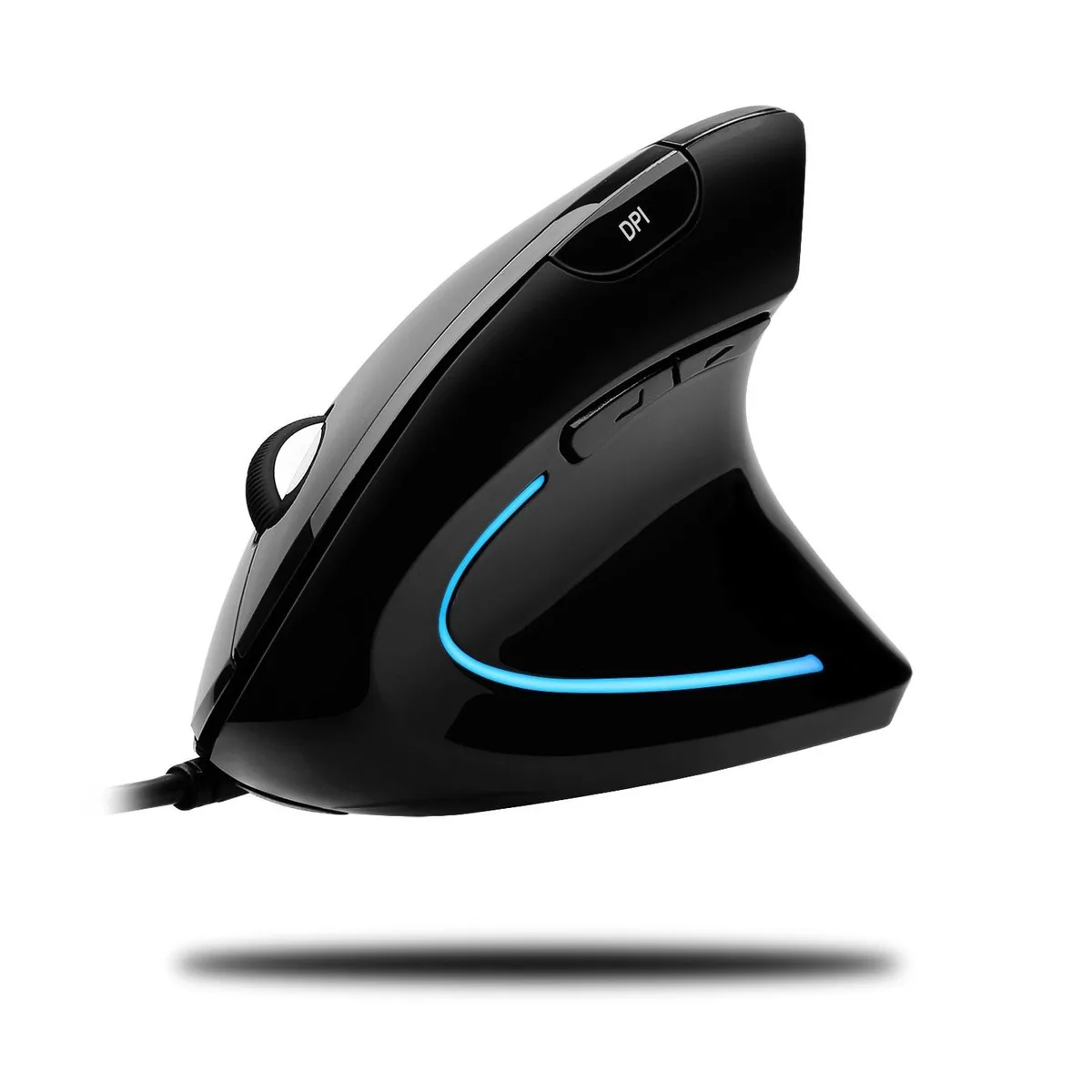
A vertical ergonomic mouse with 1000/1600 DPI switching, six buttons and ice-blue illumination for comfortable, driver-free use on Windows or MacOS
The Adesso iMouse E1 uses a vertical orientation to keep the forearm in a neutral handshake position. This design minimises the twisting motion that causes wrist strain during long sessions. It is built for right-handed users who prefer a wired USB connection and driver-free setup on Windows or macOS.
The contoured shape fits the palm while side-mounted back and forward buttons sit within easy thumb reach. A glossy black finish contrasts with ice blue illumination that stays on while the mouse is powered. The wired USB cable removes the need for batteries or a separate receiver.
A hardware button toggles between 1000 and 1600 DPI without software installation. The optical sensor tracks on glass, wood, marble and leather so a mouse pad is optional. Buyers who need higher sensitivity settings or programmable macros should consider other models.
No published specifications for this item yet.
The USB connection is plug-and-play with no driver required, so the 1600 DPI setting works at full speed immediately on Windows or macOS.
The upright handshake contour is taller than a flat mouse and the two side buttons sit on the left flank, so allow extra desk depth and left-side clearance.
Insert the mini USB receiver into any USB port; the mouse works instantly, but users often forget to press the DPI button to choose between 1000 and 1600.
Also in this aisle
Same shelf, same checkout — eight coins and a 30-minute rate lock.
What you pay in, and what you read prices in.
Sent from your wallet at checkout
Display only — the catalogue is priced in USD
No currency matches that.
Pick the language the site speaks to you in.
No language matches that.
New here?
Already have one?
There is no automatic reset: this shop sends no mail, so there is no one-time link to ask for. Leave the address on the account and it gets picked up by hand.
Request noted
Nothing is on its way to your inbox — this shop sends no mail at all. Someone picks these up by hand.
Remembered it?


