

Sony
Sony Alpha a6400 compact mirrorless camera black with 16-50mm and 55-210mm lenses 32GB
$830.99
0.00993057BTC
In stockWe take cryptocurrency — so the coins you hold can buy real hardware.Pay in crypto, spend it on real hardware. Free insured shipping worldwide over $399. Plain, unbranded boxes, sent from Germany.Free insured shipping over $399. Your rate is locked for 30 minutes once checkout opens.Rate locked 30 minutes. Every item sealed, serial-checked and covered by a 24-month warranty.Sealed, 24-month warranty.


ABLEGRID
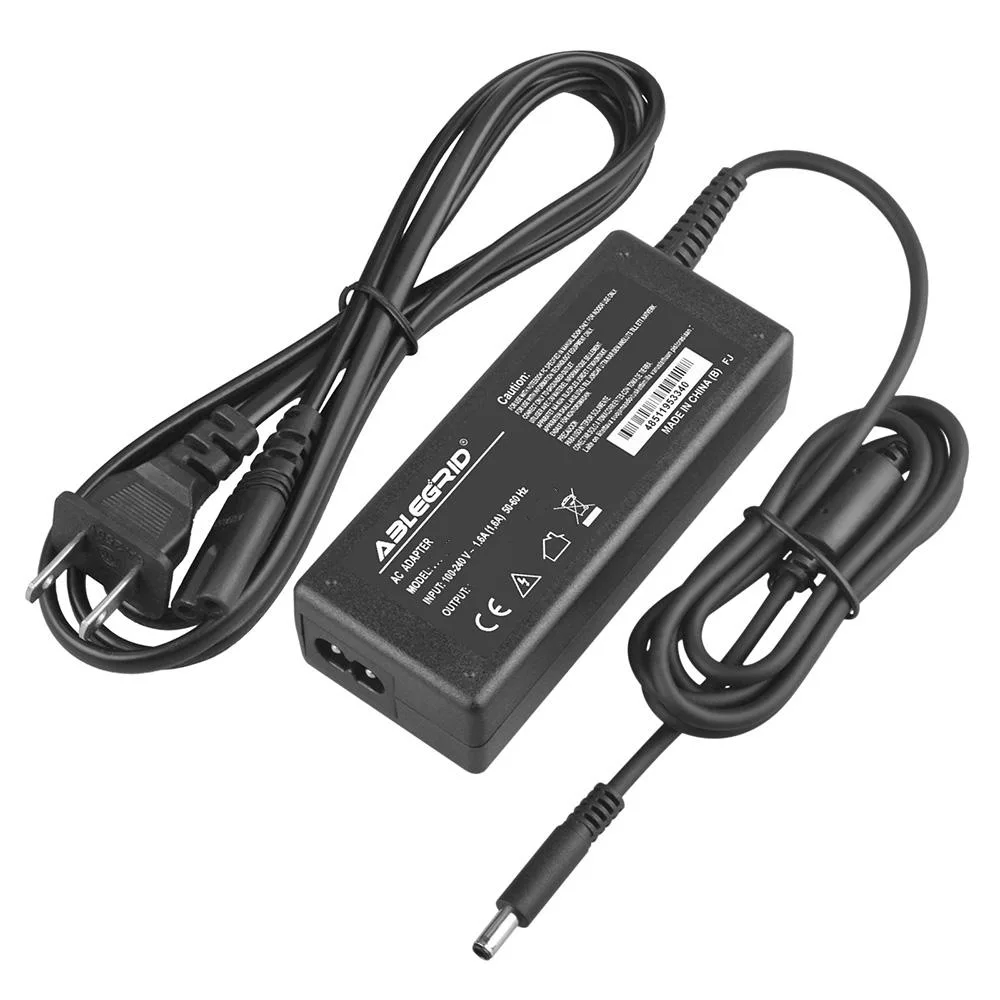
A 60 W AC DC adapter supplying 3.16 A output with 100-240 V input and barrel tip for Samsung NP350V5C-A0BUK notebooks
This ABLEGRID AC DC adapter is a non-OEM replacement charger rated at 60 W and 3.16 A output. It targets owners of the Samsung NP350V5C-A0BUK notebook who need a new power supply. The unit carries CE, FCC and RoHS certifications and includes a standard power cable in the box.
The adapter accepts AC 100-240 V at 50-60 Hz for global use and terminates in a barrel tip that must match the laptop's DC jack. Built-in over-voltage and over-heat protection guard the notebook during extended sessions. Buyers should verify the tip size before ordering because an incorrect fit will prevent charging.
This charger replaces the original Samsung supply when it is lost, damaged or no longer holds a stable voltage. The jump is worth it when the notebook refuses to power on or charges intermittently with the old brick. It is not for users who need a higher-wattage adapter for a different model or a USB-C power delivery solution.
| Brand | ABLEGRID |
|---|---|
| Battery Type | UPS |
It accepts 100-240 V AC at 50-60 Hz and provides a DC output of 3.16 A.
It uses a barrel tip connector; verify the tip size matches the original before ordering.
Plug the AC cable into the adapter, connect the barrel tip to the laptop, then plug into a wall outlet; the step often missed is confirming the DC output and tip size match the device first.
Also in this aisle
Same shelf, same checkout — eight coins and a 30-minute rate lock.
What you pay in, and what you read prices in.
Sent from your wallet at checkout
Display only — the catalogue is priced in USD
No currency matches that.
Pick the language the site speaks to you in.
No language matches that.
New here?
Already have one?
There is no automatic reset: this shop sends no mail, so there is no one-time link to ask for. Leave the address on the account and it gets picked up by hand.
Request noted
Nothing is on its way to your inbox — this shop sends no mail at all. Someone picks these up by hand.
Remembered it?


