
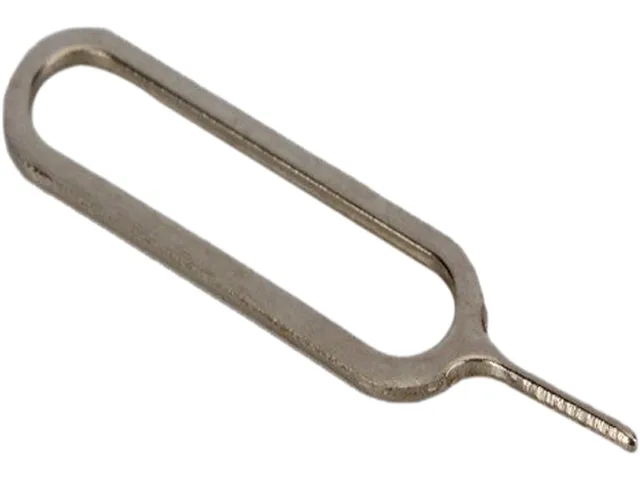
4XEM
4XEM 4XI4EJECTPIN SIM Eject Pin Tool replacement part
Ejects SIM trays on iPhone 3G through 5 and iPad 1 to 3 with a compact, portable pin tool
- Compatible Phone ManufacturerApple
- FeaturesCompatible iPhone 3G, 3GS, 4G, 4S, 5 and iPad 1, 2, 3 Replac
- Opens SIM trays on iPhone 3G through 5 and early iPad models
- Compact size fits on a key ring for travel convenience
- Replaces a lost or damaged eject pin instantly
- Built from durable metal for repeated use
- 100% working condition verified before shipment
SIM Eject Tool for Legacy iPhone
This small metal pin opens the SIM tray on iPhone 3G, 3GS, 4, 4S, 5 and iPad 1, 2, 3. It replaces a lost or bent eject key so you can swap cards without improvising. Travellers and repair technicians who still service these models will find it indispensable.
Thermals, Noise and Power
The tool has no electronics, so it generates zero heat and makes no sound. It draws no power from the device and requires no battery. Operation is entirely manual and adds no load to the phone.
Single Deciding Specification
Compatibility is limited to the Apple models listed above. Buyers with newer iPhones, Android handsets or devices that use a different tray mechanism cannot use this pin. The part is 100 percent mechanical and offers no adapter for other form factors.
Highlights
- Opens SIM trays on iPhone 3G through 5 and early iPad models
- Compact size fits on a key ring for travel convenience
- Replaces a lost or damaged eject pin instantly
- Built from durable metal for repeated use
- 100% working condition verified before shipment
Specifications
| Brand | 4XEM |
|---|---|
| Model | 4XI4EJECTPIN |
| Compatible Phone Manufacturer | Apple |
| Features | Compatible iPhone 3G, 3GS, 4G, 4S, 5 and iPad 1, 2, 3 Replace Missing Eject Pin Tools High Quality Product 100% Working Condition |
| Shipping weight | 0.45 kg |
| Package size | 102 × 76 × 51 mm |
Questions about this item
How do I insert the eject pin into the iPhone 4 SIM tray without bending it?
Align the pin straight with the small pinhole next to the tray, press gently until you feel a click, then pull the tray out; forcing it at an angle is the step most people get wrong.
Will the pin itself wear out or need replacement after repeated SIM swaps?
The metal pin is a simple tool with no moving parts, so it does not wear out; replacement is only needed if it is lost or physically damaged.
What is the first limitation I will hit if I use this pin continuously for back-to-back SIM changes?
The only practical limit is hand fatigue from repeated insertion, as the pin has no electronic or mechanical components that can overheat or degrade.
Also in this aisle
People compared these
Same shelf, same checkout — eight coins and a 30-minute rate lock.


FIRSTWELL
FIRSTWELL Magnetic Phone Tripod 360° Rotating Foldable Clip 1/4 Screw 38mm MagSafe
- Cell Phone Tripods
$46.99
0.00054602BTC
In stock
JPWEB
JPWEB iPhone 13 Pro Max Case 6.7" Diamond Clear Military 5.0 X-Shock
- Case
$15.99
0.0001858BTC
In stock
PureGear
PureGear DualTek Case for Samsung Galaxy Note 8 62045PG
- Case
- White
$25.99$39.24−34%
0.000302BTC
In stock