


4XEM
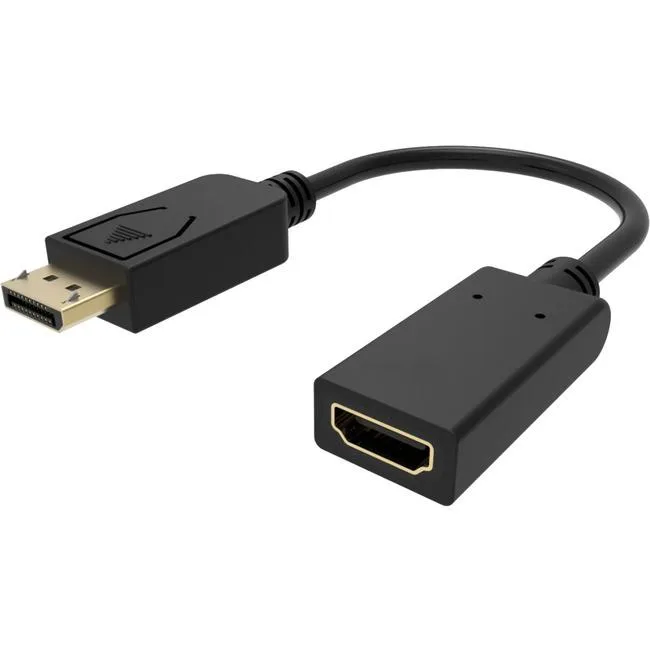
4XEM 4XDPHDMI4K30HZ 10" DisplayPort to HDMI 4K 30Hz adapter
Connects a DisplayPort source to an HDMI display at 4K 30Hz with a 10-inch cable
- Connect a DisplayPort source to an HDMI display
- Output 4K video at 30Hz for sharp detail
- Transmit both video and audio through one adapter
- Compact 10-inch cable keeps setups tidy
- Brand-new 4XEM adapter ready for immediate use
10-inch DisplayPort to HDMI adapter
This 10-inch DisplayPort to HDMI adapter lets you output HDMI video and audio from a DP device with support for 4K at 30Hz. It harnesses the video capabilities built into your DisplayPort connection to deliver 4K quality. The compact cable makes it easier to multitask while using multiple monitors for resource-demanding applications.
Professionals extending a DisplayPort source
This adapter suits users who need to connect a DisplayPort-equipped computer to an HDMI monitor or projector at 4K 30Hz. It is not suited for buyers who require a higher refresh rate on their 4K display. It also does not serve setups that need an HDMI source converted to a DisplayPort input.
4K at 30Hz maximum resolution and refresh rate
The single specification that decides fit is the 4K at 30Hz capability. Your source must provide a DisplayPort signal and your display must accept HDMI at that resolution and refresh rate. Verify both ends match these limits before purchase.
Highlights
- Connect a DisplayPort source to an HDMI display
- Output 4K video at 30Hz for sharp detail
- Transmit both video and audio through one adapter
- Compact 10-inch cable keeps setups tidy
- Brand-new 4XEM adapter ready for immediate use
Specifications
No published specifications for this item yet.
Questions about this item
Does the DisplayPort-to-HDMI adapter support 4K at 30 Hz?
Yes, the adapter outputs video and audio up to 4K resolution at a 30 Hz refresh rate from a DisplayPort source.
What cable length does the 4XDPHDMI4K30HZ adapter provide for positioning the display?
The unit has a 10-inch cable, which determines how far the HDMI display can sit from the DisplayPort output.
Is any driver or software installation required before the adapter will pass 4K 30 Hz video and audio?
No driver installation is needed; connect the DisplayPort plug to the source and the HDMI plug to the display for immediate operation.
New to this? Which coin should you pay with — what to check, what it costs to pay, and what is never asked for.
Also in this aisle
People compared these
Same shelf, same checkout — eight coins and a 30-minute rate lock.



Black Box Corporation
Black Box Corporation CAT6 EZ-RJ45 Modular Plugs 100-Pack
$95.99
0.00115078BTC
In stock
