


Yoetaun
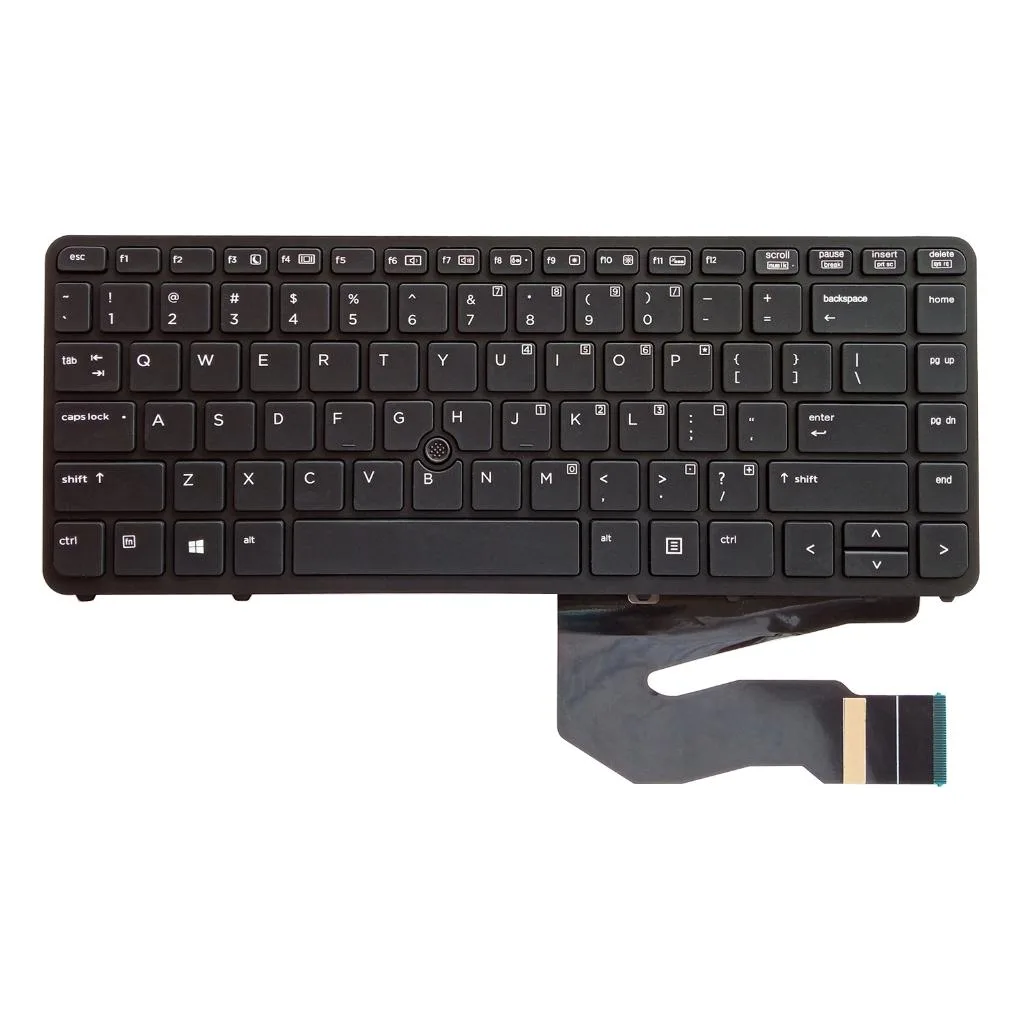
Yoetaun US English Backlit Keyboard Black for EliteBook 840 850 G1 G2
US English backlit keyboard with frame fits EliteBook 840 and 850 G1 G2 models
- ColorBlack
- US English backlit layout matches original EliteBook 840 850 G1 G2
- ABS construction resists daily wear and keeps keys stable
- Direct replacement fits EliteBook 840 850 G1 G2 without modification
- Pre-tested unit arrives fully functional for immediate install
- Black finish restores factory look on EliteBook 840 850 G1 G2
Target Laptops and Purpose
This replacement keyboard fits the EliteBook 840 G1 G2 and 850 G1 G2 models. It is intended for owners of those notebooks who need a US English layout with backlighting. The part arrives tested and ready to install.
Interface and Fit Constraints
The keyboard is built specifically for the listed EliteBook chassis and mounting points. It will not align with other laptop families or with non-backlit variants that use a different ribbon-cable pinout or screw pattern.
Capacity and Durability Limits
The ABS construction withstands normal daily typing and resists wear on key legends. It replaces a faulty, cracked or broken unit but does not add extra macro keys, programmable lighting zones or spill-resistant drainage beyond the original design.
Highlights
- US English backlit layout matches original EliteBook 840 850 G1 G2
- ABS construction resists daily wear and keeps keys stable
- Direct replacement fits EliteBook 840 850 G1 G2 without modification
- Pre-tested unit arrives fully functional for immediate install
- Black finish restores factory look on EliteBook 840 850 G1 G2
Specifications
| Color | Black |
|---|
Questions about this item
Does this single US English backlit keyboard fit both the EliteBook 840 and 850 across G1 and G2?
Yes, the replacement part is listed as suitable for EliteBook 840 G1 G2 and 850 G1 G2, so one unit covers all four model variants.
What does the backlit feature actually give me when the keyboard is installed?
The built-in backlight illuminates the US English key legends in low light, letting you type accurately without an external lamp once the keyboard is connected.
How does the ribbon-cable interface limit what I can expect during installation?
The keyboard uses the standard internal ribbon connector for these EliteBook models, so it plugs directly into the motherboard header without adapters or extra drivers.
Also in this aisle
People compared these
Same shelf, same checkout — eight coins and a 30-minute rate lock.



SXDOOL
SXDOOL Lenovo X1 Helix UDQFTYH11BFD 0C54109 04X0431 fan heat sink cooling module
$32.99
0.00039518BTC
In stock
Panasonic
Panasonic CF-VDL03UKB 12.1 inch PDRC touchscreen backlit keyboard gadget
$1,521.99
0.01823179BTC
In stock