


YINGHUA
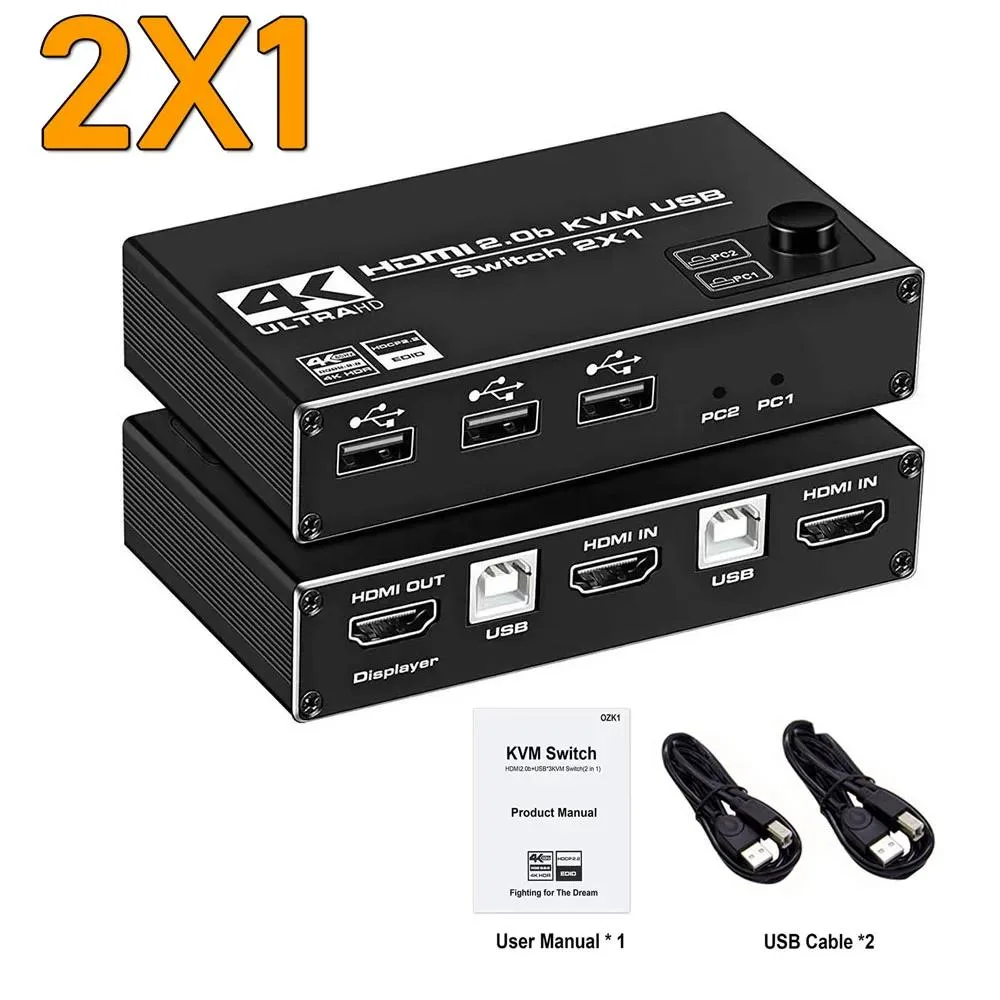
YINGHUA Dual Monitor HDMI KVM Switch 4K 60Hz 2 Port USB HDMI 2.0 2X1
A dual-monitor HDMI KVM switch lets you control two computers with one keyboard, mouse and display at 4K 60Hz over HDMI 2.0 with HDCP 2.2
- TypeHDMI
- Control two computers with one keyboard and mouse
- Supports 4K resolution at 60Hz refresh rate
- HDMI 2.0 and HDCP 2.2 compliant video processing
- Works with standard 104-key wired USB keyboards
- Compatible with standard 2 or 3 button wired USB mice
Dual-Monitor 4K 60Hz KVM Switch
The YINGHUA HDMI KVM switch lets you operate two computers from a single keyboard, mouse and dual-display setup. It accepts two HDMI inputs and drives one 4K 60Hz output, so you can switch between a work laptop and a personal desktop without unplugging cables. The unit complies with HDMI 2.0 and HDCP 2.2 for protected content playback.
True HDMI 2.0 Chip and USB 2.0 Hub
A dedicated HDMI 2.0 video processor handles the switching while a USB 2.0 hub chip manages peripheral sharing. Connect a standard 104-key wired USB keyboard and a two- or three-button wired USB mouse for reliable operation; wireless, mechanical or extra-button input devices may not work consistently. Front-panel buttons provide instant source selection.
Verify Dual HDMI Outputs Before Buying
Your computer must be able to supply two simultaneous HDMI signals to fill both monitor inputs; a single HDMI port cannot drive the dual-display mode. Buyers who need independent video on two screens from each host should confirm their GPU supports dual HDMI output. The switch does not convert other video formats to HDMI.
Highlights
- Control two computers with one keyboard and mouse
- Supports 4K resolution at 60Hz refresh rate
- HDMI 2.0 and HDCP 2.2 compliant video processing
- Works with standard 104-key wired USB keyboards
- Compatible with standard 2 or 3 button wired USB mice
Specifications
| Type | HDMI |
|---|
Questions about this item
Does the HDMI 2.0 interface cap at 4K 60Hz on this switch?
Yes, the HDMI 2.0 chip supports 4K at 60Hz and HDCP 2.2 for protected content.
What keyboard and mouse should I connect to fit the switch?
Use a standard 104-key wired USB keyboard and a wired 2 or 3 button USB mouse for reliable switching.
How do I install the 2X1 dual-monitor switch and what step is often missed?
Connect both HDMI cables from each computer to the two inputs, attach one monitor to the output, plug keyboard and mouse into the dedicated USB ports, then press the front button to switch — forgetting the second HDMI cable from the second PC is the common error.
Also in this aisle
People compared these
Same shelf, same checkout — eight coins and a 30-minute rate lock.


Black Box Corporation
Black Box Corporation 4K60 HDMI Dual-Head KVM Switch 4 Port
$774.99
0.00931031BTC
In stock