


YINGHUA
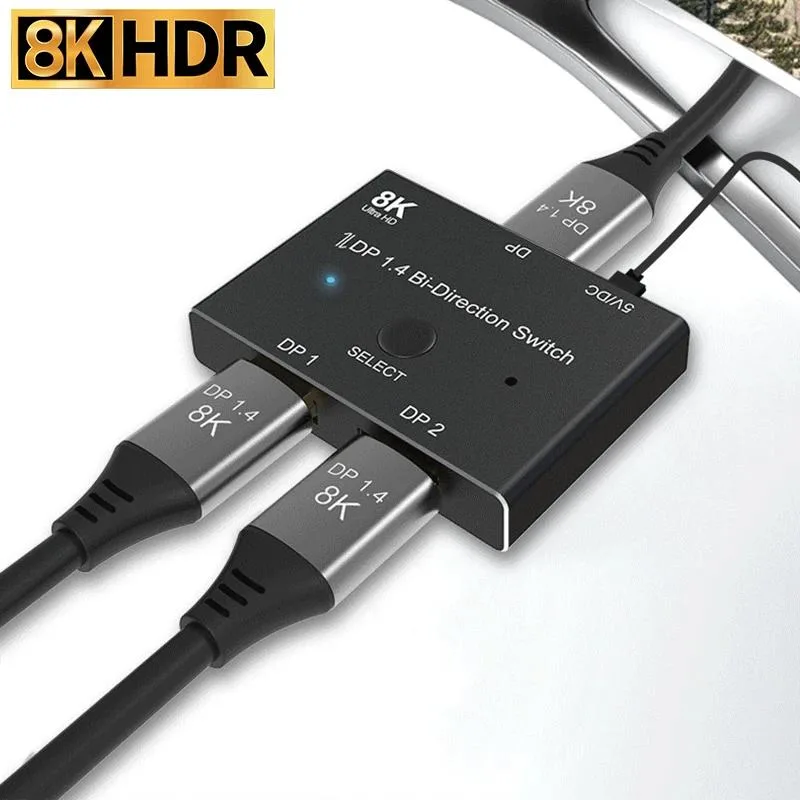
YINGHUA DisplayPort 1.4 Bi-Directional KVM Switch 8K@30Hz 4K@120Hz 1080P@240Hz 32.4Gbps
A bi-directional DisplayPort 1.4 KVM switch toggles one source between two displays or two sources to one display at up to 32.4 Gbps for 8K at 30 Hz, 4K at 120 Hz or 1080p at 240 Hz
- TypeHDMI
- Bi-directional switching connects two sources to one display or one source to two displays
- Supports 8K at 30 Hz, 4K at 120 Hz and 1080P at 240 Hz resolution
- 4 Gbps bandwidth handles high-refresh gaming and detailed content creation
- Plug-and-play button toggles signals in under one second with LED status indicators
- USB power required for reliable operation with standard DisplayPort 1.4 cables
Bi-Directional DisplayPort 1.4 KVM Switch
This new DisplayPort 1.4 KVM switch from YINGHUA operates bi-directionally as a 2×1 switch or 1×2 splitter at up to 32.4 Gbps. It supports 8K at 30 Hz, 4K at 120 Hz and 1080p at 240 Hz. External USB power is required for operation.
Switching Two Sources to One Display
Suits users who need to toggle between two DisplayPort computers on a single monitor or switch one computer between two monitors. Not for buyers who need both displays active at the same time. Not for setups lacking a spare USB port for mandatory power.
32.4 Gbps DisplayPort 1.4 Bandwidth
The 32.4 Gbps DisplayPort 1.4 link decides whether this switch fits your resolution and refresh-rate targets. It carries 8K at 30 Hz, 4K at 120 Hz and 1080p at 240 Hz. Standard DisplayPort 1.4 cables must be used to achieve these rates.
Highlights
- Bi-directional switching connects two sources to one display or one source to two displays
- Supports 8K at 30 Hz, 4K at 120 Hz and 1080P at 240 Hz resolution
- 4 Gbps bandwidth handles high-refresh gaming and detailed content creation
- Plug-and-play button toggles signals in under one second with LED status indicators
- USB power required for reliable operation with standard DisplayPort 1.4 cables
Specifications
| Type | HDMI |
|---|
Questions about this item
What cables do I need to get the 8K@30Hz or 4K@120Hz performance from this DisplayPort 1.4 KVM switch?
You must use standard DisplayPort 1.4 cables on every connection; without them the switch cannot deliver the rated 8K@30Hz, 4K@120Hz or 1080P@240Hz resolutions.
Can I keep my older DisplayPort 1.2 monitor and still use this switch with a new GPU?
Yes, the switch is backward compatible with previous DisplayPort standards, so a DP 1.2 display will work alongside a newer source.
How do I know the active port has switched after I press the button?
The indicator lights on the unit show the current working status, confirming which source or display is selected.
Also in this aisle
People compared these
Same shelf, same checkout — eight coins and a 30-minute rate lock.


Black Box Corporation
Black Box Corporation 4K60 HDMI Dual-Head KVM Switch 4 Port
$774.99
0.00927798BTC
In stock