


YINGHUA
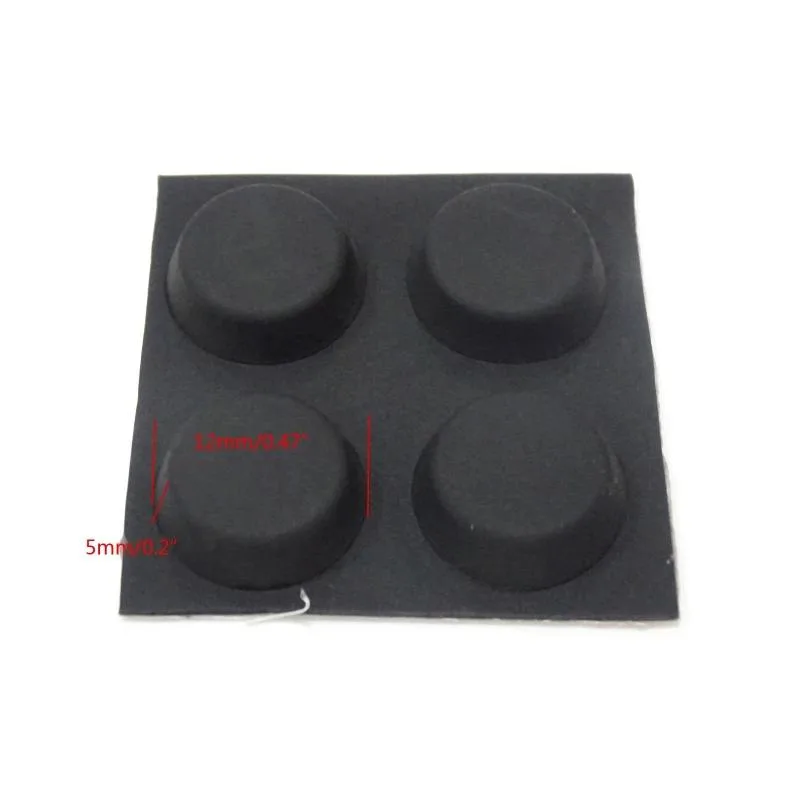
YINGHUA 4 Pieces Silicone Rubber Feet Anti-Slip Stand
Four silicone rubber feet elevate laptops for wrist comfort and improved airflow
- Eases wrist strain with a tilted typing angle
- Improves airflow beneath the laptop for cooler operation
- Secure hold via suction cup or adhesive tape
- Compact 14.5 x 4.8 mm silicone rubber design
- Four lightweight pads fit easily in a laptop bag
Universal Silicone Rubber Feet
Four small silicone and rubber feet raise a notebook or tablet by a few millimetres. The slight tilt reduces wrist strain during long typing sessions. They also create an airflow gap underneath the device for passive cooling. Adhesive or suction attachment keeps them firmly in place.
Adhesive And Suction Mounting
Each foot has a removable cover revealing a suction surface that presses onto smooth chassis bottoms. A tape option is also supplied for textured or curved surfaces where suction alone may not hold. The low profile of 14.5 x 4.8 mm adds minimal bulk. Light weight lets them stay in a laptop bag unnoticed.
Passive Cooling And Quiet Operation
The elevation increases the cooling space beneath the notebook without fans or power draw. Heat dissipates naturally through the added gap. No moving parts means completely silent operation. The silicone rubber material resists slipping on desks while protecting surfaces from scratches.
Highlights
- Eases wrist strain with a tilted typing angle
- Improves airflow beneath the laptop for cooler operation
- Secure hold via suction cup or adhesive tape
- Compact 14.5 x 4.8 mm silicone rubber design
- Four lightweight pads fit easily in a laptop bag
Specifications
No published specifications for this item yet.
Questions about this item
What are the exact dimensions of each silicone foot?
Each foot measures approximately 14.5 mm in diameter and 4.8 mm in height, or 0.57 by 0.19 inches.
How do these feet attach to a laptop or keyboard?
They attach via a suction cup base; press firmly onto a clean, smooth surface, or use the adhesive tape option for a permanent bond.
What is the correct way to expose the suction surface before mounting?
Remove the small cover on the bottom of each foot to reveal the round-hole suction surface, then press firmly onto the device.
Also in this aisle
People compared these
Same shelf, same checkout — eight coins and a 30-minute rate lock.



SXDOOL
SXDOOL Lenovo X1 Helix UDQFTYH11BFD 0C54109 04X0431 fan heat sink cooling module
$32.99
0.00039643BTC
In stock
Panasonic
Panasonic CF-VDL03UKB 12.1 inch PDRC touchscreen backlit keyboard gadget
$1,521.99
0.01828941BTC
In stock