
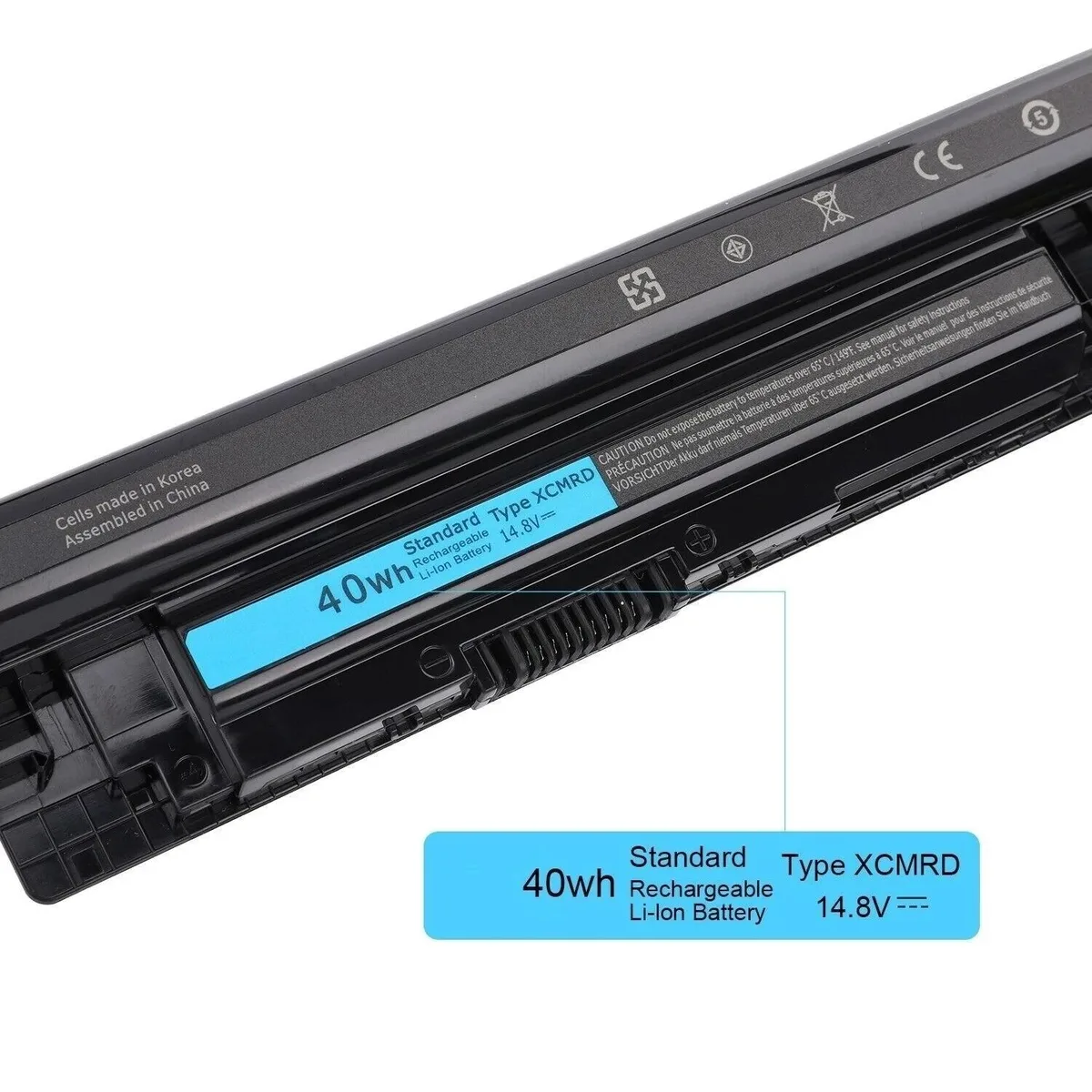


XCMRD 40Wh 14.8V Laptop Battery For Dell Inspiron Latitude Vostro
Replaces Dell Inspiron, Latitude and Vostro batteries with a 40Wh 14.8V lithium-ion pack
- ColorBlack
- TypeBattery
- CompatibilityFor Dell Inspiron 3421 3521 3721 5421 5437 3737 5537 5737
- Battery TypeLaptop Batteries
- Battery Voltage14.8V
- Battery Capacity40Wh
- Replaces 40Wh Dell batteries across Inspiron, Latitude and Vostro models
- 8V Li-ion chemistry delivers stable power for daily workloads
- Four-cell A-grade pack rated at 40Wh capacity
- Matches original part numbers including PVJ7J, YGMTN and XRDW2
- Brand-new condition ensures full cycle life from first charge
40Wh 14.8V Li-ion replacement battery
This 40Wh 14.8V lithium-ion battery replaces Dell part numbers such as XCMRD, PVJ7J and YGMTN. It fits Inspiron 14, 15 and 17 models including 3421, 3521, 3721, 5421, 5521 and 5721 plus Latitude 3440, 3540 and Vostro 2421, 2521 series. Buyers with other Dell lines or non-listed Inspiron models should verify the original part number before ordering.
Thermals and power behaviour
The four-cell pack delivers 40 watt-hours at 14.8 volts using standard Li-ion chemistry. In normal use it charges from the laptop’s AC adapter and powers the system on DC without additional cooling requirements. No fan, radiator or acoustic data is supplied for this component.
Capacity decides suitability
Capacity is 40Wh at 14.8V across four cells. This figure determines whether the pack matches the runtime and form factor of the original battery in the models listed above.
Highlights
- Replaces 40Wh Dell batteries across Inspiron, Latitude and Vostro models
- 8V Li-ion chemistry delivers stable power for daily workloads
- Four-cell A-grade pack rated at 40Wh capacity
- Matches original part numbers including PVJ7J, YGMTN and XRDW2
- Brand-new condition ensures full cycle life from first charge
Specifications
| Model | For Dell Inspiron 3421 3521 3721 5421 5437 3737 5537 5737 |
|---|---|
| Part Number | XCMRD |
| Color | Black |
| Type | Battery |
| Compatibility | For Dell Inspiron 3421 3521 3721 5421 5437 3737 5537 5737 |
| Battery Type | Laptop Batteries |
| Battery Voltage | 14.8V |
| Battery Capacity | 40Wh |
| Features | AC & DC, Li-Ion, 40WH, 14.8 V, 3, For Dell, For Dell Inspiron 3421 3521 3721 5421 5437 3737 5537 5737, 1 Year |
Questions about this item
How do I install this 40Wh 14.8V battery in my Dell Inspiron 3521, and what step do people miss?
Power off the laptop and unplug the AC adapter. Slide the release latch to unlock the old pack, lift it out, align the new XCMRD unit with the connector, press firmly until it clicks, then lock the latch. People often forget to press hard enough to fully seat the connector.
What maintenance or replacement will this 4-cell Li-ion pack need later?
The 40Wh Li-ion cells degrade with charge cycles. Expect reduced run-time after 300–500 full cycles. No user-serviceable parts inside; when capacity drops below your needs, replace the whole pack with another 14.8V 40Wh unit matching part numbers like 4WY7C or PVJ7J.
What limit shows up first under sustained use with this 14.8V 40Wh battery?
The 40Wh capacity sets the runtime ceiling. Under continuous load the pack will hit its depth-of-discharge limit and trigger the laptop's low-voltage shutdown before thermal or current limits are reached.
Also in this aisle
People compared these
Same shelf, same checkout — eight coins and a 30-minute rate lock.


Case Logic
Case Logic 3203990 briefcase for 15.6 in laptop with 10.1 in tablet pocket
$30.99
0.0003713BTC
In stock