


Western Digital
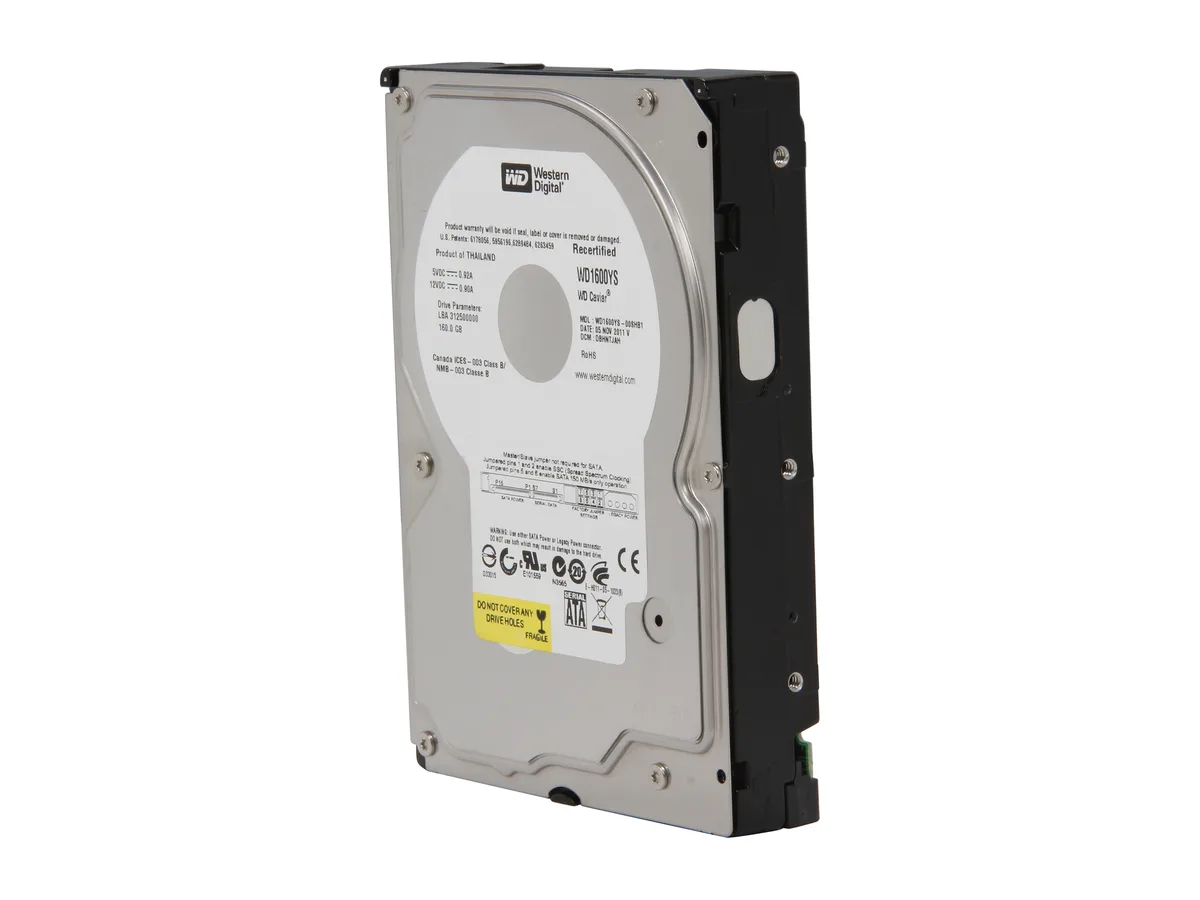
Western Digital WD1600YS 160GB 7200 RPM 16MB Cache SATA 3.0Gb/s 3.5" internal hard drive
A refurbished 160 GB 3.5" desktop hard drive spinning at 7200 RPM with 16 MB cache and a SATA 3.0 Gb/s interface
- PackagingBare Drive
- InterfaceSATA 3.0Gb/s
- Capacity160GB
- RPM7200 RPM
- Cache16MB
- Average Latency4.2ms
- Refurbished enterprise-class drive ready for RAID arrays
- 7200 RPM spindle speed delivers quick data access
- 16 MB cache buffers bursts for smoother throughput
- SATA 3.0 Gb/s interface fits legacy desktop boards
- 5 inch low-profile form factor suits standard bays
WD Caviar RE 160 GB desktop drive
This WD Caviar RE model provides 160 GB of storage on a 3.5 inch SATA 3.0Gb/s interface. It spins at 7200 RPM with a 16 MB cache for general desktop workloads. The bare-drive packaging suits system builders and upgrade installers.
4.2 ms latency and 8.7 ms seek time
Average latency is 4.2 ms and average seek time is 8.7 ms at 7200 RPM. The 16 MB buffer helps smooth burst transfers over the SATA link. Acoustic output and power draw follow typical 3.5 inch mechanical drive profiles.
Bare drive with no bundled extras
The unit ships as a bare drive without cables, mounting brackets or software utilities. Installers must supply their own SATA data and power connections. No diagnostic or management applications are included in the package.
Highlights
- Refurbished enterprise-class drive ready for RAID arrays
- 7200 RPM spindle speed delivers quick data access
- 16 MB cache buffers bursts for smoother throughput
- SATA 3.0 Gb/s interface fits legacy desktop boards
- 5 inch low-profile form factor suits standard bays
Specifications
| Brand | WD |
|---|---|
| Series | Caviar RE |
| Model | WD1600YS |
| Packaging | Bare Drive |
| Interface | SATA 3.0Gb/s |
| Capacity | 160GB |
| RPM | 7200 RPM |
| Cache | 16MB |
| Average Latency | 4.2ms |
| Form Factor | 3.5" |
| Shipping weight | 0.57 kg |
| Package size | 152 × 102 × 25 mm |
Questions about this item
How do I install this 3.5" SATA drive and what step is often missed?
Mount the drive in a 3.5" bay using four screws, connect the SATA data and power cables, then ensure the motherboard SATA port is enabled in BIOS so the 160GB volume appears.
What maintenance or replacement will this refurbished Caviar RE drive need later?
As a mechanical drive it has no user-serviceable parts; plan to replace the unit once SMART attributes show reallocated sectors or seek errors rise above the 8.7ms average.
What limit appears first during sustained writes on this 7200 RPM drive?
The 3.0Gb/s SATA interface caps sustained throughput below the platter speed, so long sequential transfers hit the bus ceiling before the 16MB cache fills.
New to this? Paying with USDT: TRC-20 or ERC-20 — what to check, what it costs to pay, and what is never asked for.
Also in this aisle
People compared these
Same shelf, same checkout — eight coins and a 30-minute rate lock.


