


Vszerda
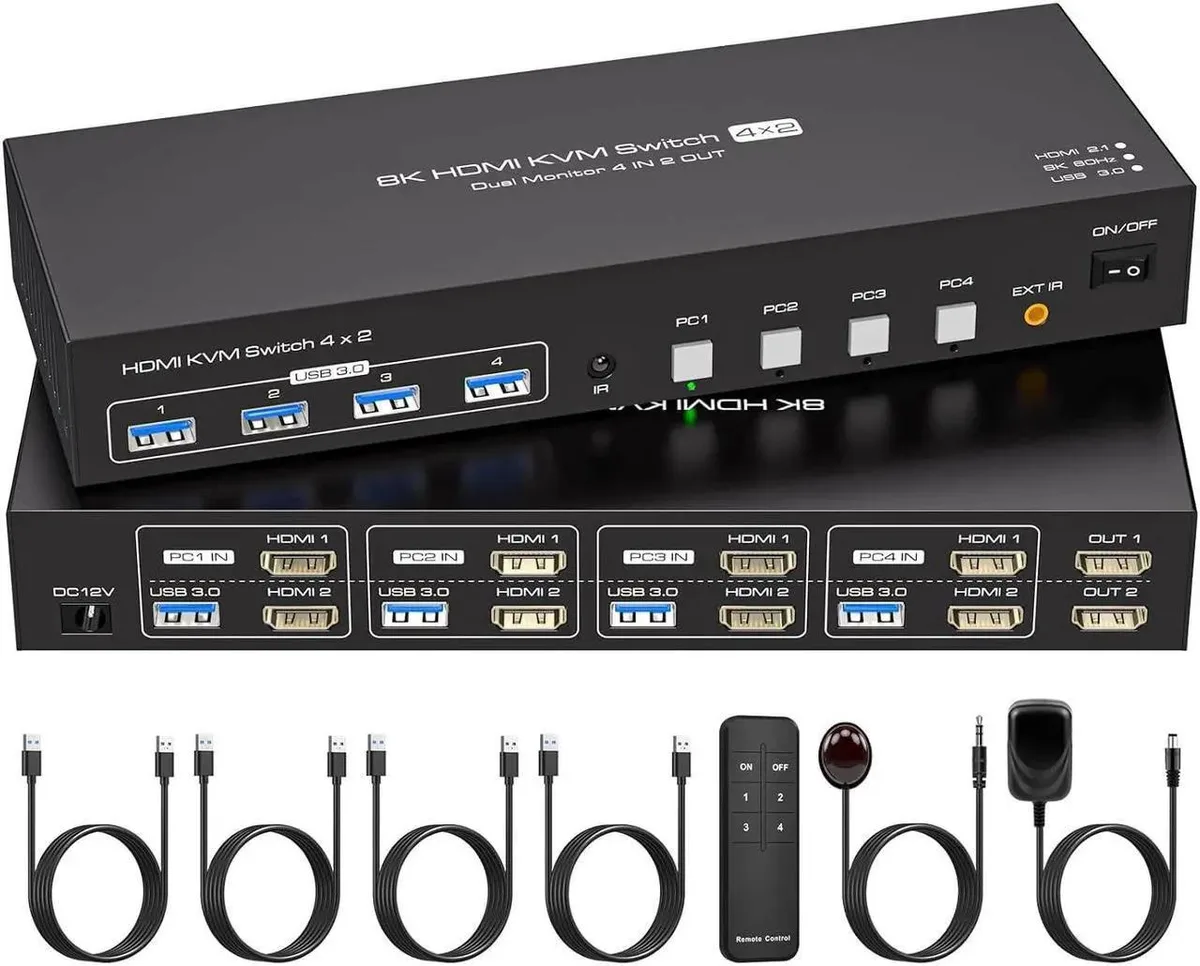
Vszerda Dual Monitor HDMI KVM Switch 4 Port 8K@60Hz 4K@120Hz 4 USB 3.0
Share four computers and four USB 3.0 devices across two monitors with 8K at 60 Hz or 4K at 120 Hz, plus duplicate and extend display modes
- Control four computers with one keyboard and mouse set
- Share two monitors and four USB 3.0 devices across four PCs
- Switch instantly between systems using the included remote control
- Duplicate the same image on both screens for presentations
- Extend your desktop across two monitors for a wider workspace
Dual HDMI KVM for four PCs
This KVM switch lets you control four computers with one keyboard, one mouse and two shared monitors. It provides four USB 3.0 ports for peripherals that stay connected while you switch between systems. The unit is aimed at users who need a tidy multi-PC workstation without extra cables.
Thermals, noise and power
The device draws power from the included adapter and runs silently with no fans or moving parts. Normal operation produces no audible noise and negligible heat, so it sits unobtrusively on a desk or in a rack.
Build fit and freedoms
Two HDMI outputs support duplicate or extend modes, letting each monitor show the same image or act as an independent workspace. Four upstream HDMI inputs accept video from four separate PCs. The switch includes a wired remote for quick source changes and frees up desk space by consolidating keyboard, mouse and USB 3.0 devices.
Highlights
- Control four computers with one keyboard and mouse set
- Share two monitors and four USB 3.0 devices across four PCs
- Switch instantly between systems using the included remote control
- Duplicate the same image on both screens for presentations
- Extend your desktop across two monitors for a wider workspace
Specifications
No published specifications for this item yet.
Questions about this item
How do I connect four computers and two monitors to this KVM switch, and which step is most often missed?
Connect each computer's HDMI output to the switch inputs, then attach both monitors to the HDMI outputs. The step most often missed is confirming that each computer's graphics card supports duplicate and extend modes, otherwise the second monitor will not show an independent desktop.
What maintenance or replacement will this KVM switch need over time?
The unit is a solid-state device with no moving parts or user-serviceable components, so it requires no scheduled maintenance. If the external power adapter fails, replace it with a unit of the same voltage and polarity; otherwise the switch itself has no consumable parts to swap.
What is the first limit I will hit when running two monitors at high refresh rates for long periods?
The HDMI bandwidth caps each display at 4K 120 Hz or 8K 60 Hz. Sustained use at those rates will hit the interface throughput ceiling before any thermal or power limit, so the maximum supported resolution and refresh combination is the first constraint you encounter.
Also in this aisle
People compared these
Same shelf, same checkout — eight coins and a 30-minute rate lock.


Black Box Corporation
Black Box Corporation 4K60 HDMI Dual-Head KVM Switch 4 Port
$774.99
0.0093352BTC
In stock