


Vszerda
Vszerda Dual Monitor HDMI KVM Switch 2 Port 4K@60Hz USB 3.0 4 USB Ports
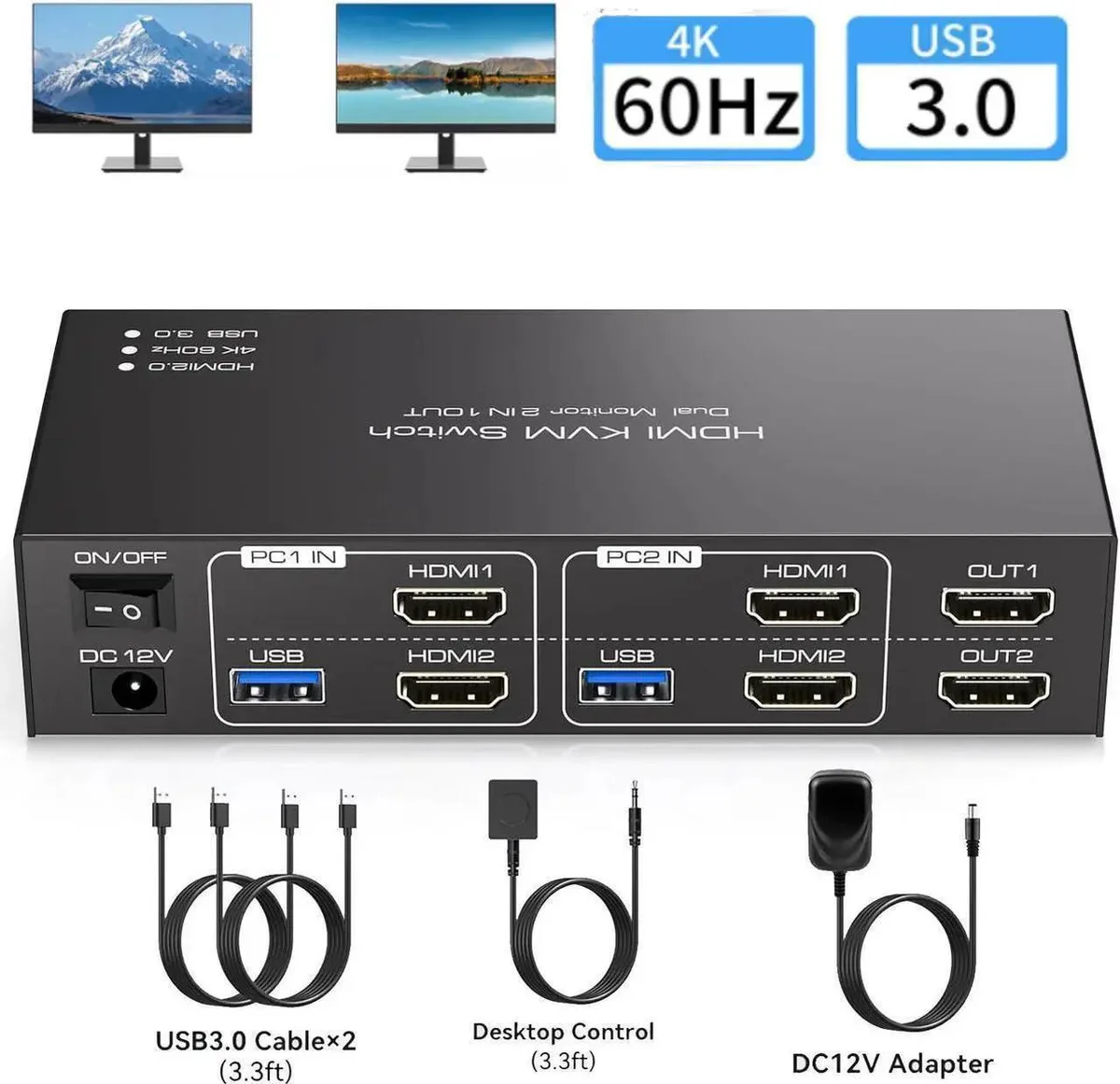
A dual-monitor KVM switch lets two computers share two displays and four USB 3.0 peripherals at up to 4096×2160@60Hz
- Share two monitors and four USB devices between two computers
- Enjoy ultra-sharp 4K visuals at 60 Hz with 4096 × 2160 resolution
- Transfer files up to 10× faster via four USB 3.0 ports at 5 Gbps
- Switch instantly using front-panel buttons or a wired remote control
- Works with Windows, Mac OS, Linux and Unix without extra drivers
Dual-Monitor KVM Switch
The Vszerda unit lets two computers share a pair of HDMI monitors and four USB peripherals. It handles both mirror and extended desktop modes so each screen can show the same or different content.
USB 3.0 Hub and Wired Remote
Four USB 3.0 ports deliver up to 5 Gbp/s throughput and remain compatible with USB 2.0 devices. A front-panel button and a wired extension switch provide two ways to change the active computer without reaching behind the desk.
4K 60 Hz Resolution Limit
Video tops out at 4096×2160 at 60 Hz and falls back to 4K 30 Hz or 1080p when cables or sources cannot sustain the higher rate. Buyers needing higher refresh rates or more than two connected PCs should look elsewhere.
Highlights
- Share two monitors and four USB devices between two computers
- Enjoy ultra-sharp 4K visuals at 60 Hz with 4096 × 2160 resolution
- Transfer files up to 10× faster via four USB 3.0 ports at 5 Gbps
- Switch instantly using front-panel buttons or a wired remote control
- Works with Windows, Mac OS, Linux and Unix without extra drivers
Specifications
No published specifications for this item yet.
Questions about this item
What resolution does the HDMI 4K@60Hz interface actually cap at?
The HDMI interface caps at 4096*2160@60Hz, and it is backward compatible with 4K@30Hz and 1080P or lower resolutions.
What does the unit need to physically fit on a desk?
The switch includes a wired remote controller so the main box can stay outside the work area while the button sits within reach.
How do I install the KVM and what step often gets missed?
Connect both computers to the HDMI and USB 3.0 ports, attach monitors and peripherals, then use the panel button or wired remote to switch; the step often missed is confirming that both source devices and cables support 4K@60Hz for maximum resolution.
Also in this aisle
People compared these
Same shelf, same checkout — eight coins and a 30-minute rate lock.


Black Box Corporation
Black Box Corporation 4K60 HDMI Dual-Head KVM Switch 4 Port
$774.99
0.00925173BTC
In stock