


Vszerda
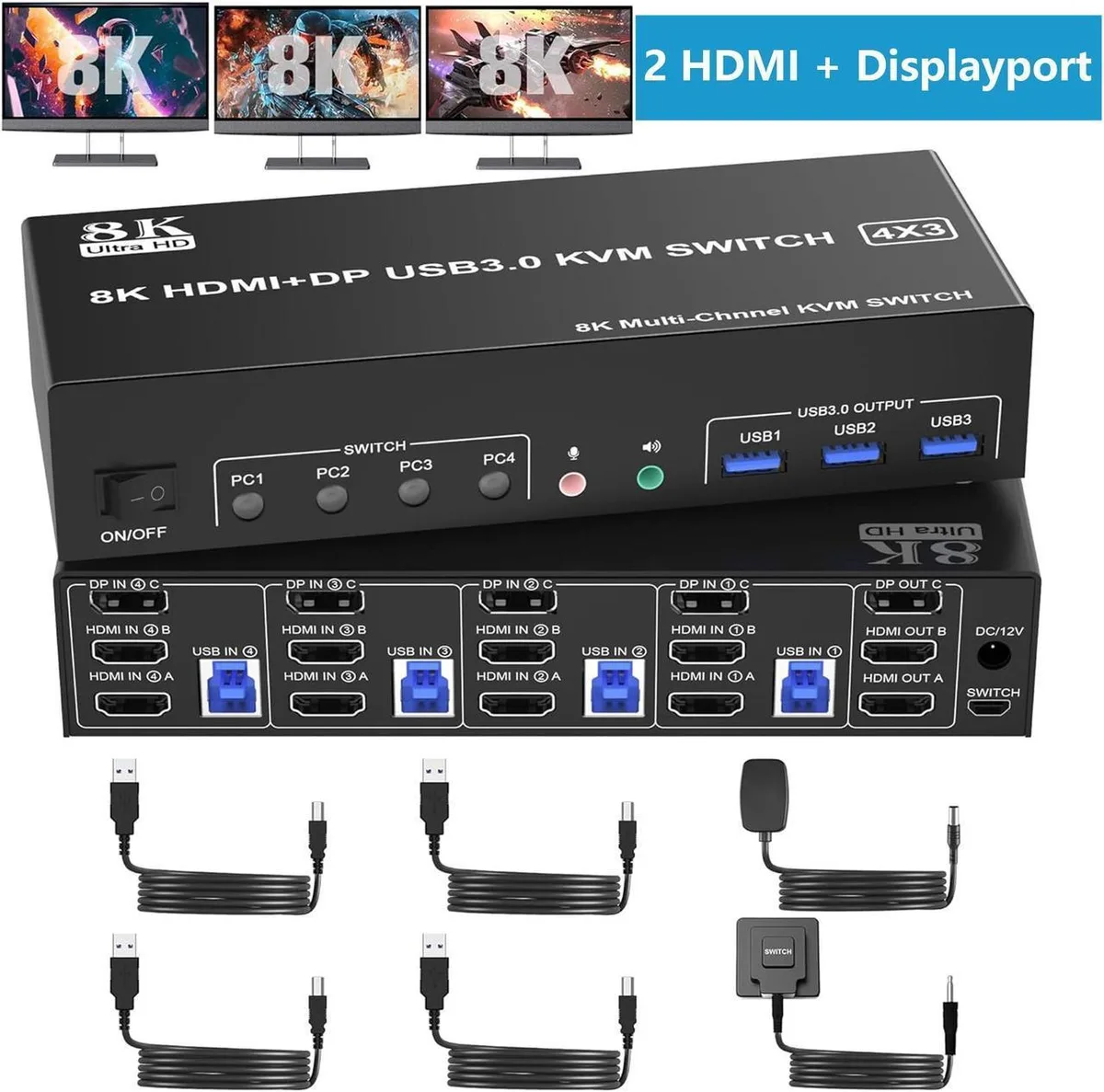
Vszerda 4-Port Triple-Monitor KVM Switch 2 HDMI + DP 8K@60Hz 4K@144Hz 3 USB 3.0 Audio
Shares one keyboard, mouse and three monitors across four computers with 8K@60Hz video, three USB 3.0 ports and audio switching
- TypeAccessories
- Share 3 monitors across 4 computers via 2 HDMI and 1 DisplayPort
- DisplayPort delivers 8K at 30 Hz and 4K at 144 Hz
- HDMI delivers 8K at 60 Hz and 4K at 60 Hz
- Three USB 3.0 ports transfer data up to 5 Gbps with audio and mic output
- Switch by front button or wired remote across Windows, Linux, Mac and more
Triple-Monitor KVM for Four Computers
The Vszerda switch lets four desktops or laptops share one keyboard, one mouse and three displays connected through two HDMI ports and one DisplayPort. It is aimed at multi-system workstations, streaming setups or lab benches where a single console must control several hosts.
Check Your Graphics Outputs and Cables
Each computer must provide two HDMI and one DisplayPort video output to fill the three monitor inputs. Both the source graphics cards and the attached monitors need to support the target resolution, and the cables used must be rated for the same bandwidth; otherwise the switch will fall back to a lower mode.
Passive Operation With Standard USB Power
The unit draws its operating power from the attached USB 3.0 links and has no internal fans, so it adds no audible noise to the desk. Power consumption in normal use stays within the 5 Gbps USB 3.0 budget, and the aluminium enclosure passively dissipates the small amount of heat generated during switching.
Highlights
- Share 3 monitors across 4 computers via 2 HDMI and 1 DisplayPort
- DisplayPort delivers 8K at 30 Hz and 4K at 144 Hz
- HDMI delivers 8K at 60 Hz and 4K at 60 Hz
- Three USB 3.0 ports transfer data up to 5 Gbps with audio and mic output
- Switch by front button or wired remote across Windows, Linux, Mac and more
Specifications
| Type | Accessories |
|---|
Questions about this item
Does the box include the cables I need to connect four PCs and three monitors?
The unit provides 2 HDMI and 1 DisplayPort outputs plus 3 USB 3.0 ports for keyboard, mouse and peripherals; you must supply your own HDMI, DisplayPort and USB cables for each computer.
How do I decide between the 8K@60Hz and 4K@144Hz capabilities listed?
Choose 8K@60Hz if your graphics card, monitors and cables all support HDMI 2.1; choose 4K@144Hz when your hardware supports DP 1.4 and you prefer higher refresh at lower resolution.
What does the 8K@60Hz figure actually deliver on my desk?
You get 8K@60Hz only when the source GPU, the display and the cable each meet HDMI 2.1; otherwise the switch falls back to 4K@60Hz or lower automatically.
Also in this aisle
People compared these
Same shelf, same checkout — eight coins and a 30-minute rate lock.


Black Box Corporation
Black Box Corporation 4K60 HDMI Dual-Head KVM Switch 4 Port
$774.99
0.00931087BTC
In stock