


Vszerda
Vszerda 4-Port DP 1.4 Dual Monitor KVM Switch 8K@60Hz 4K@144Hz 3×USB 3.0
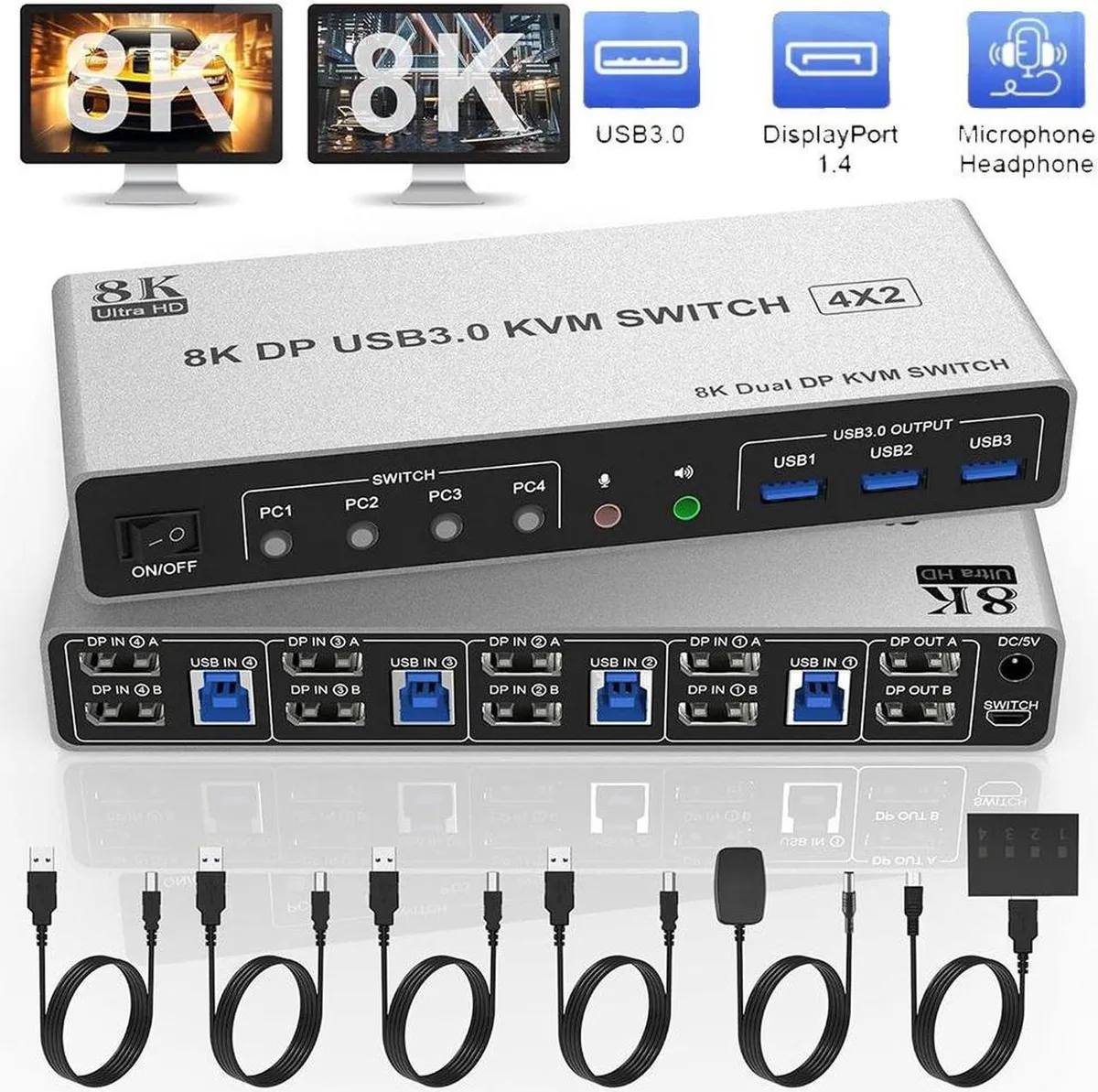
Lets four computers share two monitors up to 8K@60Hz or 4K@144Hz plus three USB 3.0 devices with push-button or wired remote switching
- TypeAccessories
- Share four computers with one dual-monitor setup and peripherals via four DisplayPort 1.4 inputs
- Enjoy 8K at 60 Hz or 4K at 144 Hz visuals with HDR 10 and Dolby Vision support
- Transfer data at 5 Gbps through three USB 3.0 ports for keyboards, mice and printers
- Switch instantly using front-panel buttons or the included wired remote with LED indicators
- Keep cables hidden behind the unit for a clean, clutter-free desktop
Four-computer dual-monitor KVM
This DisplayPort 1.4 KVM switch lets four desktops or laptops share one keyboard, one mouse and two monitors. Each connected system must support dual or multi-display output to use both monitor ports. Extended, mirrored or spliced layouts depend on the host graphics hardware.
8K 60 Hz and 4K 144 Hz ceiling
The single specification that decides fit is the maximum video bandwidth of 32.4 Gbps over DP 1.4, which delivers up to 8K at 60 Hz or 4K at 144 Hz. The link is backward compatible with DP 1.2 for lower-resolution displays.
Front-panel button and wired remote
Switch between the four computers by pressing the button on the unit or using the included wired remote; LEDs show the active port. All DisplayPort and USB cables connect to rear-facing ports, keeping the desk tidy. The three USB 3.0 ports run at 5 Gbps, far faster than USB 2.0 at 480 Mbps. Driver-free operation works on Windows, Linux, Mac, Unix, Ubuntu and Raspberry Pi. Remember that dual-monitor modes only function when each source computer supports multi-display output.
Highlights
- Share four computers with one dual-monitor setup and peripherals via four DisplayPort 1.4 inputs
- Enjoy 8K at 60 Hz or 4K at 144 Hz visuals with HDR 10 and Dolby Vision support
- Transfer data at 5 Gbps through three USB 3.0 ports for keyboards, mice and printers
- Switch instantly using front-panel buttons or the included wired remote with LED indicators
- Keep cables hidden behind the unit for a clean, clutter-free desktop
Specifications
| Type | Accessories |
|---|
Questions about this item
What does the 8K@60Hz headline figure actually deliver on my desk?
The switch passes up to 8K at 60 Hz or 4K at 144 Hz to both monitors, provided each computer’s graphics card can drive those modes.
Which DisplayPort standard is used and what bandwidth does it cap at?
It uses DisplayPort 1.4 with a maximum link rate of 32.4 Gbps, and remains backward compatible with DP 1.2 sources.
What physical connections and clearance does the unit need to sit on my desk?
Rear-facing ports accept four DisplayPort and USB cables from the computers, two DisplayPort cables to the monitors, three USB 3.0 peripherals, plus audio; the power adapter plugs into the side.
Also in this aisle
People compared these
Same shelf, same checkout — eight coins and a 30-minute rate lock.


Black Box Corporation
Black Box Corporation 4K60 HDMI Dual-Head KVM Switch 4 Port
$774.99
0.00933723BTC
In stock