


Vszerda
Vszerda 4 Port 8K@60Hz DP1.4 KVM Switch 2 Monitors 3 USB 3.0
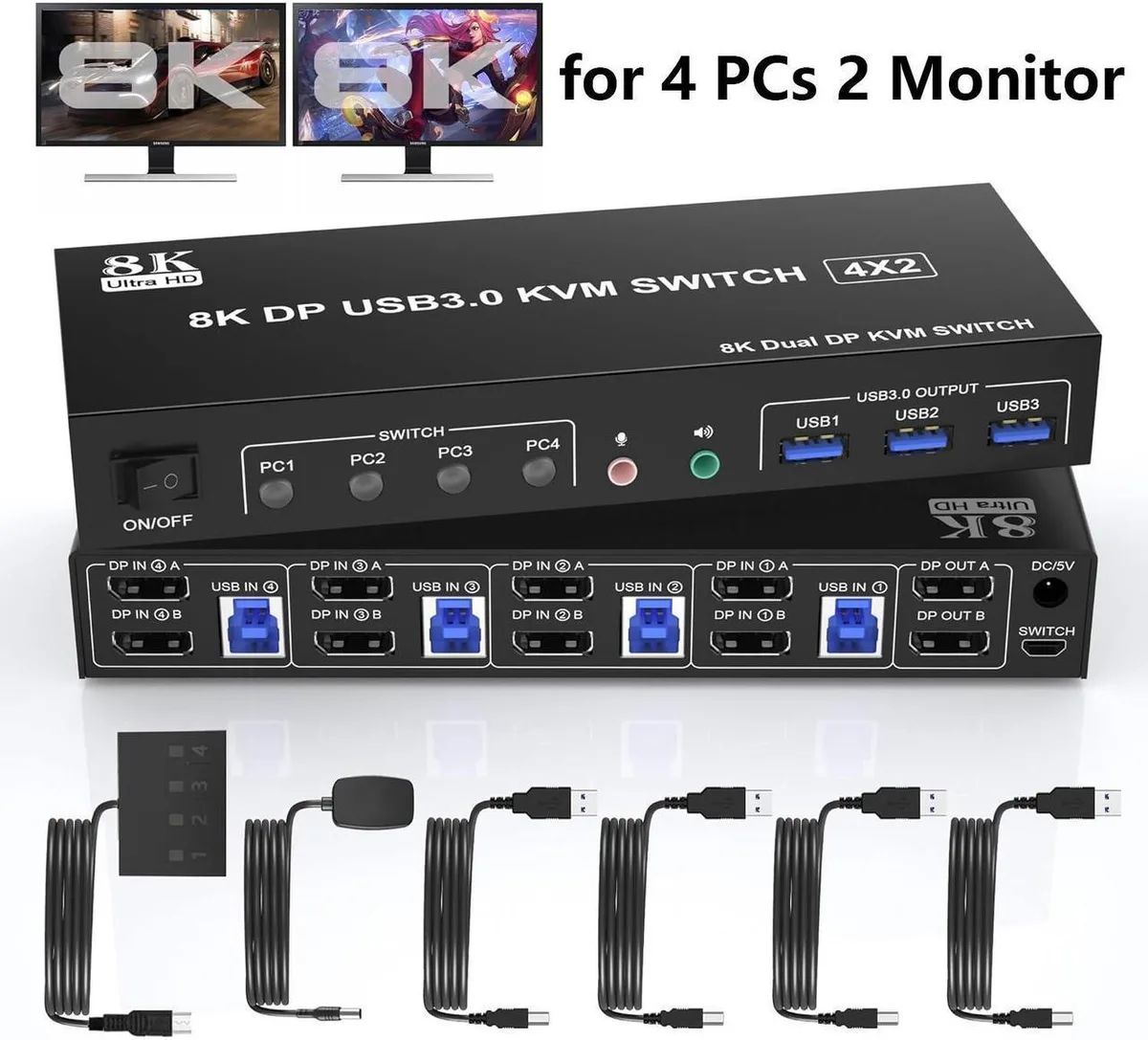
A four-computer KVM switch shares two monitors at up to 8K@60Hz via DP 1.4 and three USB 3.0 ports with push-button or wired remote switching
- TypeAccessories
- Control 4 computers with one keyboard, mouse and dual monitors
- Supports up to 8K@60Hz resolution via DP 1.4
- Three USB 3.0 ports share peripherals at up to 5Gbps
- Switch instantly by front button or wired remote
- Works with Windows, Linux, Mac and other major OS
4-Port 8K DP1.4 KVM Switch
This DP1.4 KVM switch lets four computers share two monitors and three USB 3.0 peripherals. It supports a maximum resolution of 8K at 60 Hz and is backward compatible with DP 1.2. The unit includes an audio and microphone output for a complete desktop setup.
Upgrade from single-head or 4K switches
Replaces a basic single-monitor KVM or a 4K-limited unit when you need dual-display workflows at 8K 60 Hz. The jump is worth it if your graphics cards and monitors both support DP 1.4 and you require extended, mirrored or spliced modes across two screens. It does not suit buyers who need more than two monitor outputs.
Fits a tidy four-system desk
All DP and USB cables connect to rear ports, keeping the workspace clear. Switching is handled by front-panel buttons or the wired remote, and LEDs show the active system. Compatible with Windows, Linux, Mac and other major operating systems without driver installation. Three USB 3.0 ports at up to 5 Gbps free you from a separate hub for keyboard, mouse and printer.
Highlights
- Control 4 computers with one keyboard, mouse and dual monitors
- Supports up to 8K@60Hz resolution via DP 1.4
- Three USB 3.0 ports share peripherals at up to 5Gbps
- Switch instantly by front button or wired remote
- Works with Windows, Linux, Mac and other major OS
Specifications
| Type | Accessories |
|---|
Questions about this item
What DisplayPort cables are required to connect four computers and two monitors to this KVM switch?
Four DisplayPort cables for the computer inputs and two DisplayPort cables for the monitor outputs, all supporting DP 1.4 for 8K@60Hz or DP 1.2 for lower resolutions.
How do I switch between the four connected computers using the wired remote?
Press the button on the wired remote to cycle through ports one to four; the front LED indicates the active computer.
When should I replace the USB 3.0 cables linking the switch to my keyboard, mouse and printer?
Replace them if data transfer drops below 5 Gbps or if devices disconnect intermittently, as the switch provides three USB 3.0 ports at that speed.
Also in this aisle
People compared these
Same shelf, same checkout — eight coins and a 30-minute rate lock.


Black Box Corporation
Black Box Corporation 4K60 HDMI Dual-Head KVM Switch 4 Port
$774.99
0.00928777BTC
In stock