


Teday
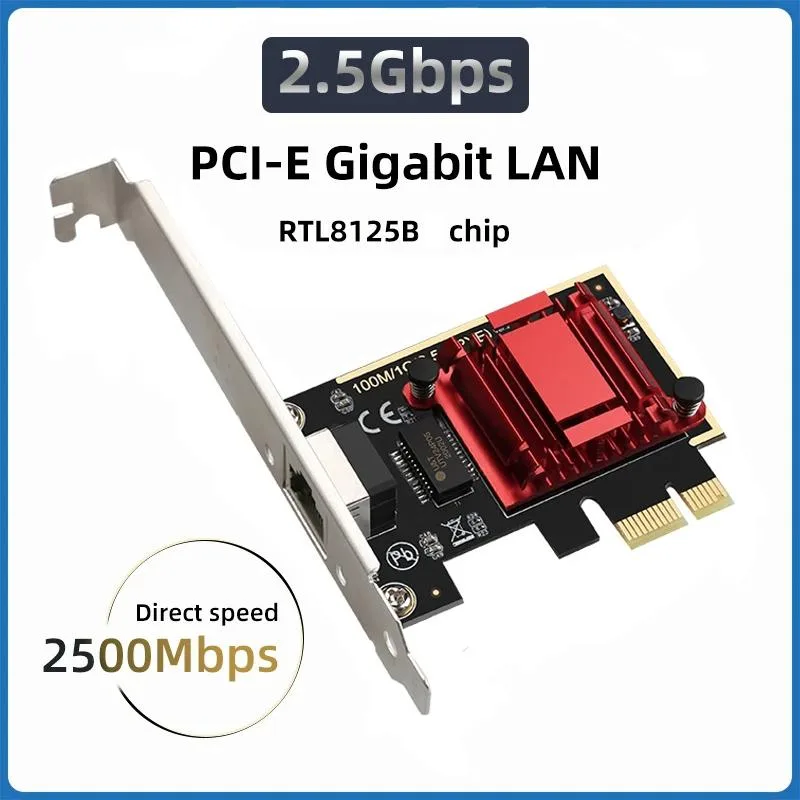
Teday 2.5G PCIe to RJ45 Network Card RTL8125B Chip 10/100/2500Mbps expansion card
Adds a 2.5G Ethernet port via PCIe using the RTL8125B chip at 10, 100, or 2500Mbps over Cat5e up to 328 ft
- Wireless Speed2500Mbps
- 5 Gbps wired speed on standard Cat5e cable up to 100 m
- Adds a 2.5G Ethernet port through a single PCIe slot
- Backward compatible with 1 Gbps and 100 Mbps networks
- Realtek RTL8125B controller handles 10/100/2500 Mbps operation
- New condition ensures full performance out of the box
2.5G PCIe Network Adapter
The Teday add-on card equips a desktop PC with a single 2.5GBASE-T Ethernet port using the Realtek RTL8125B controller. It targets builders who want faster wired throughput than standard Gigabit without moving to 10G infrastructure.
PCIe slot to RJ45 conversion
The board plugs into an open PCI Express slot and presents one RJ45 jack that negotiates 2.5Gbps, 1Gbps or 100Mbps over ordinary Cat5e cabling up to 100m (328 ft). No external power connector is required, so installation stays inside the chassis.
Driver-only software bundle
The package relies on operating-system or vendor drivers for the RTL8125B chip; no management utility or configuration tool is included. Buyers who need link-aggregation, VLAN tagging or advanced QoS must supply their own software layer.
Highlights
- 5 Gbps wired speed on standard Cat5e cable up to 100 m
- Adds a 2.5G Ethernet port through a single PCIe slot
- Backward compatible with 1 Gbps and 100 Mbps networks
- Realtek RTL8125B controller handles 10/100/2500 Mbps operation
- New condition ensures full performance out of the box
Specifications
| Wireless Speed | 2500Mbps |
|---|
Questions about this item
What PCIe interface does the Teday RTL8125B card use and what throughput does it cap at?
The card uses a PCIe slot to provide a 2.5G Ethernet port supporting 10, 100, and 2500 Mbps speeds over Cat5e cable up to 100 m (328 ft).
What physical slot and bracket does this low-profile network adapter require?
It installs in a standard PCIe expansion slot and uses a standard bracket for the single RJ45 port.
How do I install the driver for the RTL8125B chipset and what step is often missed?
Insert the card into a free PCIe slot, then install the Realtek RTL8125B driver from the vendor site; the step often missed is enabling 2.5G speed in the adapter properties after driver installation.
New to this? Buying PC parts with Monero — what to check, what it costs to pay, and what is never asked for.
Also in this aisle
People compared these
Same shelf, same checkout — eight coins and a 30-minute rate lock.



Sunfounder
Sunfounder Raspberry Pi Ultimate Kit with PiCrawler AI Robot 337 components 131 projects
$174.99
0.00209494BTC
In stock
minisforum
minisforum MF-SRP01 SSD Heatsink accessories barebone
- SSD Heatsink
$6.99
0.00008368BTC
In stock