TAURKENAM
TAURKENAM X3 USB Cooling Fan 140mm 18dB 65.8 CFM 850RPM 11 Blades
A 140mm USB fan delivers 65.8 CFM airflow at 850 RPM with 11 blades while running at 18 dB for quiet device cooling
- Keeps routers, consoles and PCs cool with universal USB power
- 8 CFM airflow from 11 blades drops temperatures by 20%
- Runs at just 18 dB for silent work or gaming
- 850 RPM hydraulic bearing delivers steady, reliable cooling
- Built-in cable and one-touch switch make setup instant
Universal USB Cooling
The TAURKENAM X3 is a 140mm USB fan built for computers, routers, receivers, game consoles and similar devices. It draws power from any standard USB port, so no separate adapter is needed. The integrated cable and one-touch switch make it simple to add airflow wherever a USB socket is available.
Quiet Hydraulic Bearing Build
An upgraded hydraulic bearing and 11 high-pressure blades deliver 65.8 CFM at 850 RPM while keeping noise to 18 dB. The low sound level suits quiet offices, bedrooms or living-room setups. The built-in cable reduces clutter and the single switch gives instant on-off control without software.
Upgrade From Smaller or Louder Fans
This unit replaces smaller, noisier fans that struggle to move enough air through tight cabinets. The jump is worth it when a 140mm frame fits and a 20 percent temperature drop under load matters for stability. Buyers who need higher static pressure for dense radiators or who lack a free USB port should look elsewhere.
Highlights
- Keeps routers, consoles and PCs cool with universal USB power
- 8 CFM airflow from 11 blades drops temperatures by 20%
- Runs at just 18 dB for silent work or gaming
- 850 RPM hydraulic bearing delivers steady, reliable cooling
- Built-in cable and one-touch switch make setup instant
Specifications
No published specifications for this item yet.
Questions about this item
What does the USB interface limit for the 140mm fan?
The USB port powers the fan at 850RPM±10% with 65.8 CFM airflow and 18dB noise, capped by the 5 V supply.
What clearance does the 140mm frame with 11 blades need to mount?
A 140mm square cut-out and at least 10mm depth behind the panel for the built-in cable and hydraulic bearing housing.
How is the fan installed and what step is often missed?
Plug the built-in USB cable into any 5 V port, then press the one-touch switch; users forget to toggle the switch after connecting power.
Also in this aisle
People compared these
Same shelf, same checkout — eight coins and a 30-minute rate lock.


Baldwin Filters
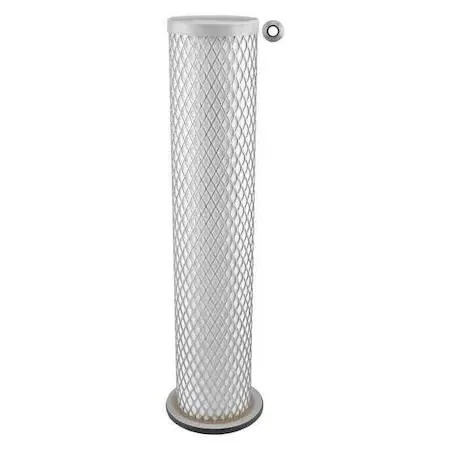
Baldwin Filters RS3922 air filter 14 3/4 in height 6 3/8 in width
$47.99
0.00057669BTC
In stock