


suranus
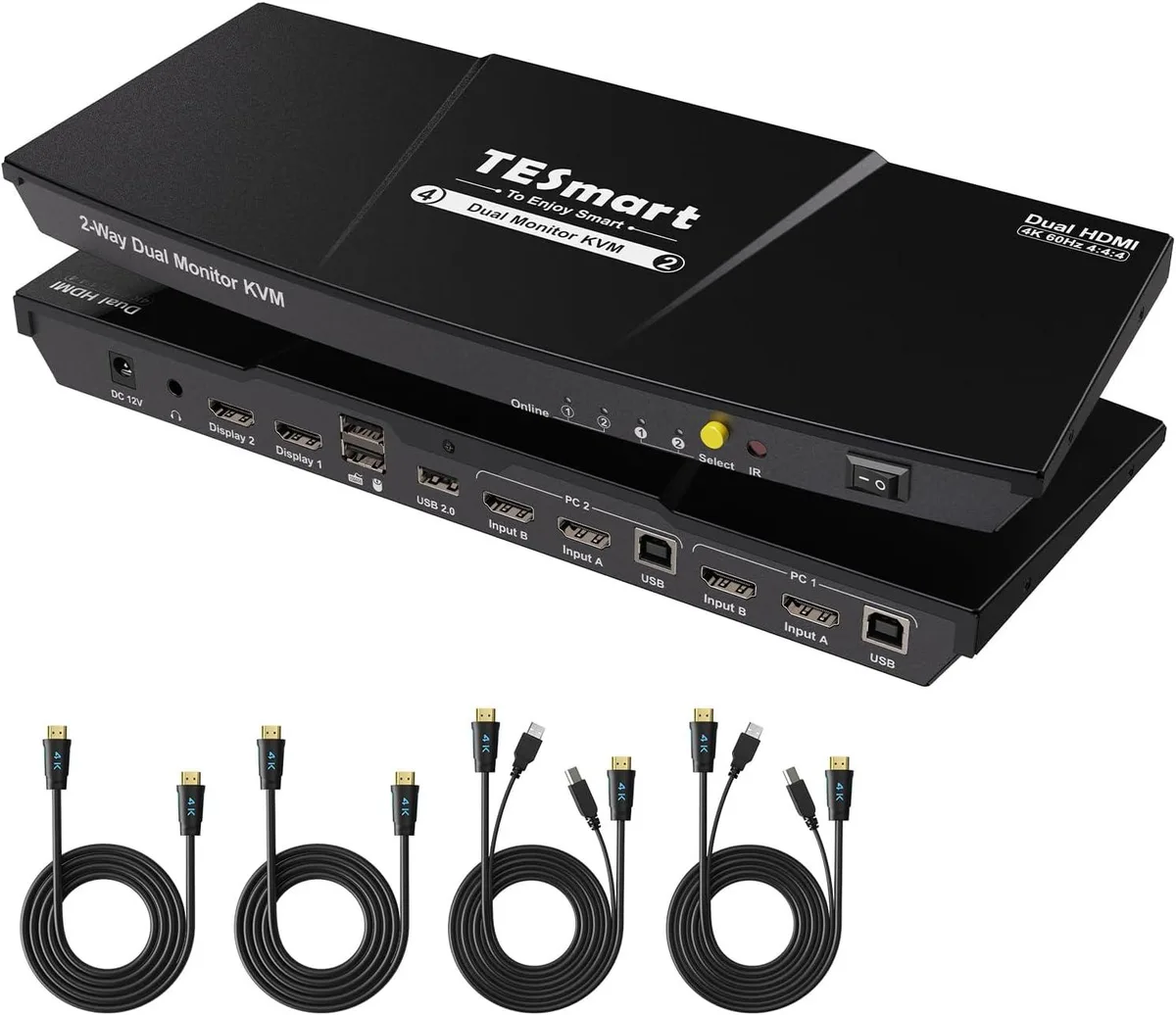
suranus 2-Port HDMI KVM Switch Dual Monitor 4K 60Hz USB 2.0
Connects two computers to two monitors at up to 4K 60 Hz with EDID emulators, USB 2.0 keyboard and mouse sharing, and hotkey or button switching
- TypeKVM Switch & AV Splitters
- Control two computers with one keyboard and mouse set
- Dual 4K 60 Hz monitors supported per system
- EDID emulators keep display settings stable when switching
- Semi-DDM USB works with wired, wireless, mechanical and gaming keyboards and mice
- Hotkey and front-panel buttons give instant system change
Dual-System Dual-Monitor Control
The suranus KVM switch connects two computers to two HDMI monitors, sharing one keyboard and mouse set. It suits users who run a desktop and a laptop side by side or need to monitor one system while working on the other. A hotkey sequence lets you view the secondary system on a single screen without full switching.
Passive Cooling Silent Operation
The unit has no fans or active cooling, so it adds no audible noise to the workspace. Power is drawn from the connected computers through the USB 2.0 links, keeping consumption negligible. No external power adapter is required, eliminating an extra cable and wall outlet.
Metal Housing EDID Stability
A metal enclosure provides shielding and durability for daily switching. EDID emulators on each input port maintain display handshake data, preventing resolution resets when you toggle between systems. Included cables cover HDMI video, USB 2.0 data and stereo audio for a complete two-system, two-monitor hookup.
Highlights
- Control two computers with one keyboard and mouse set
- Dual 4K 60 Hz monitors supported per system
- EDID emulators keep display settings stable when switching
- Semi-DDM USB works with wired, wireless, mechanical and gaming keyboards and mice
- Hotkey and front-panel buttons give instant system change
Specifications
| Type | KVM Switch & AV Splitters |
|---|
Questions about this item
How do I connect the two computers and two monitors to the suranus KVM switch, and which step do users often miss?
Connect each computer to both HDMI input ports and the USB-B port using the supplied cables, then attach both monitors to the HDMI outputs; the step users miss is plugging in both HDMI cables per computer so EDID emulators keep display settings stable when switching.
What maintenance or replacement will the suranus 2-port KVM switch need over time?
No internal parts require scheduled replacement; if a supplied HDMI or USB cable fails, swap it for another certified cable of the same specification, and keep the unit dust-free for reliable 4K 60 Hz operation.
What limit appears first during sustained use of the suranus KVM at 4K 60 Hz?
The HDMI 2.0 bandwidth ceiling caps resolution at 3840x2160 60 Hz per port, so extended sessions cannot exceed that refresh rate or colour depth without signal degradation.
Also in this aisle
People compared these
Same shelf, same checkout — eight coins and a 30-minute rate lock.


Black Box Corporation
Black Box Corporation 4K60 HDMI Dual-Head KVM Switch 4 Port
$774.99
0.00933071BTC
In stock