


Supermicro
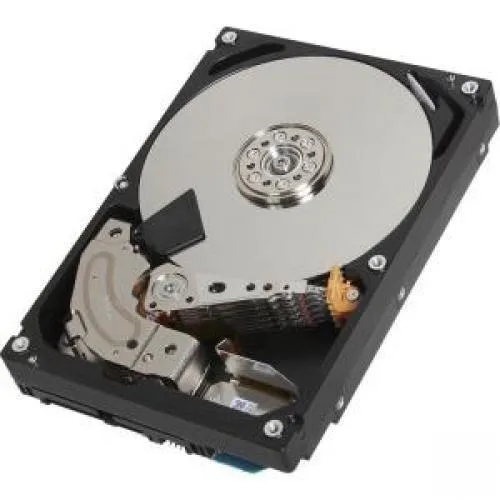
Supermicro Toshiba-IMSourcing MG04ACA 6 TB 3.5" SATA 7200 RPM 128 MB internal hard drive
A 6 TB 3.5" SATA desktop hard drive spinning at 7200 RPM with 128 MB cache for high-capacity storage
- InterfaceSATA 6.0Gb/s
- Capacity6TB
- RPM7200 RPM
- Cache128 MB
- Form Factor3.5"
- 6 TB capacity stores large datasets
- 7200 RPM spindle speeds up data access
- 128 MB cache buffers frequent reads and writes
- SATA 6.0 Gb/s interface connects to standard desktop ports
- 5 inch form factor fits standard drive bays
6 TB SATA enterprise drive
This Supermicro Toshiba-IMSourcing MG04ACA is a 6 TB 3.5 inch internal hard drive with a SATA 6.0 Gbit/s interface. It spins at 7200 RPM and carries a 128 MB cache buffer. The drive is built for midline and nearline business-critical workloads in desktop or server storage bays.
Buyers needing midline capacity
It suits builders who want high-capacity SATA storage for bulk data, backups or archiving in a standard 3.5 inch bay. It is not for systems that require a SAS interface or a spindle speed above 7200 RPM.
SATA 6.0 Gbit/s interface
The single specification that decides fit is the SATA 6.0 Gbit/s interface. The host must provide a matching SATA port and support 6 TB capacity. Persistent write cache technology and 512e advanced format sector support are also implemented on this model.
Highlights
- 6 TB capacity stores large datasets
- 7200 RPM spindle speeds up data access
- 128 MB cache buffers frequent reads and writes
- SATA 6.0 Gb/s interface connects to standard desktop ports
- 5 inch form factor fits standard drive bays
Specifications
| Brand | Toshiba-IMSourcing |
|---|---|
| Interface | SATA 6.0Gb/s |
| Capacity | 6TB |
| RPM | 7200 RPM |
| Cache | 128 MB |
| Form Factor | 3.5" |
Questions about this item
Will the 3.5" SATA 6.0Gb/s drive fit in a desktop chassis that currently holds a 3.5" SATA drive?
Yes, the 3.5" form factor and SATA interface match standard desktop drive bays and cables, so it installs in the same space as your existing 3.5" SATA drive.
Can the MG04ACA 6 TB 7200 RPM drive operate alongside an older 3.5" SATA drive in the same system?
Yes, each drive connects to its own SATA port and the system sees both independently, so your older SATA drive and the new 7200 RPM 128 MB cache drive work together.
How do I verify the 6 TB capacity and 7200 RPM speed are recognised after installation?
Check BIOS or the operating system disk utility; they will report the full 6 TB capacity and the drive will identify as a 7200 RPM SATA model with 128 MB cache.
New to this? Paying with USDT: TRC-20 or ERC-20 — what to check, what it costs to pay, and what is never asked for.
Also in this aisle
People compared these
Same shelf, same checkout — eight coins and a 30-minute rate lock.


