


SMUGDESK
SMUGDESK 4 Port HDMI KVM Switch 4K@30Hz 3 USB 2.0 Ports
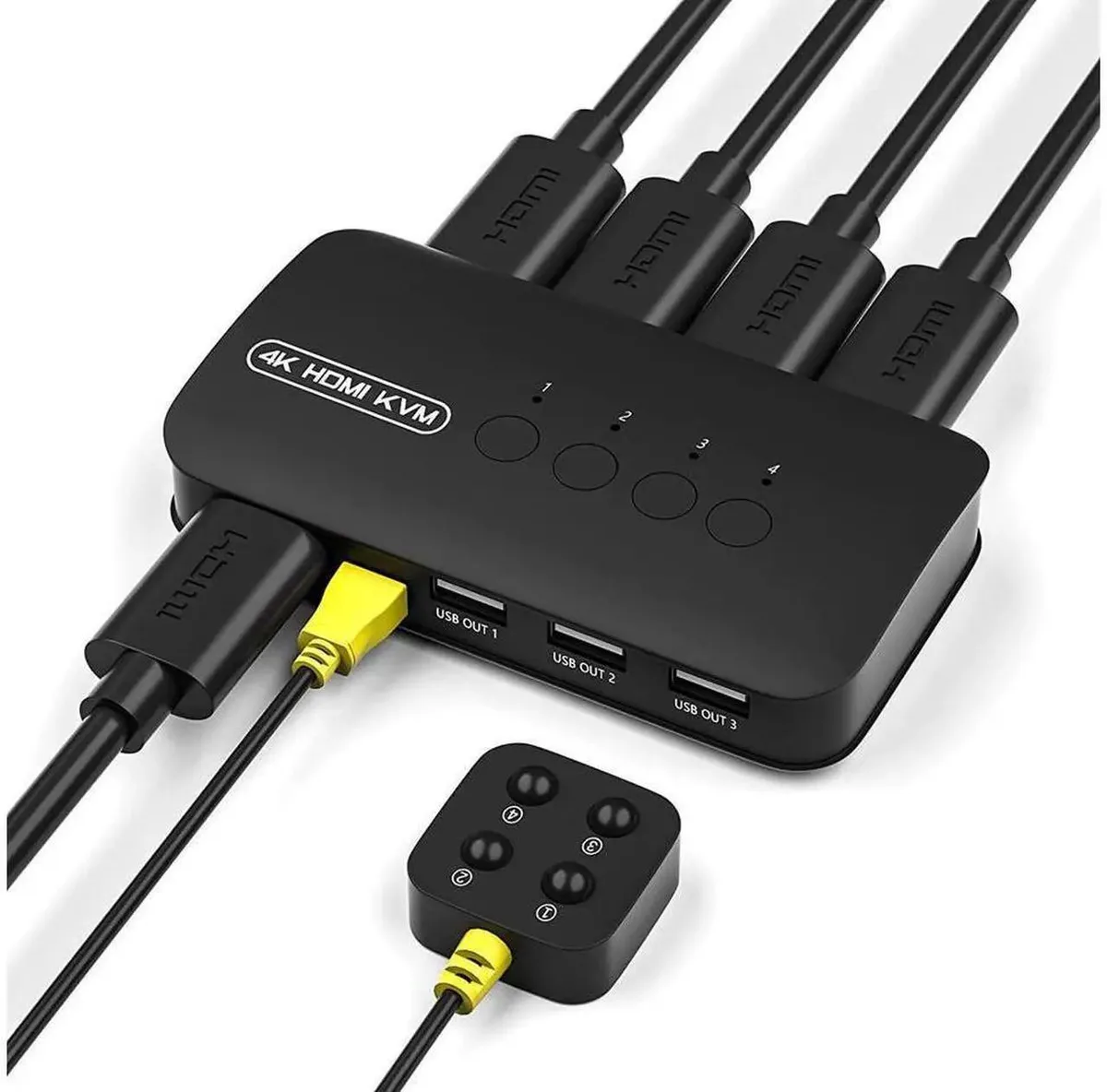
Controls four computers with one keyboard, mouse and monitor at 4K@30Hz, plus three USB 2.0 ports for shared peripherals and a desktop switch button
- Control 4 PCs with one keyboard, mouse and monitor for a tidy workspace
- Share USB drives, printers and peripherals via 3 USB 2.0 hub ports
- Enjoy clear 4K@30Hz and 2K video output for design and office tasks
- Switch instantly with the wired desktop controller without reaching the main unit
- Plug and play with 4 included HDMI cables and no driver installation needed
4-Port HDMI KVM Switch
This 4-port HDMI KVM switch lets you control four computers with a single monitor, keyboard and mouse. It includes four HDMI cables and a wired desktop controller for instant plug-and-play operation on Windows, macOS and Linux. The unit saves desk space and streamlines multi-system workflows for office, design and home users.
Office, design and home multi-device users
The built-in three USB 2.0 hub ports allow shared access to flash drives, printers, scanners and cooling fans across all connected hosts. Buyers who need USB 3.0 or higher peripheral speeds should look at other solutions. Users requiring video switching beyond the supported resolutions will need a different device.
4K@30Hz video and USB 2.0 hub
The switch delivers stable 4K at 30 Hz and 2K high-definition video output for clear display quality. Three USB 2.0 ports provide simultaneous peripheral sharing across the four connected computers. This specification determines whether the switch matches your display and peripheral requirements.
Highlights
- Control 4 PCs with one keyboard, mouse and monitor for a tidy workspace
- Share USB drives, printers and peripherals via 3 USB 2.0 hub ports
- Enjoy clear 4K@30Hz and 2K video output for design and office tasks
- Switch instantly with the wired desktop controller without reaching the main unit
- Plug and play with 4 included HDMI cables and no driver installation needed
Specifications
No published specifications for this item yet.
Questions about this item
How do I install the SMUGDESK 4-port HDMI KVM switch and which step do people often miss?
Connect each PC using the four included HDMI cables, plug keyboard and mouse into the console USB ports, then attach the desktop controller — the step users skip is connecting the three USB 2.0 hub ports for shared peripherals.
What maintenance or replacement will this KVM switch need later?
No scheduled maintenance is required; the unit has no user-replaceable parts or batteries, so only the supplied HDMI cables or the desktop controller might need replacement if physically damaged.
What limit appears first during sustained use of the 4K@30Hz video?
The 30 Hz refresh ceiling at 4K resolution is the first constraint, so extended sessions stay at 30 frames per second rather than higher rates.
Also in this aisle
People compared these
Same shelf, same checkout — eight coins and a 30-minute rate lock.


Black Box Corporation
Black Box Corporation 4K60 HDMI Dual-Head KVM Switch 4 Port
$774.99
0.0093196BTC
In stock