


SMA
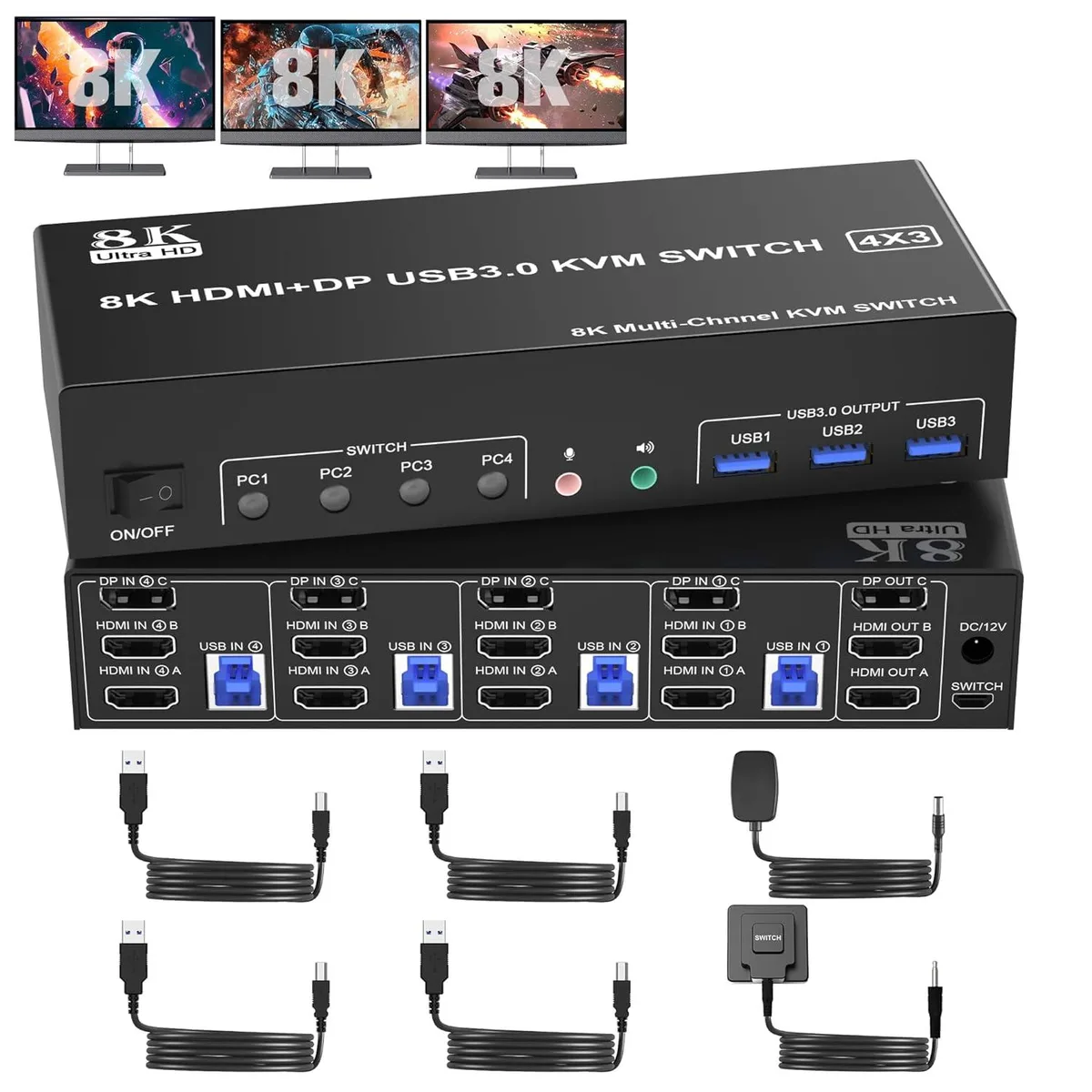
SMA 3-Monitor 4-Port KVM Switch 8K@60Hz 4K@144Hz 2 HDMI + DP USB 3.0 Audio
Share one keyboard, mouse and three monitors (two HDMI, one DisplayPort) across four computers at up to 8K 60 Hz or 4K 144 Hz with built-in USB 3.0 and audio
- Type2 HDMI + Displayport
- Computer Connections4 Ports
- Monitor Connections3 Ports
- Video Resolution8K@60Hz 4K@144Hz
- PC SelectionPush Buttons
- Monitors SupportedHDMI +1 DisplayPort Triple Monitor
- Share one keyboard, mouse and three monitors across four computers
- Drive three displays at up to 8K 60 Hz or 4K 144 Hz
- Three USB 3.0 ports plus dedicated audio and microphone output
- Switch instantly with front buttons or wired remote with LED status
- Plug-and-play on Windows, Linux, macOS and other major operating systems
Triple-Monitor KVM for Four Computers
This KVM switch lets four desktops or laptops share one keyboard, one mouse and three monitors using two HDMI and one DisplayPort output. It targets multi-system workstations, streaming rigs or lab benches where operators need instant access to several machines from a single console.
Passive Power and Rear-Facing Ports
The unit draws power from the connected computers so no external supply is required for basic operation, though a power adapter is included for demanding USB loads. All video, USB and audio sockets face the rear, keeping cables tidy and the desktop clear. Front-panel push buttons and a wired remote provide two hardware switching methods with LED status indication.
Verify Graphics Outputs and Cable Standards
Each source computer must provide two HDMI and one DisplayPort video output to fill the three monitor inputs. To reach 8K at 60 Hz or 4K at 144 Hz the graphics card, monitor and cable must all support HDMI 2.1 or DisplayPort 1.4 respectively. Systems with fewer video outputs or older cable standards will be limited to lower resolutions.
Highlights
- Share one keyboard, mouse and three monitors across four computers
- Drive three displays at up to 8K 60 Hz or 4K 144 Hz
- Three USB 3.0 ports plus dedicated audio and microphone output
- Switch instantly with front buttons or wired remote with LED status
- Plug-and-play on Windows, Linux, macOS and other major operating systems
Specifications
| Type | 2 HDMI + Displayport |
|---|---|
| Computer Connections | 4 Ports |
| Monitor Connections | 3 Ports |
| Video Resolution | 8K@60Hz 4K@144Hz |
| PC Selection | Push Buttons |
| Monitors Supported | HDMI +1 DisplayPort Triple Monitor |
| LED Indicators | Yes |
| Audio Features | with Audio |
| Power Features | Requires no additional power supply |
| USB Features | with USB support |
| Application | This 3 monitor KVM perfect for hooking up 4 desktops or laptops to share one set of keyboard, mouse and 3 monitors for extended, mirrored display; Perfect for computers with 2 HDMI and 1 Displayport monitor for the display outputs. It requires every Laptop/PC support 3 screen or above display functions and must support extended display. |
| Features | 1. 8K Triple Monitor KVM Switch 4-Port allows 4 computers/laptops share one set of keyboard, mouse, and 3 monitors (2 HDMI + 1 DisplayPort) 2. Support HDMI 2.1 and DP 1.4 standards and downward compatible. 3 monitors output support up to 8K@60Hz for extended,mirrored or spliced display(Depends on your computer's graphics card.); 3. 2 Switching modes: Button switch and wired remote. 4. KVM switch with 3 USB 3.0 ports for USB devices, and with extra Audio Microphone output 5. Plug and play, compatible with Windows, Linux, Mac, Unix, Ubuntu, Raspberry and most other major OS |
| Dimensions | 23.3 x 17 x 5.7 cm |
| Weight | 990 Grams |
| Package Contents | 1x 4 Port USB 3.0 Triple Monitor KVM Switch, 4x USB 3.0 Cables, 1x Power Adapter, 1x Wired Button Switch, 1x User's manual |
Questions about this item
What video standard do the HDMI 2.1 and DisplayPort 1.4 interfaces cap at in practice?
The HDMI 2.1 ports support up to 8K at 60 Hz and 4K at 60 Hz, while the DisplayPort 1.4 port supports up to 8K at 30 Hz and 4K at 144 Hz.
What physical space and cables are needed to mount this 23.3 × 17 × 5.7 cm unit and connect four computers?
The switch measures 23.3 by 17 by 5.7 cm and weighs 990 grams; each computer requires one USB 3.0 cable plus two HDMI cables and one DisplayPort cable for video.
How is the KVM installed, and which step do users often miss?
Connect the power adapter, plug the four USB 3.0 cables and all video cables into the rear ports, attach the wired remote button, then select the active PC with the front button or remote.
Also in this aisle
People compared these
Same shelf, same checkout — eight coins and a 30-minute rate lock.


Black Box Corporation
Black Box Corporation 4K60 HDMI Dual-Head KVM Switch 4 Port
$774.99
0.00933228BTC
In stock