
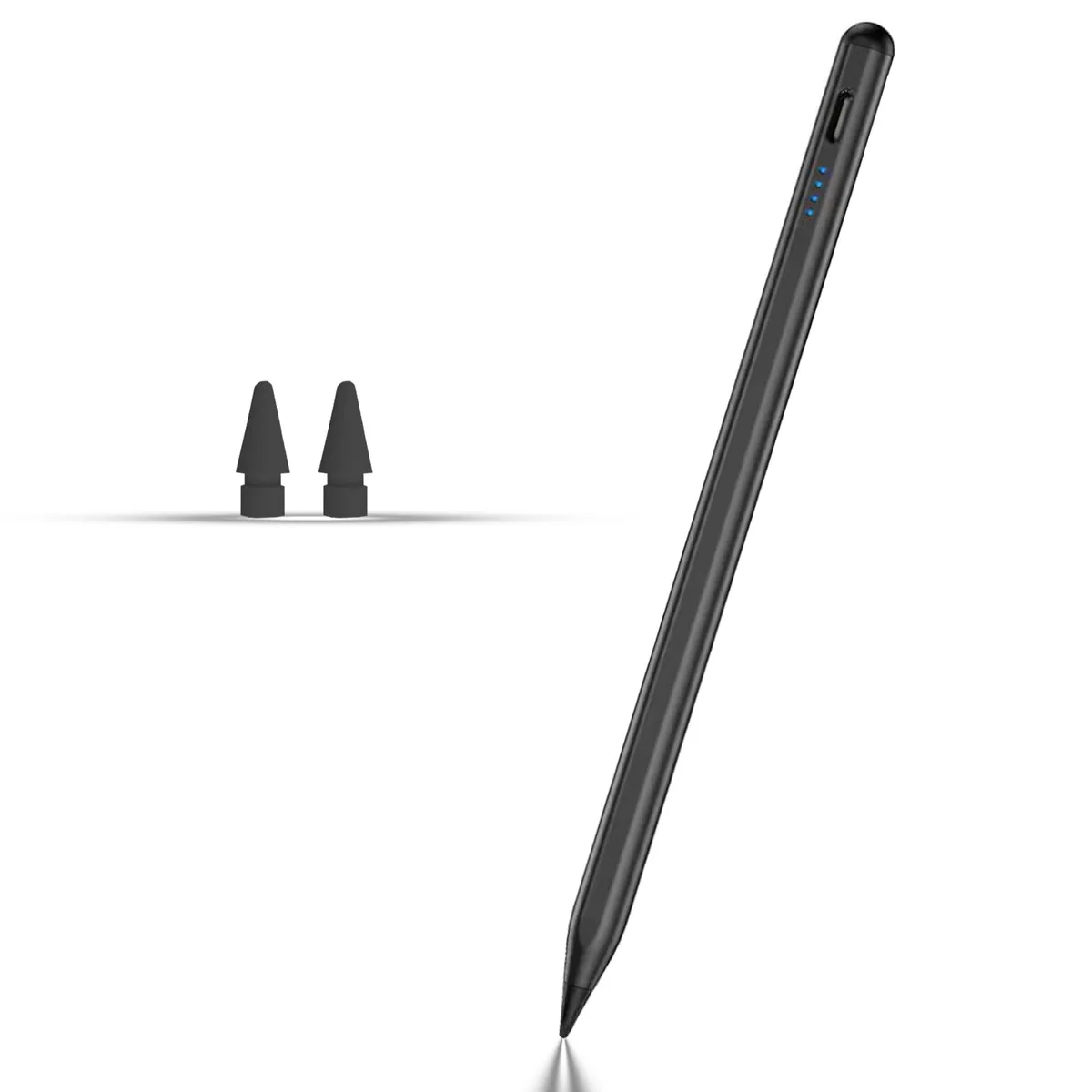


Rgar Stylus Pen for Samsung Galaxy Tab A11+/A11/A9+/A9 8.7/11 inches Black
Magnetic stylus with a 1.5 mm nib charges in 30 minutes for up to 10 hours of drawing on compatible Samsung Galaxy tablets
- ColorBlack
- Compatible Phone ManufacturerSamsung Galaxy Tab A11+/A11/A9+/A9
- Compatible Capacitive ScreenSamsung Galaxy Tab A11+/A11/A9+/A9
- Precise 1.5 mm nib for pixel-level accuracy
- Double-tap cap activates instantly without apps
- 30-minute charge delivers up to 10 hours use
- Magnetic adsorption keeps stylus secure on tablet
- Includes two replacement nibs and USB-C cable
Compatible Samsung Galaxy Tab models
The Rgar stylus pen works with Samsung Galaxy Tab A11+, A11, A9+ and A9 tablets that have 8.7-inch or 11-inch screens. It is designed for users who want a direct pen input method without pairing steps or extra software. The 1.5 mm nib aims to give pixel-level precision for writing and drawing tasks. Magnetic adsorption lets the pen attach to the tablet side when not in use.
Charging speed and battery life
A built-in battery reaches a usable charge in 0.5 hour through the USB-C port. The supplier rates continuous operation at 8 to 10 hours after that short charge. A double-tap on the pen cap powers the tip on or off, so no driver or Bluetooth setup is required. There are no thermal, noise or power-draw concerns beyond the brief charging window.
Included accessories and their purpose
The box contains two replacement nibs, a Type-C charging cable and a user manual. Spare nibs extend the usable life of the pen when the original tip wears down. The cable enables the fast 30-minute recharge cycle. No carrying case, stand or software licence is bundled.
Highlights
- Precise 1.5 mm nib for pixel-level accuracy
- Double-tap cap activates instantly without apps
- 30-minute charge delivers up to 10 hours use
- Magnetic adsorption keeps stylus secure on tablet
- Includes two replacement nibs and USB-C cable
Specifications
| Brand | Rgar |
|---|---|
| Color | Black |
| Compatible Phone Manufacturer | Samsung Galaxy Tab A11+/A11/A9+/A9 |
| Compatible Capacitive Screen | Samsung Galaxy Tab A11+/A11/A9+/A9 |
Questions about this item
How do I install the Rgar Stylus Pen on my Samsung Galaxy Tab A11+ and what step do people often miss?
No installation is required; just double-tap the pen cap to activate. The step users miss is charging it for 30 minutes via USB-C before first use to get 8-10 hours of operation.
What maintenance or replacement will this stylus need later?
The nib wears over time; the box includes 2 replacement nibs. The built-in battery is not user-replaceable, so the whole pen is replaced when the battery no longer holds a charge.
What limit shows up first under sustained use?
After about 10 hours of continuous use the battery runs out, requiring a 30-minute USB-C recharge before you can continue writing or drawing.
Also in this aisle
People compared these
Same shelf, same checkout — eight coins and a 30-minute rate lock.



Case Logic
Case Logic 2.4A Dual USB Wall Charger with Micro-USB Cable - Black
$14.99
0.00017956BTC
In stock