


RAZER
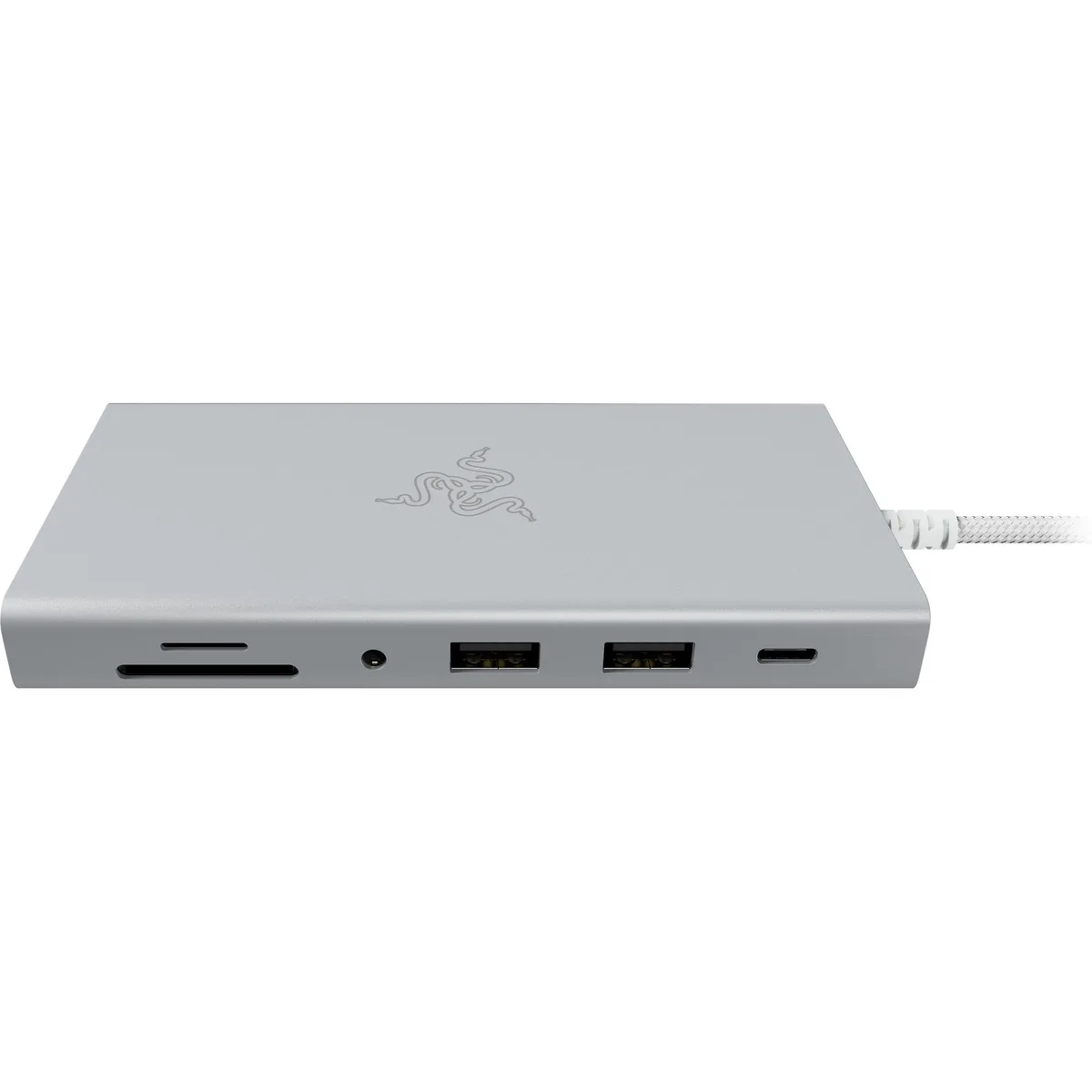
RAZER RC21-02250200-R3U1 Mercury USB-C Docking Station 11-Port 4K 60 Hz 85 W PD
An 11-port USB-C dock delivering 4K 60 Hz video, 85 W laptop charging, gigabit Ethernet, SD card access and multiple USB 3.2 and 2.0 connections
- ColorMercury
- CompatibilityWindows 10 or later PCs with USB-C/ Mac Systems w/MacOS 10.1
- Ports SpecUSB-C (Input)/1 x USB-C 3.2 (10Gbps)/1 x USB-C with 85 W PD
- FeaturesMicroSD
- FunctionSD Card Reader
- ContentHDMI
- 11 ports connect USB-C, USB-A, HDMI, Ethernet and SD cards
- 85 W USB-C Power Delivery charges a laptop while docked
- 4K 60 Hz HDMI output drives an external display
- 10 Gbps USB-C 3.2 port plus two USB-A 3.2 Gen 2 for fast data
- 5 mm audio jack and Gigabit Ethernet complete the workstation
Mercury 11-Port Docking Station
The Razer Mercury USB-C Dock adds eleven ports to a single USB-C connection on Windows 10 or later PCs and Macs running macOS 10.13 or later. It suits professionals who need video, data, networking and card-reader access from one compact hub.
Thermals, noise and power delivery
The dock accepts up to 100 W of USB-C power input and passes 85 W downstream to charge the host laptop while driving peripherals. No active cooling is present, so operation remains silent under normal multi-port workloads.
Bundled connectivity changes
A single HDMI output drives one external display at 4K 60 Hz. Two USB-A 3.2 Gen 2 ports and one USB-C 3.2 port run at 10 Gbps for fast storage, while two USB-A 2.0 ports handle legacy devices. Gigabit Ethernet adds wired networking, a 3.5 mm jack handles audio, and a MicroSD slot reads memory cards directly.
Highlights
- 11 ports connect USB-C, USB-A, HDMI, Ethernet and SD cards
- 85 W USB-C Power Delivery charges a laptop while docked
- 4K 60 Hz HDMI output drives an external display
- 10 Gbps USB-C 3.2 port plus two USB-A 3.2 Gen 2 for fast data
- 5 mm audio jack and Gigabit Ethernet complete the workstation
Specifications
| Brand | RAZER |
|---|---|
| Model | USB-C Dock |
| Part Number | RC21-02250200-R3U1 |
| Color | Mercury |
| Compatibility | Windows 10 or later PCs with USB-C/ Mac Systems w/MacOS 10.13 or later |
| Ports Spec | USB-C (Input)/1 x USB-C 3.2 (10Gbps)/1 x USB-C with 85 W PD (100 W PD IN)/2 x USB-A 3.2 Gen 2/2 x USB-A 2.0/1 x Gigabit Ethernet |
| Features | MicroSD |
| Function | SD Card Reader |
| Content | HDMI |
| Shipping weight | 0.50 kg |
| Package size | 150 × 90 × 30 mm |
Questions about this item
How do I connect the Mercury dock so the laptop charges at 85 W while using the 4K 60 Hz HDMI output?
Use the supplied USB-C cable to link the dock's USB-C Input port to the laptop's USB-C port that supports 100 W PD IN; the dock then delivers 85 W PD to the laptop and drives the HDMI display at 4K 60 Hz simultaneously.
Which port on the Mercury dock will need a cable replacement first with daily plugging and unplugging?
The USB-C Input port sees the most insertions because it carries both 100 W PD IN and all 10 Gbps data for the 11-port hub; keep a spare USB-C 3.2 cable rated for 100 W handy.
What thermal limit appears first when every port on the Mercury dock runs at full speed for hours?
The 85 W power-delivery circuitry hits its thermal ceiling before the 10 Gbps USB-C or Gigabit Ethernet controllers, so sustained maximum charging throttles first.
Also in this aisle
People compared these
Same shelf, same checkout — eight coins and a 30-minute rate lock.


Case Logic
Case Logic 3203990 briefcase for 15.6 in laptop with 10.1 in tablet pocket
$30.99
0.00037385BTC
In stock