


PSG AUDIO
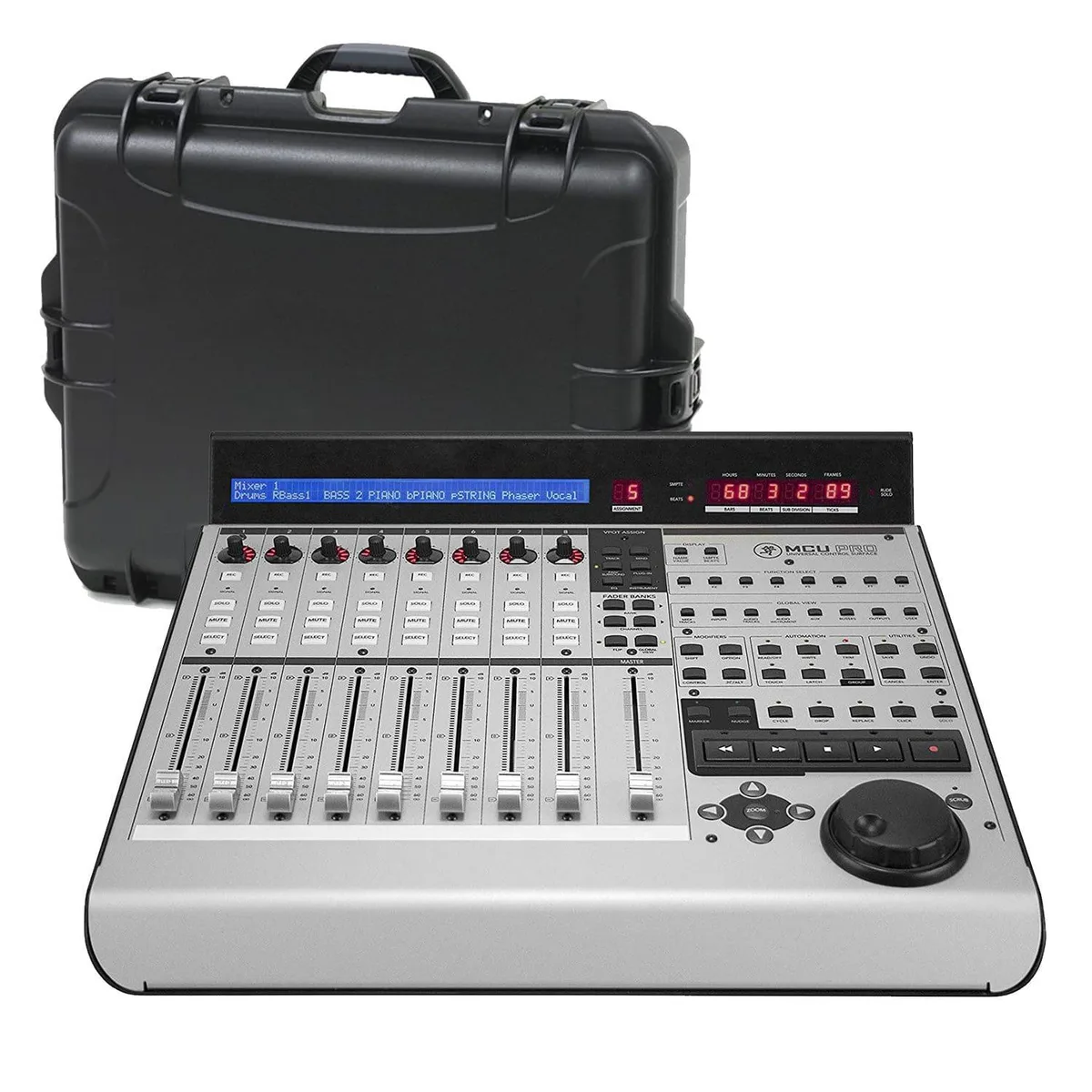
PSG AUDIO Mackie MCU Pro 8-fader 100mm control surface Gator GU-2217-08-WPDF bundle
A 9-fader USB/MIDI control surface with eight touch-sensitive 100mm motorised faders plus master, supporting Mackie Control, HUI and Logic Control modes for DAW mixing, editing and transport
- TypeDigital Mixer
- Touch-sensitive 100mm motorised faders for precise mix control
- Eight channel strips plus master fader cover full session
- Mackie Control, HUI and Logic Control modes for broad DAW support
- USB and MIDI connectivity for flexible studio integration
- Jog/shuttle wheel with tape-style transport speeds navigation
Control Surface with 8 Motorized Faders
The Mackie MCU Pro is a USB and MIDI control surface designed for digital audio workstation mixing and automation. It provides eight channel strips plus a master fader, each equipped with a touch-sensitive 100mm Alps motorized fader for hands-on level control.
Installation Notes
Connect the unit to a computer via USB or standard MIDI cables and select Mackie Control, HUI or Logic Control mode in the DAW preferences. The proprietary communication protocol requires correct driver installation and mode selection; mismatched settings are the most common cause of unresponsive faders or missing feedback.
Who This Suits
Engineers who need tactile, expandable mixing control across multiple supported software platforms will benefit from the motorized faders and dedicated transport section. Buyers who want more than eight simultaneous channel strips or require integrated audio conversion should look at a different solution.
Highlights
- Touch-sensitive 100mm motorised faders for precise mix control
- Eight channel strips plus master fader cover full session
- Mackie Control, HUI and Logic Control modes for broad DAW support
- USB and MIDI connectivity for flexible studio integration
- Jog/shuttle wheel with tape-style transport speeds navigation
Specifications
| Type | Digital Mixer |
|---|
Questions about this item
How can I verify the 100mm motorized faders are moving correctly after connecting the Mackie MCU Pro?
After USB or MIDI connection, open your DAW and move each fader; the on-screen mixer channels should follow instantly and the faders should snap to stored automation positions during playback.
What accessories come in the Gator GU-2217-08-WPDF bundle versus what I must purchase separately?
The bundle includes the MCU Pro control surface and a Gator protective case; you will need to supply your own USB or MIDI cables and any DAW-specific Lexan overlays.
Which version should I choose if I need eight channel strips plus a master fader?
The MCU Pro in this bundle provides exactly eight channel strips with 100mm faders and a ninth master fader, matching the 8-fader specification.
Also in this aisle
People compared these
Same shelf, same checkout — eight coins and a 30-minute rate lock.



SXDOOL
SXDOOL Lenovo X1 Helix UDQFTYH11BFD 0C54109 04X0431 fan heat sink cooling module
$32.99
0.00039681BTC
In stock
Panasonic
Panasonic CF-VDL03UKB 12.1 inch PDRC touchscreen backlit keyboard gadget
$1,521.99
0.01830701BTC
In stock