
NShi
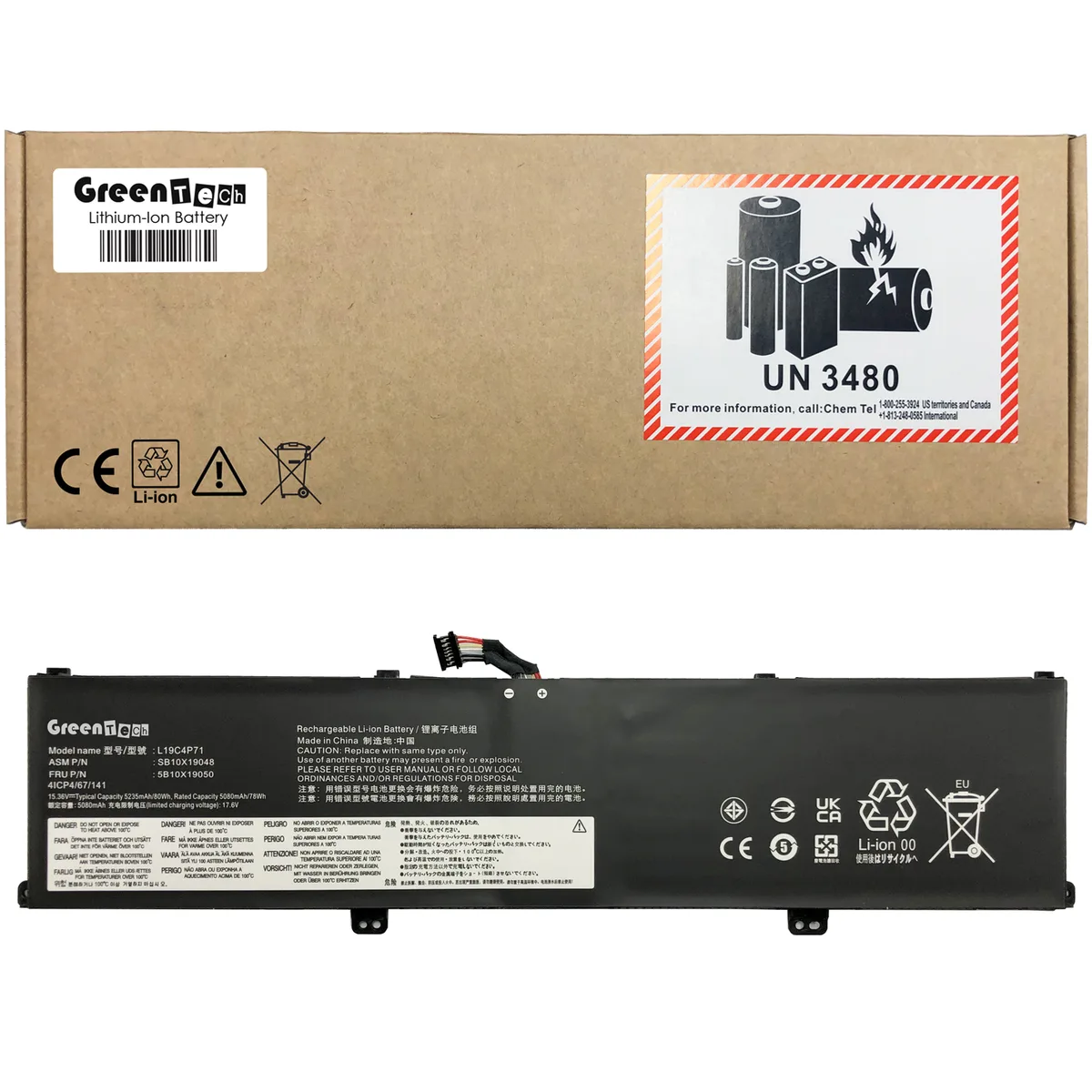
NShi laptop battery 15.36V 5235mAh 80Wh for ThinkPad P1 Gen 3 X1 Extreme Gen 3
80 Wh four-cell lithium-ion replacement battery for ThinkPad P1 Gen 3 and X1 Extreme Gen 3 laptops
- ColorBlack
- TypeBattery
- CompatibilityLENOVO THINKPAD P1 GEN 3 20TH, P1 GEN 3 20TJ, X1 EXTREME 3RD
- Battery Type4 Cell Lithium-Ion
- Battery Voltage15.36V
- Battery Capacity5235MAH
- 80 Wh capacity supports long work sessions
- 36 V 5235 mAh four-cell lithium-ion design
- Direct replacement for OEM part numbers 5B10X19049 5B10X19050 L19C4P71 L19M4P71 SB10X19047 SB10X19048
- Fits ThinkPad P1 Gen 3 20TH 20TJ and X1 Extreme 3rd Gen 20TK 20TL
- CE FCC RoHS certified with tested voltage regulation and circuit protection
Compatible replacement for ThinkPad P1 Gen 3
This 80 Wh lithium-ion battery replaces OEM part numbers 5B10X19049, 5B10X19050, L19C4P71, L19M4P71, SB10X19047 and SB10X19048. It fits the ThinkPad P1 Gen 3 models 20TH and 20TJ and the X1 Extreme 3rd Gen models 20TK and 20TL. The four-cell pack delivers 15.36 V and 5235 mAh. It is intended for owners of those specific laptops who need a new power source. Buyers with other ThinkPad generations or different part numbers cannot use this unit.
Four-cell construction
The black battery housing matches the original form factor and slides into the internal compartment without adapters. Each unit is tested for correct voltage, stable current, low self-discharge and circuit protection before dispatch. CE, FCC and RoHS certifications confirm compliance with safety and environmental standards. The pack connects directly to the motherboard connector; no soldering or cable modification is required. Users who need a higher-capacity 6-cell or 9-cell design will not find that option here.
Rated 80 Wh with 15.36 V nominal output
In normal use the pack supplies the laptop's full load without excessive heat buildup. The lithium-ion chemistry keeps self-discharge low during storage. No cooling fan or active thermal management is present because the cells operate within their designed envelope. Power draw follows the laptop's own power-management profile. The 6-month replacement warranty covers defects in materials and workmanship. Customers requiring longer warranty terms or hot-swap capability should look elsewhere.
Highlights
- 80 Wh capacity supports long work sessions
- 36 V 5235 mAh four-cell lithium-ion design
- Direct replacement for OEM part numbers 5B10X19049 5B10X19050 L19C4P71 L19M4P71 SB10X19047 SB10X19048
- Fits ThinkPad P1 Gen 3 20TH 20TJ and X1 Extreme 3rd Gen 20TK 20TL
- CE FCC RoHS certified with tested voltage regulation and circuit protection
Specifications
| Brand | GreenTech |
|---|---|
| Model | 5B10X19049, 5B10X19050, L19C4P71, L19M4P71, SB10X19047, SB10X19048 |
| Part Number | 5B10X19049, 5B10X19050, L19C4P71, L19M4P71, SB10X19047, SB10X19048 |
| Color | Black |
| Type | Battery |
| Compatibility | LENOVO THINKPAD P1 GEN 3 20TH, P1 GEN 3 20TJ, X1 EXTREME 3RD GEN 20TK, X1 EXTREME 3RD GEN 20TL |
| Battery Type | 4 Cell Lithium-Ion |
| Battery Voltage | 15.36V |
| Battery Capacity | 5235MAH |
Questions about this item
What voltage does the 15.36V battery deliver to the ThinkPad P1 Gen 3?
The pack supplies 15.36V at 5235mAh, giving an 80Wh rating that matches the original specification for the P1 Gen 3 and X1 Extreme Gen 3.
Which screws and connectors must match for the 4-cell pack to seat in the X1 Extreme Gen 3?
The replacement uses the same 4-cell form factor and connector layout as OEM part numbers 5B10X19049, 5B10X19050, L19C4P71, L19M4P71, SB10X19047 and SB10X19048, so existing screw points and the motherboard header align directly.
What is the correct order to connect the battery cable when installing the 80Wh unit in a ThinkPad P1 Gen 3?
Insert the pack into the bay, press the connector straight into the motherboard header until it clicks, then secure the retention screws; reversing the steps can bend pins or leave the connector partially seated.
Also in this aisle
People compared these
Same shelf, same checkout — eight coins and a 30-minute rate lock.


Case Logic
Case Logic 3203990 briefcase for 15.6 in laptop with 10.1 in tablet pocket
$30.99
0.00037276BTC
In stock