

NShi
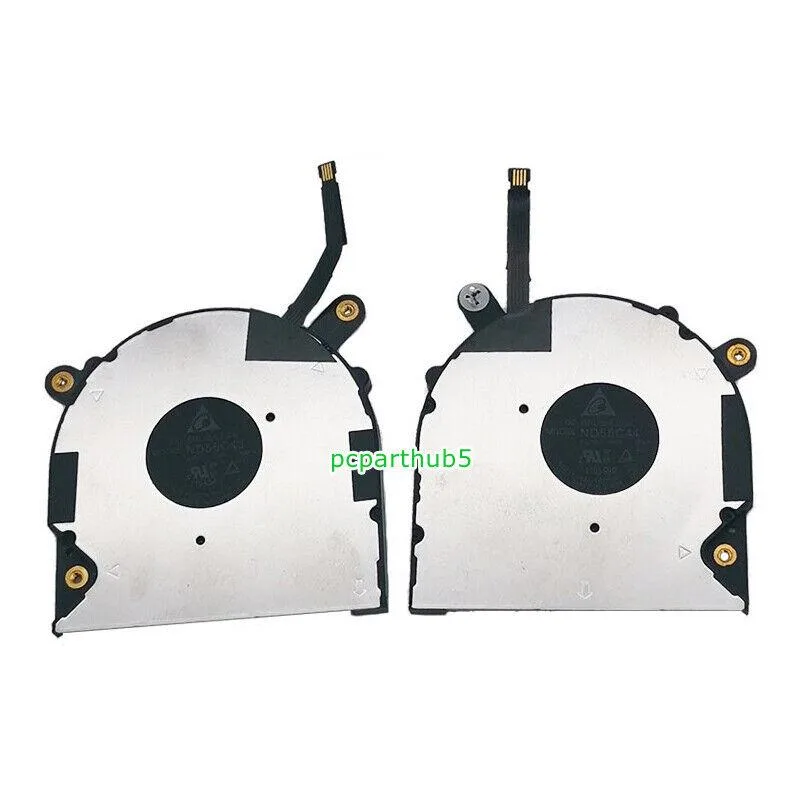
NShi CPU & GPU Cooling Fan for Dell XPS 13 7390 2-in-1 0VDFK8 EG50030S1-C170-S9A
Replacement CPU and GPU cooling fan for Dell XPS 13 7390 2-in-1 with 4-pin power connection and 5V operation
- Accessory TypeFan
- Direct replacement for Dell XPS 13 7390 2-in-1
- 4-pin connector matches original motherboard header
- 5 V operation mirrors factory power spec
- New condition ensures clean, dust-free installation
- Manufacturer lists six-month coverage for this part
Replacement fan for Dell XPS 13 7390 2-in-1
This new NShi cooling fan is built as a direct replacement for the original CPU and GPU cooler in the Dell XPS 13 7390 2-in-1. It matches the 5 V, 4-pin power connection used by the factory unit. The part carries manufacturer numbers 0VDFK8 and EG50030S1-C170-S9A for exact identification.
Upgrading from a worn or noisy original cooler
Install this fan when the stock cooler has become loud, spins irregularly or no longer keeps temperatures in check under load. The swap is worthwhile once thermal throttling appears during sustained workloads or the bearing noise becomes distracting in quiet environments.
Steady airflow during extended sessions
Under continuous load the 5 V motor maintains a constant airflow curve without the rpm spikes that occur during short bursts. This behaviour keeps the heatpipes saturated evenly, preventing the temperature saw-tooth pattern that stresses the CPU and GPU over long renders or compiles.
Highlights
- Direct replacement for Dell XPS 13 7390 2-in-1
- 4-pin connector matches original motherboard header
- 5 V operation mirrors factory power spec
- New condition ensures clean, dust-free installation
- Manufacturer lists six-month coverage for this part
Specifications
| Accessory Type | Fan |
|---|
Questions about this item
Does the 4-pin connector match the Dell XPS 13 7390 2-in-1 motherboard header?
Yes, the 4-pin power connection is designed for the XPS 7390 and XPS 13 7390 2-in-1 motherboard header.
Which screws secure the fan to the heatsink on this XPS 7390 model?
Remove the bottom case, disconnect the old fan cable, unscrew the heatsink assembly, swap the fan, then reassemble in reverse order.
How often should the thermal paste be replaced when using this 5V fan?
Replace the thermal compound whenever the heatsink is removed, typically every two to three years for consistent CPU and GPU temperatures.
Also in this aisle
People compared these
Same shelf, same checkout — eight coins and a 30-minute rate lock.


Case Logic
Case Logic 3203990 briefcase for 15.6 in laptop with 10.1 in tablet pocket
$30.99
0.00037132BTC
In stock