


NShi
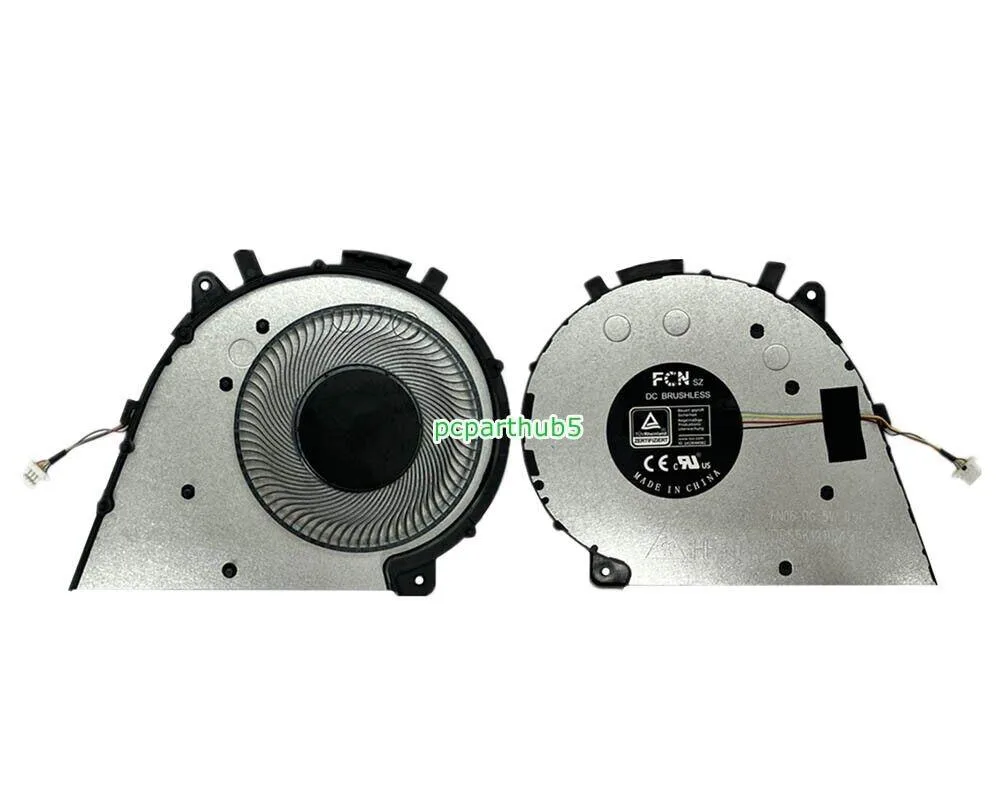
NShi CPU Cooling Fan for Lenovo Yoga 7 14ACN6 14ITL5 4-Pin 5V Gray
Replacement CPU cooling fan with 4-pin 5V connector for compatible Lenovo Yoga 7 models
- Accessory TypeFan
- Direct fit for Lenovo Yoga 7 14ACN6 and 14ITL5 models
- 4-pin 5V connector matches motherboard header exactly
- Gray finish blends with original chassis colour
- Replaces part numbers 5H40S20144 and DFS5K1211
- New condition ensures full service life from day one
Replacement CPU fan for Lenovo Yoga 7
This 4-pin, 5 V cooling fan is built for the Lenovo Yoga 7 14ACN6, 14ITL5 and 7i 14ITL5 models. It replaces a worn or noisy original fan to restore proper airflow over the processor. The grey finish matches the laptop’s internal colour scheme. Install it when the original fan fails or runs loudly.
Upgrade from a failing or noisy stock fan
Swap the factory fan when it develops bearing noise, spins unevenly or stops altogether. The replacement is worth it if thermal throttling appears during sustained workloads or the laptop shuts down from overheating. A working fan keeps the CPU at its intended clock speeds without extra software tuning.
Check the exact Yoga 7 sub-model
Verify that your machine is a Yoga 7 14ACN6, 14ITL5 or 7i 14ITL5 and that the motherboard uses a 4-pin 5 V fan header. Confirm the part number 5H40S20144 or DFS5K1211 matches the label on your old fan. Different Yoga 7 variants may use a different connector or voltage.
Highlights
- Direct fit for Lenovo Yoga 7 14ACN6 and 14ITL5 models
- 4-pin 5V connector matches motherboard header exactly
- Gray finish blends with original chassis colour
- Replaces part numbers 5H40S20144 and DFS5K1211
- New condition ensures full service life from day one
Specifications
| Accessory Type | Fan |
|---|
Questions about this item
Will the 4-pin connector on this fan plug directly into the Yoga 7-14ACN6 motherboard?
Yes, the 4-pin power connection is designed for the Yoga 7-14ACN6, Yoga 7-14ITL5 and Yoga 7i 14ITL5 models.
Which screws must be removed to swap the CPU fan on a Yoga 7-14ITL5?
Remove the bottom case screws, disconnect the battery, then unscrew the fan from the heatsink assembly before unplugging the 4-pin cable.
Does the gray 5V fan assembly include the heatsink or only the blower unit?
The accessory type is listed as a fan only; the heatsink is not included with this replacement unit.
Also in this aisle
People compared these
Same shelf, same checkout — eight coins and a 30-minute rate lock.


Case Logic
Case Logic 3203990 briefcase for 15.6 in laptop with 10.1 in tablet pocket
$30.99
0.00036995BTC
In stock