

NShi
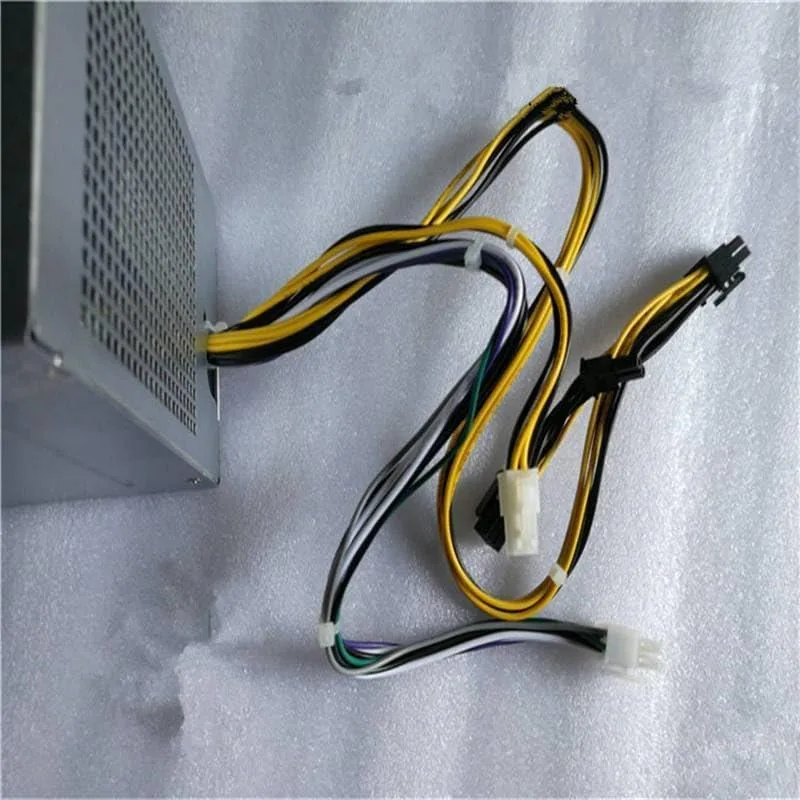
NShi 460W 8-Pin PSU for 3020 9020 T1700 T3620 T3670
460 W replacement power supply with 8-pin connector for Dell OptiPlex 3020, 9020, T1700, T3620 and T3670 desktops
- Chassis TypeDesktop
- 460 W output powers Dell OptiPlex 3020, 9020, T1700, T3620 and T3670 desktops
- 8-pin connector matches H290AM-00, L290AM-00, L290EM-00 and AC290AM-00 part numbers
- Switching topology delivers efficient power conversion for desktop chassis
- New condition ensures reliable replacement for original unit
Compatible Dell Workstation PSU
This 460 W power supply replaces the H290AM-00 L290AM-00 L290EM-00 and AC290AM-00 units found in Dell OptiPlex 3020 9020 and Precision T1700 T3620 T3670 desktops. It delivers the required 8-pin connector for direct motherboard fit. Builders needing a different form factor or higher wattage for GPU upgrades should look elsewhere.
Thermals and Acoustics
The switching design regulates output across the 460 W rating while fitting the original desktop chassis airflow path. No fan specifications or noise ratings are provided by the supplier. Power draw scales with the installed components up to the rated maximum.
Highlights
- 460 W output powers Dell OptiPlex 3020, 9020, T1700, T3620 and T3670 desktops
- 8-pin connector matches H290AM-00, L290AM-00, L290EM-00 and AC290AM-00 part numbers
- Switching topology delivers efficient power conversion for desktop chassis
- New condition ensures reliable replacement for original unit
Specifications
| Chassis Type | Desktop |
|---|
Questions about this item
How do I install the 8-pin 460W power supply into a 3020 desktop chassis and which step is often missed?
Remove the side panel, slide the unit into the bay, secure the mounting screws, plug the 8-pin connector firmly into the motherboard header, then reattach the panel; the step often missed is fully seating the 8-pin plug until it clicks.
What maintenance or replacement will the H290AM-00 L290AM-00 L290EM-00 AC290AM-00 unit need over time?
Periodically blow dust from the intake vents with compressed air; the supply should be swapped out if it develops coil whine, random shutdowns, or fails to power on the 3020 9020 T1700 T3620 T3670 systems.
New to this? Buying PC parts with Monero — what to check, what it costs to pay, and what is never asked for.
Also in this aisle
People compared these
Same shelf, same checkout — eight coins and a 30-minute rate lock.



Sunfounder
Sunfounder Raspberry Pi Ultimate Kit with PiCrawler AI Robot 337 components 131 projects
$174.99
0.00210484BTC
In stock
minisforum
minisforum MF-SRP01 SSD Heatsink accessories barebone
- SSD Heatsink
$6.99
0.00008408BTC
In stock