


myVolts
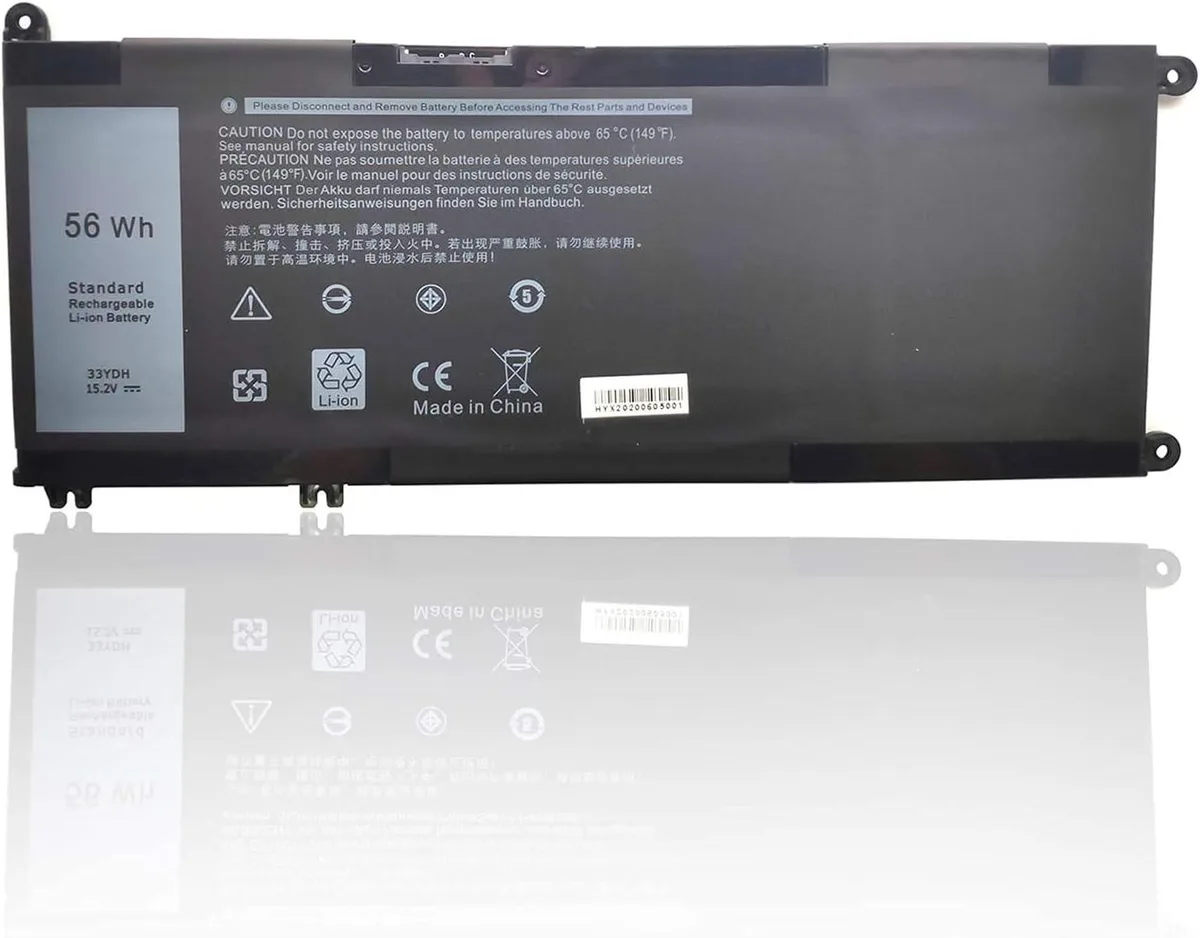
myVolts 33YDH Laptop Battery 15.2V 56Wh for Dell Inspiron 13 7353 17 7000 7773 7778 7779
A 15.2 V, 56 Wh lithium-ion replacement battery for Dell Inspiron 13 7353 and 17 7000 series notebooks
- 56Wh capacity powers extended work sessions
- 2V Li-ion chemistry delivers stable voltage output
- Direct replacement for 33YDH PVHT1 DNCWSCB6106B part numbers
- Fits Inspiron 13 7353 and 17 7000 7773 7778 7779 series
- High recycle life maintains capacity over repeated charges
Direct replacement battery
This lithium-ion unit matches the 15.2 V 56 Wh specification of the original 33YDH PVHT1 DNCWSCB6106B pack. It fits Dell Inspiron 13 7353 and Inspiron 17 7000 7773 7778 7779 series notebooks. Owners of those models can swap the old cell without adapter changes.
Built-in cell protection
The pack uses a standard internal connector that aligns with the laptop's battery bay, so installation requires only a screwdriver and a few minutes. High recycle life and energy density mean the cell holds charge well through repeated cycles. No external cables or docking hardware are involved.
Capacity decides runtime
At 56 Wh and 3500 mAh the battery delivers the same watt-hour rating Dell specified for these chassis. Buyers needing more runtime than the factory pack provided will not find it here. This unit restores original endurance rather than extending it.
Highlights
- 56Wh capacity powers extended work sessions
- 2V Li-ion chemistry delivers stable voltage output
- Direct replacement for 33YDH PVHT1 DNCWSCB6106B part numbers
- Fits Inspiron 13 7353 and 17 7000 7773 7778 7779 series
- High recycle life maintains capacity over repeated charges
Specifications
No published specifications for this item yet.
Questions about this item
What voltage does the 33YDH battery deliver, and what capacity does that support?
The 33YDH supplies 15.2V with a 56Wh capacity, giving the listed Inspiron models their rated runtime.
Which Dell Inspiron chassis does the 33YDH fit without modification?
It matches the Inspiron 13 7353 and Inspiron 17 7000, 7773, 7778 and 7779 series battery bays.
How is the 33YDH installed, and what step do people often miss?
Remove the bottom cover, disconnect the old pack, connect the 33YDH cable to the motherboard header, then secure the pack; the step often missed is reconnecting the cable before screwing the cover back.
Also in this aisle
People compared these
Same shelf, same checkout — eight coins and a 30-minute rate lock.


Case Logic
Case Logic 3203990 briefcase for 15.6 in laptop with 10.1 in tablet pocket
$30.99
0.00037118BTC
In stock