


LORDWORLD
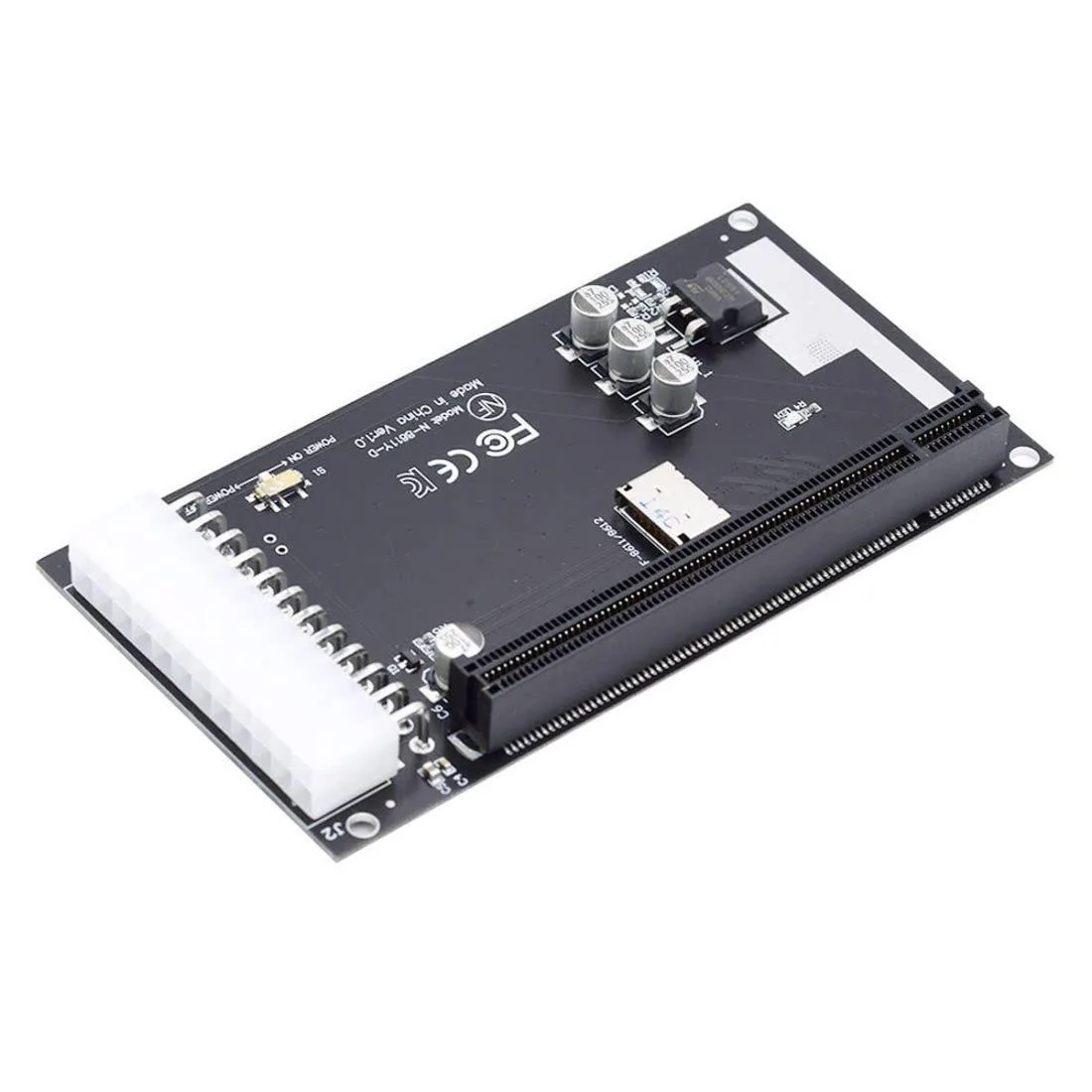
LORDWORLD Oculink SFF-8611/8612 4i to PCI-E 16X Adapter with ATX 24Pin Power
Connects a PCI-E 16x card via SFF-8611/8612 Oculink with ATX 24-pin 12V power support
- Connect a 16x graphics card via Oculink 8611/8612
- Power demanding cards with ATX 24-pin 12V supply
- Supports standard PCI-E 16x, 8x and 4x expansion cards
- Compatible with USB, LAN, 1394 and audio add-in cards
- Installs internally through SFF-8611/8612 Oculink interface
Adapter purpose and audience
This LORDWORLD adapter connects a standard PCI-E 16x, 8x or 4x card to a host system through an Oculink SFF-8611 or SFF-8612 4i interface. It suits builders who want to run graphics cards, USB, LAN, 1394 or audio add-in cards in enclosures or backplanes that expose only an Oculink link.
Installation notes
The board installs internally and presents a full-size PCI-E slot plus an ATX 24-pin power connector with an onboard switch for 12 V auxiliary power. Builders must supply external ATX power when the attached card draws more than the Oculink link can deliver; forgetting this step is the most common cause of unstable operation.
Capacity and limits
The adapter passes a single PCI-E 16x, 8x or 4x device at the link width negotiated by the host Oculink port. It cannot drive multiple cards simultaneously, and it provides no benefit for workloads that require more bandwidth than the 4-lane Oculink connection can carry.
Highlights
- Connect a 16x graphics card via Oculink 8611/8612
- Power demanding cards with ATX 24-pin 12V supply
- Supports standard PCI-E 16x, 8x and 4x expansion cards
- Compatible with USB, LAN, 1394 and audio add-in cards
- Installs internally through SFF-8611/8612 Oculink interface
Specifications
| Brand | LORDWORLD |
|---|
Questions about this item
How can I confirm the Oculink SFF-8611/8612 adapter is functioning after connecting a graphics card?
The system should detect the PCI-E 16x, 8x or 4x device in Device Manager and the graphics card should output video without errors.
What comes in the box and do I need a separate Oculink cable?
The adapter board with ATX 24Pin power connector is included; an Oculink SFF-8611/8612 cable to link the host must be purchased separately.
Which version should I choose for a PCI-E 16x graphics card versus a 4x LAN card?
The same converter supports all standard PCI-E 16x, 8x and 4x cards, so one version covers both graphics and LAN devices.
Also in this aisle
People compared these
Same shelf, same checkout — eight coins and a 30-minute rate lock.



SXDOOL
SXDOOL Lenovo X1 Helix UDQFTYH11BFD 0C54109 04X0431 fan heat sink cooling module
$32.99
0.00039495BTC
In stock
Panasonic
Panasonic CF-VDL03UKB 12.1 inch PDRC touchscreen backlit keyboard gadget
$1,521.99
0.01822088BTC
In stock