


LORDWORLD
LORDWORLD M.2 NVMe SATA Enclosure USB 3.2 Gen 2 10Gbps Tool-Free Aluminium
Tool-free aluminium enclosure reads NVMe drives at 1000MB/s and SATA drives at 450MB/s via USB 3.2 Gen 2
- Up to 1000 MB/s with NVMe drives at 10Gbps
- 450 MB/s with SATA drives at 5Gbps
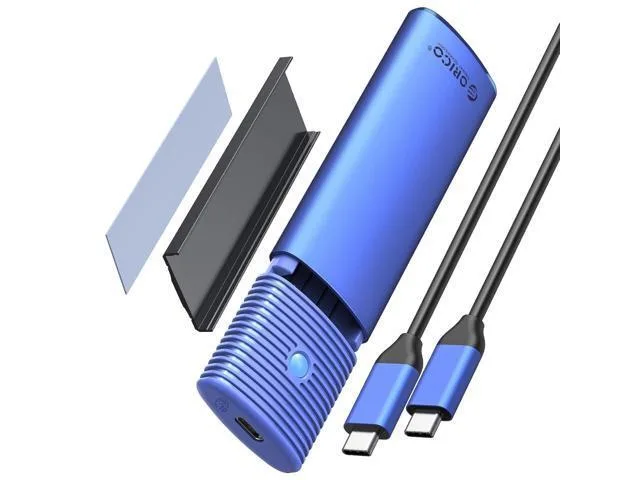
- Aluminium shell with thermal silicone cools the SSD
- Tool-free one-click locking holds 2230 to 2280 drives
- Works with Windows, macOS, Linux and Android
Tool-Free M.2 NVMe SATA Enclosure
The LORDWORLD enclosure connects an M.2 NVMe or SATA SSD to a USB-C port at up to 10Gbps. It accepts M-key, B+M-key and SATA-based NGFF drives in 2230, 2242, 2260 and 2280 lengths up to 4TB. An aluminium shell with thermal silicone acts as a heatsink, and a tool-free sliding lid locks the drive in place. Compatible with Windows, Mac OS, Linux and Android.
Suits portable workflows, not desktop RAID
This enclosure suits users who need a compact, bus-powered way to read or clone M.2 drives on laptops, tablets or phones. It does not suit builders who want to run multiple drives simultaneously, anyone needing a 2.5-inch SATA bay, or workflows that require sustained write speeds beyond the single-drive USB 3.2 Gen 2 link.
USB 3.2 Gen 2 10Gbps interface decides fit
The single specification that determines compatibility is the USB 3.2 Gen 2 10Gbps host connection. Your device must provide a USB-C port that supports 10Gbps signalling to reach 1000MB/s with an NVMe SSD; SATA SSDs top out at 450MB/s over the same link. Without a 10Gbps port the enclosure will still work but at reduced throughput.
Highlights
- Up to 1000 MB/s with NVMe drives at 10Gbps
- 450 MB/s with SATA drives at 5Gbps
- Aluminium shell with thermal silicone cools the SSD
- Tool-free one-click locking holds 2230 to 2280 drives
- Works with Windows, macOS, Linux and Android
Specifications
| Brand | LORDWORLD |
|---|
Questions about this item
Will my older USB 3.0 port still work with this 10Gbps enclosure?
Yes, the USB 3.2 Gen 2 interface is backward compatible with USB 3.0 and 2.0 ports, though NVMe speeds will drop to the port's limit.
How can I confirm the 1000MB/s NVMe speed is actually being reached?
Run a benchmark tool such as CrystalDiskMark on Windows or Blackmagic Disk Speed Test on macOS and check for sequential reads near 1000MB/s.
Does the package include a USB-C cable or do I need to buy one separately?
The enclosure comes with a USB-C to USB-C cable and a USB-C to USB-A adapter, so no separate cable purchase is required.
New to this? Paying with USDT: TRC-20 or ERC-20 — what to check, what it costs to pay, and what is never asked for.
Also in this aisle
People compared these
Same shelf, same checkout — eight coins and a 30-minute rate lock.


